Inspiring
August 27, 2015
Answered

Framemaker table related issue...

  • August 27, 2015
  • 2 replies
  • 586 views

Hi All,

I have a table which has Anchor Marker on Page 1.

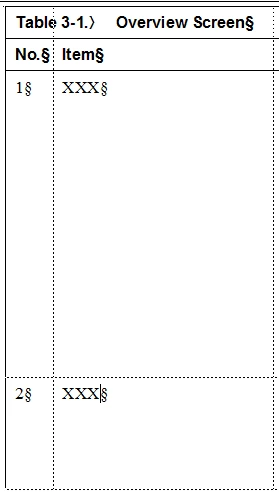
Then Table Starts on Page 2 with Title, Table header and Table Rows (only 2 rows and other half of the page is blank); then Additional Rows start on Page 3.

So how can I make my table starts with the Anchor Marker and not leave too much blank spaces???
    

Hope my question makes sense. Thanks.

    This topic has been closed for replies.
    Correct answer Bob_Niland

    Would the table span pages?

    If so, the problem is likely the Row Format keep with next/previous

    If the problem is that the table would fit on the page, but for the space taken by the anchor para, see:
    Title/Heading/Row-Align Multi-Column Tables

    Same trick works for getting a table to start at top of frame.

    2 replies

    Arnis Gubins
    Inspiring
    August 28, 2015

    Also check the table widow/orphan setting for rows. This could force the table to the next page depending upon how much space there was on the previous page.

    Another suspect may be having fixed height rows.

    Bob_Niland
    Community Expert
    Bob_NilandCommunity ExpertCorrect answer
    Community Expert
    August 27, 2015

    Would the table span pages?

    If so, the problem is likely the Row Format keep with next/previous

    If the problem is that the table would fit on the page, but for the space taken by the anchor para, see:
    Title/Heading/Row-Align Multi-Column Tables

    Same trick works for getting a table to start at top of frame.