
Inspiring
June 22, 2017
Answered

Generating TOC in FM12 for a FM10 document - issues with formatting

  • June 22, 2017
  • 3 replies
  • 1225 views

Hello all,

So I have lot's of FM books created with previous versions of FM.  Not sure if this issue is related to how I update the TOC or some weird conflict with versions.  All I want to do is to update the TOC so that it picks up the new content.

Enter FM by selecting book created with v10:

Here is image of TOC before making changes to one of the .fm files and selecting Update Book
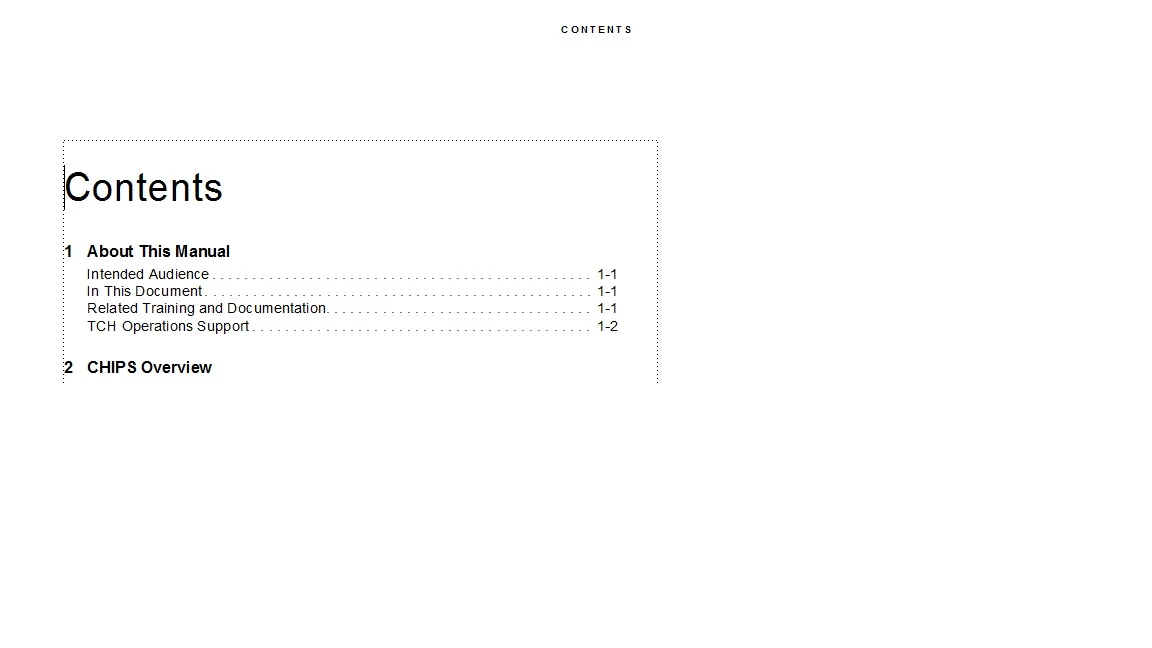
Changes no parms and clicked Update

Here is what the TOC looked like afterwards
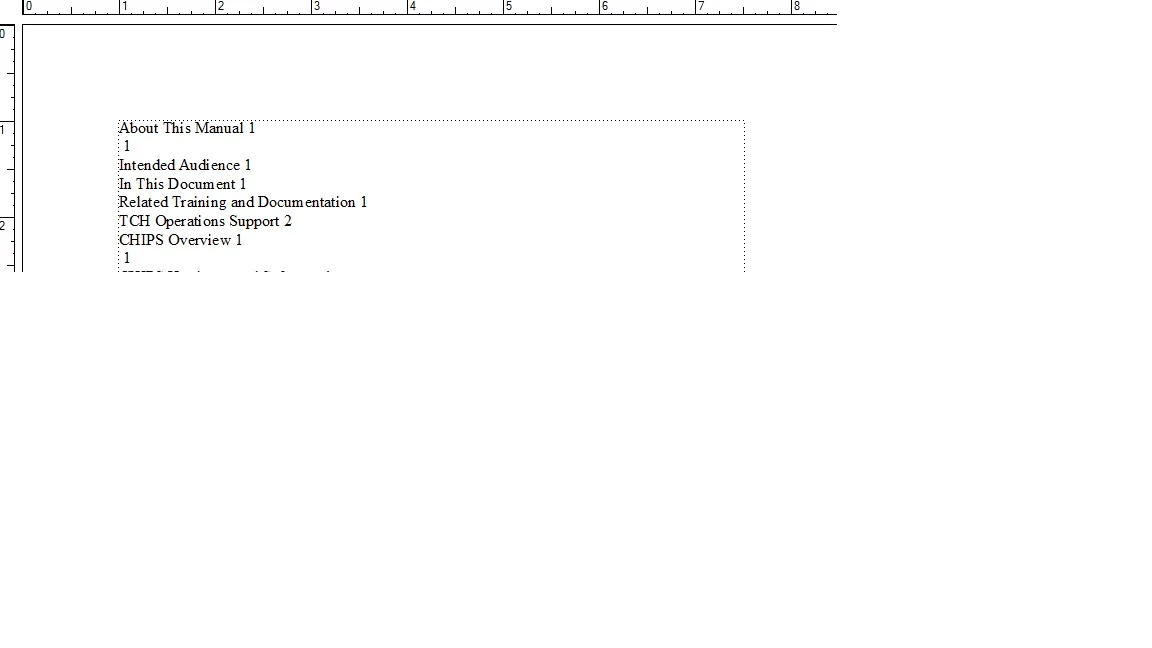
Please advise...

Many thanks in advance.

    This topic has been closed for replies.
    Correct answer Jeff_Coatsworth

    Try this - open up the book & all files in the book (use your Shift- command to do that); convert all files and books to new version, Save all files, close all files. Open up book, try updating.

    3 replies

    Inspiring
    June 23, 2017

    P.S. for future, I will post requests as "singled threaded" so that you folks can get proper credit for Correct Answer....

    Barb Binder
    Community Expert
    Community Expert
    June 22, 2017

    This looks like a snippet from the Book Error log, which will appear when you try to update the book before the files are converted to the new version.

    Jeff is totally correct with the necessary workflow required to move a book to a new version of Fm:

    1. Open the book file
    2. Save the book file (which saves it to the new version)
    3. Shift + File > Open all files in book
    4. Shift + File > Save all files in book (which saves them all into the new version)
    5. And optionally, Shift + File > Close all files in book
    6. Then update your book

    And to address this question, take a look at the icons. The generated files (which will update when you update your book) have a different color icon from user generated files. Generated files are orange/black in the book window, and user files are white/orange.

    Not sure how the TOC was created in v10.  Is there a way for me to make this determination?

    ~Barb at Rocky Mountain Training
    Inspiring
    June 22, 2017

    Check back with you all tomorrow.  Got pulled away.  Thanks for help so far....

    Inspiring
    June 23, 2017

    OK - back now.

    I've performed steps as described by you folks.  When updating the book, see two issues:

    Inconsistent print color settings - which I think I can fix (I'll be sure and let you know if I cannot)

    And this:

    I am not sure what this Tag is even used for.  In the past, I've simply deleted it.  But, there are about 60 .fm files with this inside.  Is it possible (or even wise) to delete or perhaps some other remedy for this condition?

    Lastly.  I have a variable that is also used to show the version number of the document - at the page footer.  Also in 60 files.  Is it possible to globally change?  I've tried this and 0 changes made...

    Jeff_Coatsworth
    Community Expert
    Community Expert
    June 22, 2017

    Ok, once you've opened all the docs in FM12 and upgraded them, did you save them before trying to make any changes? Is your formatted TOC a "real" TOC (i.e. one generated by FM and not created by hand)?

    Inspiring
    June 22, 2017

    Not sure how the TOC was created in v10.  Is there a way for me to make this determination?

    As far as your inquiry as to saving, here is what I did:

    • Open v10 version of book - clicked OK when informed that books would be converted.
    • Updated content in one of the FM files (which I would hope to appear in the TOC)
    • Clicked Update Book
    Jeff_Coatsworth
    Community Expert
    Jeff_CoatsworthCommunity ExpertCorrect answer
    Community Expert
    June 22, 2017

    Try this - open up the book & all files in the book (use your Shift- command to do that); convert all files and books to new version, Save all files, close all files. Open up book, try updating.