Exit
  • Global community
    • Language:
      • Deutsch
      • English
      • Español
      • Français
      • Português
  • 日本語コミュニティ
  • 한국 커뮤니티
0

Generating TOC in FM12 for a FM10 document - issues with formatting

Contributor ,
Jun 22, 2017 Jun 22, 2017

Hello all,

So I have lot's of FM books created with previous versions of FM.  Not sure if this issue is related to how I update the TOC or some weird conflict with versions.  All I want to do is to update the TOC so that it picks up the new content.

Enter FM by selecting book created with v10:
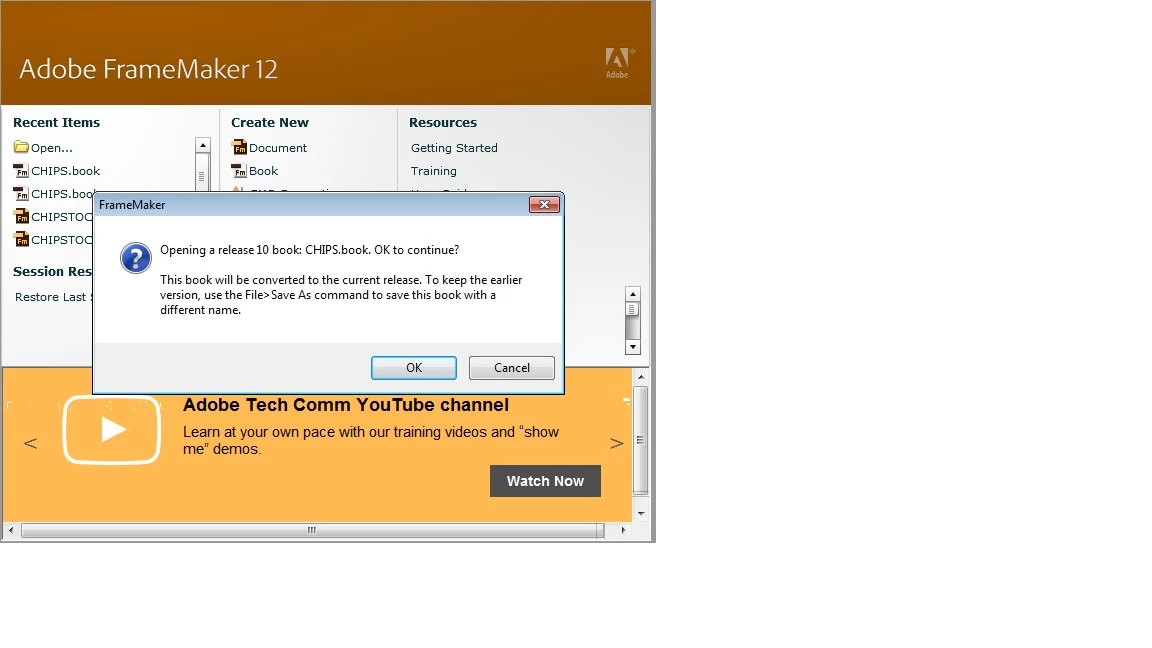
FM1.jpg

Here is image of TOC before making changes to one of the .fm files and selecting Update Book
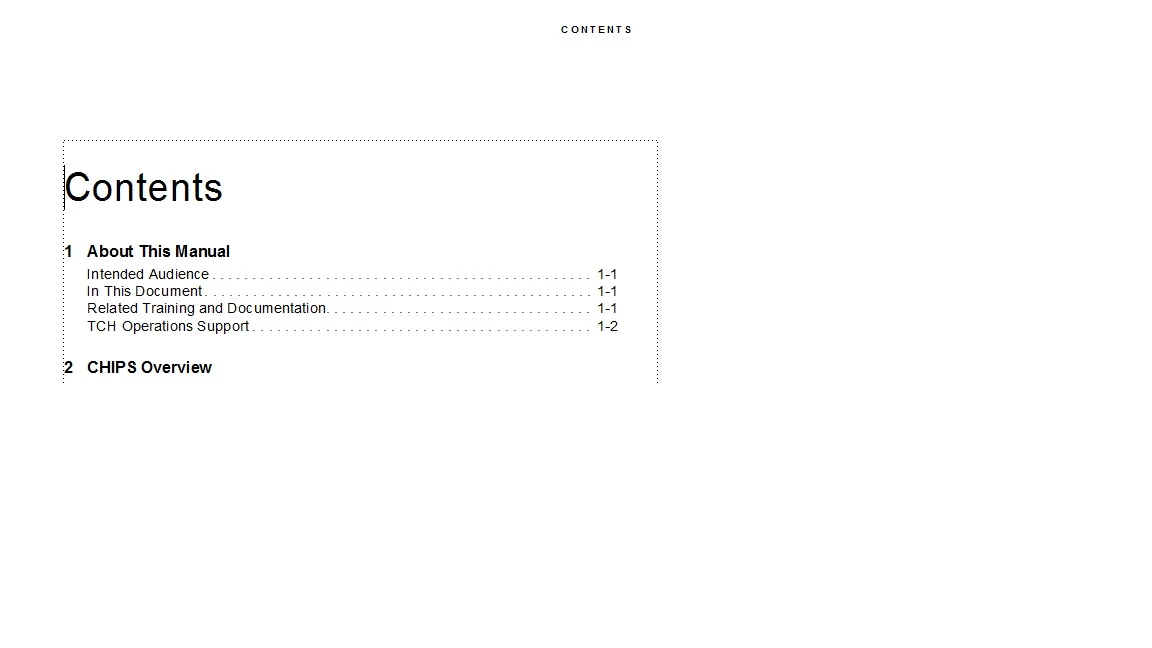
FM2.jpg

Changes no parms and clicked Update

FM4.jpg

Here is what the TOC looked like afterwards
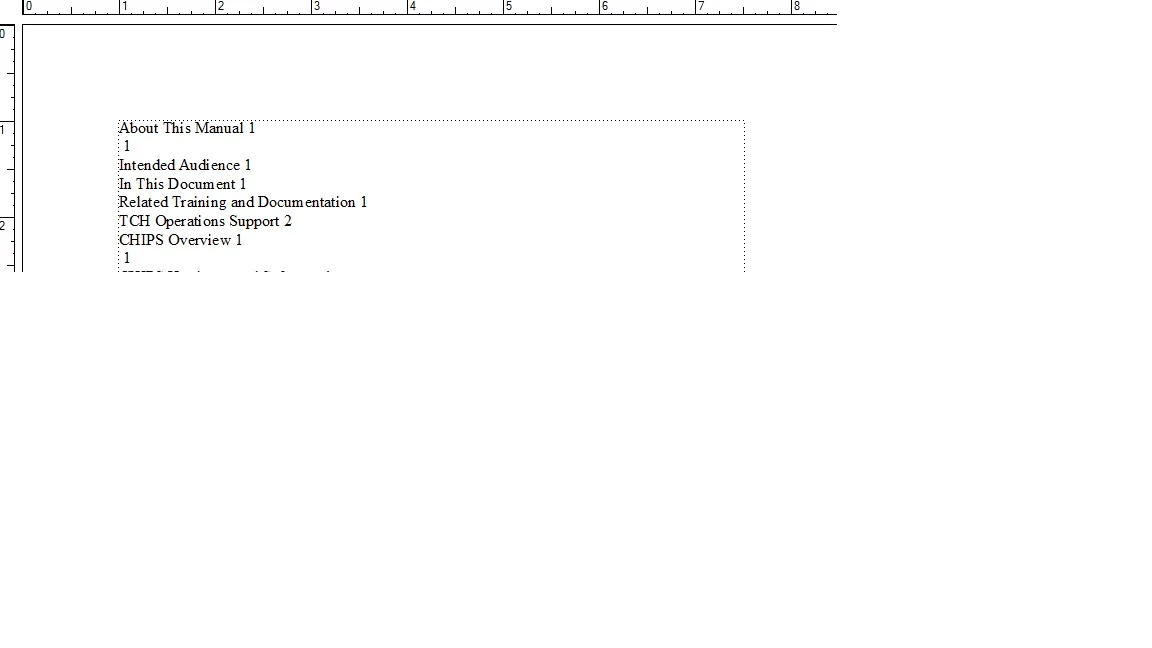
FM5.jpg

Please advise...

Many thanks in advance.

1.4K
Translate
Report
Community guidelines
Be kind and respectful, give credit to the original source of content, and search for duplicates before posting. Learn more
community guidelines

correct answers 1 Correct answer

Community Expert , Jun 22, 2017 Jun 22, 2017

Try this - open up the book & all files in the book (use your Shift- command to do that); convert all files and books to new version, Save all files, close all files. Open up book, try updating.

Translate
Community Expert ,
Jun 22, 2017 Jun 22, 2017

Ok, once you've opened all the docs in FM12 and upgraded them, did you save them before trying to make any changes? Is your formatted TOC a "real" TOC (i.e. one generated by FM and not created by hand)?

Translate
Report
Community guidelines
Be kind and respectful, give credit to the original source of content, and search for duplicates before posting. Learn more
community guidelines
Contributor ,
Jun 22, 2017 Jun 22, 2017

Not sure how the TOC was created in v10.  Is there a way for me to make this determination?

As far as your inquiry as to saving, here is what I did:

  • Open v10 version of book - clicked OK when informed that books would be converted.
  • Updated content in one of the FM files (which I would hope to appear in the TOC)
  • Clicked Update Book
Translate
Report
Community guidelines
Be kind and respectful, give credit to the original source of content, and search for duplicates before posting. Learn more
community guidelines
Community Expert ,
Jun 22, 2017 Jun 22, 2017

Try this - open up the book & all files in the book (use your Shift- command to do that); convert all files and books to new version, Save all files, close all files. Open up book, try updating.

Translate
Report
Community guidelines
Be kind and respectful, give credit to the original source of content, and search for duplicates before posting. Learn more
community guidelines
Contributor ,
Jun 23, 2017 Jun 23, 2017

Thanks Jeff - this worked

Translate
Report
Community guidelines
Be kind and respectful, give credit to the original source of content, and search for duplicates before posting. Learn more
community guidelines
Contributor ,
Jun 22, 2017 Jun 22, 2017

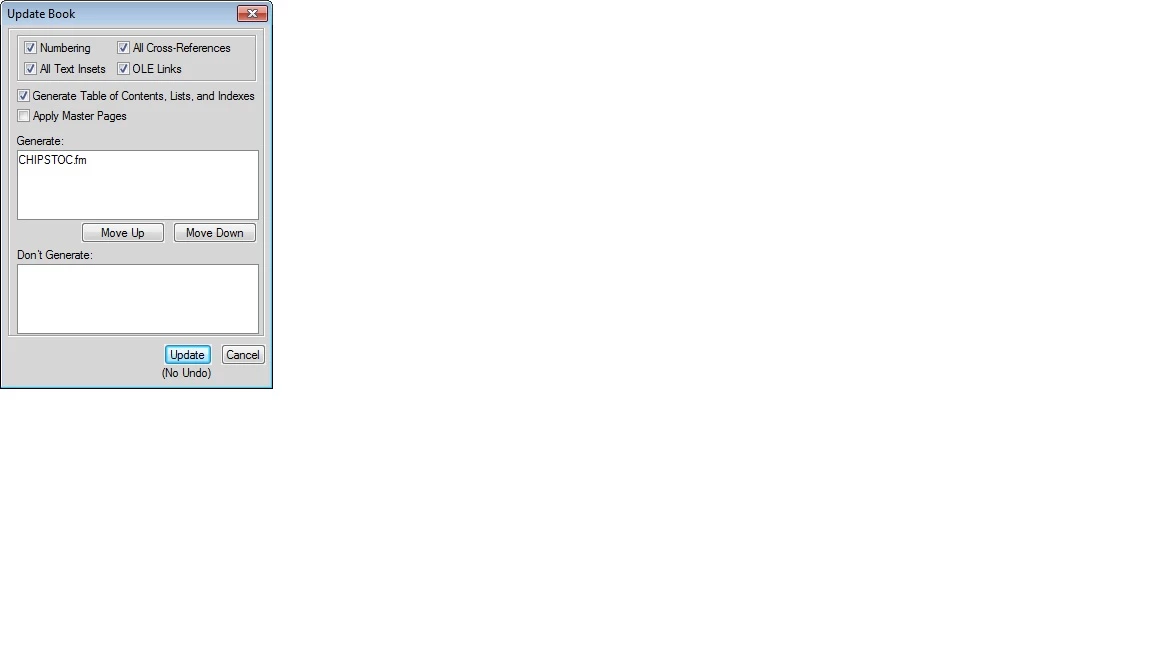
I also get (when updating) this for every .fm in the book:

Translate
Report
Community guidelines
Be kind and respectful, give credit to the original source of content, and search for duplicates before posting. Learn more
community guidelines
Community Expert ,
Jun 22, 2017 Jun 22, 2017

Are the files locked or are located on a location you don't have rights too?

Translate
Report
Community guidelines
Be kind and respectful, give credit to the original source of content, and search for duplicates before posting. Learn more
community guidelines
Contributor ,
Jun 22, 2017 Jun 22, 2017

Still updating (based upon your earlier suggestion)

In answer to the locked or locations rights - nothing is locked (no .lck files) and the location is on my desktop.

Translate
Report
Community guidelines
Be kind and respectful, give credit to the original source of content, and search for duplicates before posting. Learn more
community guidelines
Community Expert ,
Jun 22, 2017 Jun 22, 2017

Check the Windows security rights - if the files came off a CD or DVD, they might all be set to Read-only.

Translate
Report
Community guidelines
Be kind and respectful, give credit to the original source of content, and search for duplicates before posting. Learn more
community guidelines
Contributor ,
Jun 22, 2017 Jun 22, 2017

I assume you mean here:

FM7.jpg

If so - the Read-only tick box is empty for several randomly selected .fm files.

Translate
Report
Community guidelines
Be kind and respectful, give credit to the original source of content, and search for duplicates before posting. Learn more
community guidelines
Community Expert ,
Jun 22, 2017 Jun 22, 2017

I notice they are all on a "G:\" drive - that doesn't sound like your local Desktop. Any folder rights issues with that location? Any CMS or source control at play here?

Translate
Report
Community guidelines
Be kind and respectful, give credit to the original source of content, and search for duplicates before posting. Learn more
community guidelines
Community Expert ,
Jun 22, 2017 Jun 22, 2017

This looks like a snippet from the Book Error log, which will appear when you try to update the book before the files are converted to the new version.

pastedImage_0.png

Jeff is totally correct with the necessary workflow required to move a book to a new version of Fm:

  1. Open the book file
  2. Save the book file (which saves it to the new version)
  3. Shift + File > Open all files in book
  4. Shift + File > Save all files in book (which saves them all into the new version)
  5. And optionally, Shift + File > Close all files in book
  6. Then update your book

And to address this question, take a look at the icons. The generated files (which will update when you update your book) have a different color icon from user generated files. Generated files are orange/black in the book window, and user files are white/orange.

Not sure how the TOC was created in v10.  Is there a way for me to make this determination?

VMware Fusionss_001.png

Translate
Report
Community guidelines
Be kind and respectful, give credit to the original source of content, and search for duplicates before posting. Learn more
community guidelines
Contributor ,
Jun 22, 2017 Jun 22, 2017

Check back with you all tomorrow.  Got pulled away.  Thanks for help so far....

Translate
Report
Community guidelines
Be kind and respectful, give credit to the original source of content, and search for duplicates before posting. Learn more
community guidelines
Contributor ,
Jun 23, 2017 Jun 23, 2017

OK - back now.

I've performed steps as described by you folks.  When updating the book, see two issues:

Inconsistent print color settings - which I think I can fix (I'll be sure and let you know if I cannot)

And this:

I am not sure what this Tag is even used for.  In the past, I've simply deleted it.  But, there are about 60 .fm files with this inside.  Is it possible (or even wise) to delete or perhaps some other remedy for this condition?

Lastly.  I have a variable that is also used to show the version number of the document - at the page footer.  Also in 60 files.  Is it possible to globally change?  I've tried this and 0 changes made...

Translate
Report
Community guidelines
Be kind and respectful, give credit to the original source of content, and search for duplicates before posting. Learn more
community guidelines
Community Expert ,
Jun 23, 2017 Jun 23, 2017

Here's a link on how to fix the first error:

Adobe FrameMaker: Fix Inconsistent Color Definitions - Rocky Mountain Training

For the second one, that's the default Comment tag that is part of all new Fm files, so chances are you are not using it (but proof to confirm). In the book window, select all the files in the book and open up that dialog box.  Move it to the Show column, and Apply. Then move it to the hide column and apply. Close the dialog box.

As for the final message. Open one file in the book and update the variable definition. Leave it open. In the book window, select all of the other files in the book and use File > Import > Formats to import the variable definition from the open file to all of the selected files in the book window. Be sure only Variable definitions is selected, and be sure that you are not overriding other variable definitions that you are not thinking about. Again, proofing is required.

Now back to the question at hand...is the TOC updating correctly?

Translate
Report
Community guidelines
Be kind and respectful, give credit to the original source of content, and search for duplicates before posting. Learn more
community guidelines
Contributor ,
Jun 23, 2017 Jun 23, 2017

Thanks Barb - your suggestions worked.

Translate
Report
Community guidelines
Be kind and respectful, give credit to the original source of content, and search for duplicates before posting. Learn more
community guidelines
Contributor ,
Jun 23, 2017 Jun 23, 2017
LATEST

P.S. for future, I will post requests as "singled threaded" so that you folks can get proper credit for Correct Answer....

Translate
Report
Community guidelines
Be kind and respectful, give credit to the original source of content, and search for duplicates before posting. Learn more
community guidelines