Participant
June 7, 2018
Answered

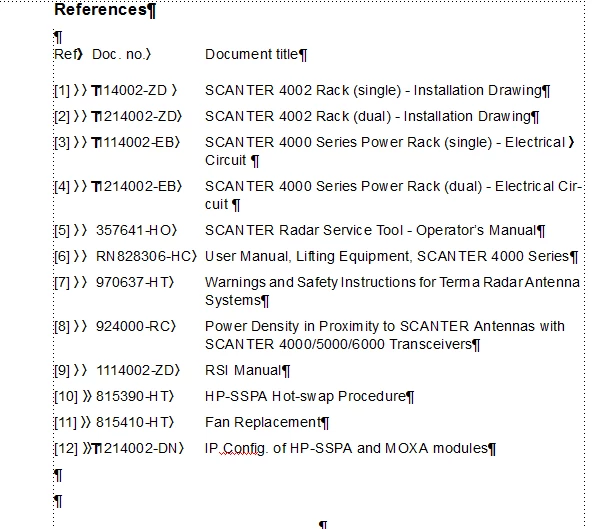
how do I cite external references so I can have a list of references such as
  • June 7, 2018
  • 1 reply
  • 428 views

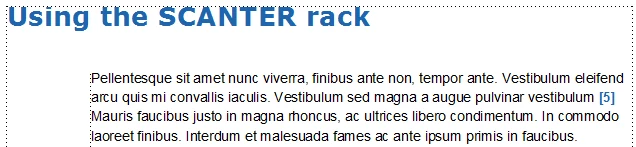
preferably with the references appearing in the order they appear in the book and them be able to refer to them in the text in different formats:

1. see [3]

2. refer to [3] 1114002-EB

3. see [3] 1114002-EB SCANTER 4000 Series Power Rack

I have used Latex with bibtex before and would like something similar, there you have a list of references with identifiers and them refer to them and compile a list of references.

Is that possible in Framemaker 12?

Thank you

jusn
    This topic has been closed for replies.
    Correct answer FieryPantone

    The answer to the first part of your question is easy:
    1. set up a paragraph style, using autonumbering, for the booklist entries

    2. use a cross-reference to pull in <$paranum> (plus any formatting you fancy) for a reference to just the number

    The answer to the third part is similar: use a cross-reference to pull in <$paranum> and <$paratext> (plus any formatting you fancy) for a full reference to the entry in the booklist

    As for the second part, I don't know off-hand. You might be able to do something where you use a table instead of a single style for the booklist entries, then define different styles for each column of the table and set up complex cross-refs to one, two or all three bits of information – but this would be error-prone. See if you can persuade your readers to accept the two easy options.

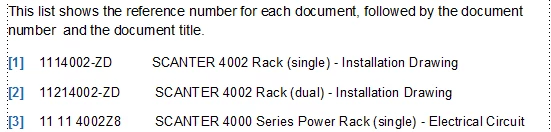
    Post again if you need more information about the details. Oh, and I'd avoid double tabs … even if they didn't look suspiciously like Word ;-}

    1 reply

    FieryPantoneCorrect answer
    Legend
    June 8, 2018

    The answer to the first part of your question is easy:
    1. set up a paragraph style, using autonumbering, for the booklist entries

    2. use a cross-reference to pull in <$paranum> (plus any formatting you fancy) for a reference to just the number

    The answer to the third part is similar: use a cross-reference to pull in <$paranum> and <$paratext> (plus any formatting you fancy) for a full reference to the entry in the booklist

    As for the second part, I don't know off-hand. You might be able to do something where you use a table instead of a single style for the booklist entries, then define different styles for each column of the table and set up complex cross-refs to one, two or all three bits of information – but this would be error-prone. See if you can persuade your readers to accept the two easy options.

    Post again if you need more information about the details. Oh, and I'd avoid double tabs … even if they didn't look suspiciously like Word ;-}

    Participant
    June 11, 2018

    Thank you

    I would still like to know if there is a bibtex like function, so that I can update a list of references that I can then use in all my documentation?

    and if there is a way to edit what appears when using the building block <paratext> so the whole text does not appear?

    jusn