Answered
HTML5 Search Results have unwanted x-refs
When I generate a responsive HTML5 help file, and I perform a search, the search results look like this:
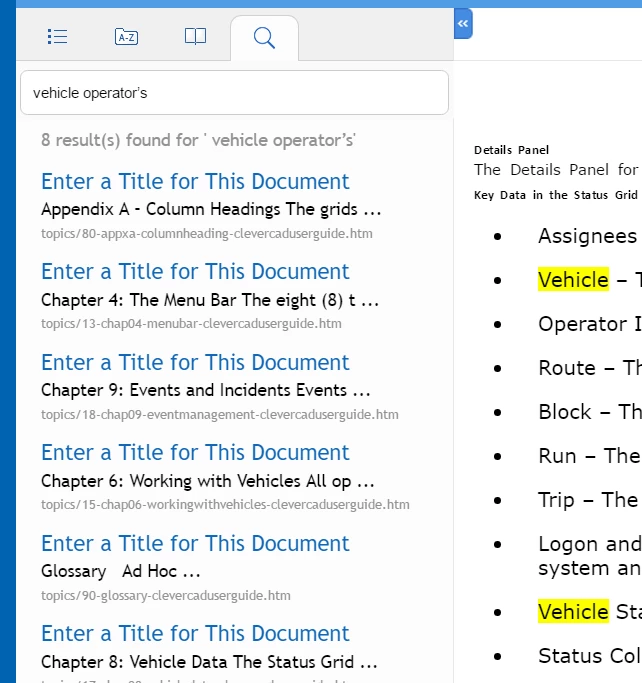
How can I get rid of the "Enter a Title for This Document" headings?
Thanks,
Andy

When I generate a responsive HTML5 help file, and I perform a search, the search results look like this:
How can I get rid of the "Enter a Title for This Document" headings?
Thanks,
Andy
I wonder if it's something messed up in the Responsive layout - have you tried creating the "plain" HTML option or maybe the CHM flavour? (I was going to suggest WebHelp, but FM2017 has stripped that one out now from the list of choices - rats!)
OK, I feel like a total fool, but I have to admit that I finally got clued in on this one.
The information that was lacking was to be found in the properties of each component file in the book.
Right-click a file in the book panel, and select File Info (Esc f i l). There is a Title field which has to be modified for each chapter or file in the book.
I am embarrassed about this, but I thank you for your support.
Already have an account? Login
Enter your E-mail address. We'll send you an e-mail with instructions to reset your password.
 AdChoices