This topic has been closed for replies.
Correct answer iiNeung.AKTii

Thank you very much...Amitoj

Now I can able to print postscript as a PDF file using FrameMaker 2015.

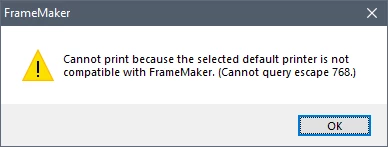
FrameMaker cannot generate PDF after Windows 10 April update (1803)
4 replies

iiNeung.AKTii
iiNeung.AKTiiAuthorCorrect answer
Inspiring
July 4, 2018

Thank you very much...Amitoj

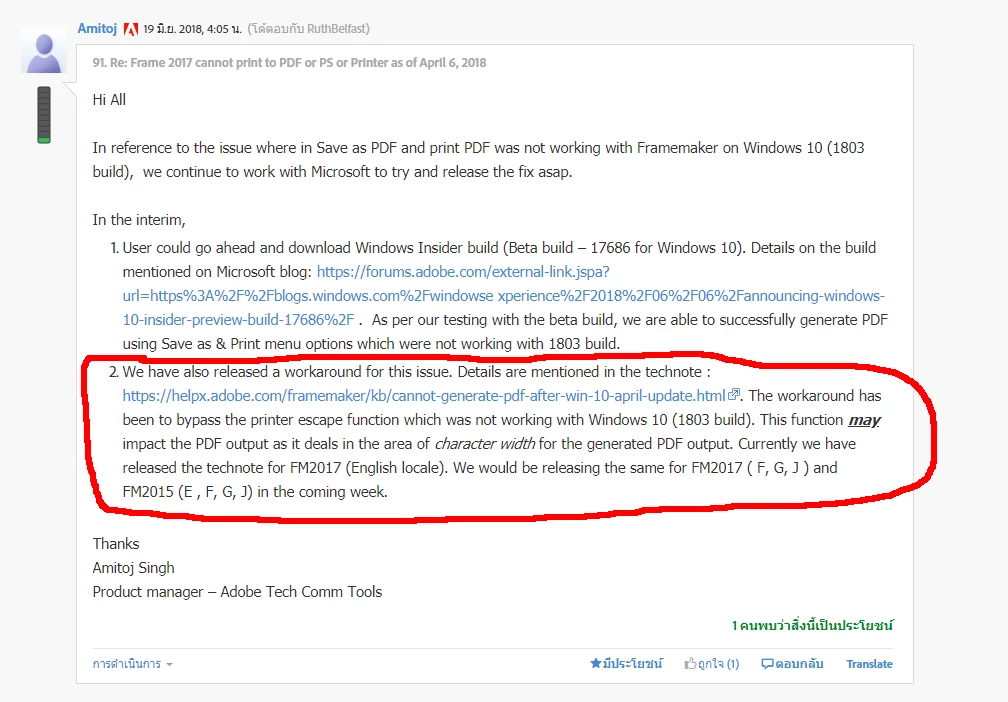
Now I can able to print postscript as a PDF file using FrameMaker 2015.

FrameMaker cannot generate PDF after Windows 10 April update (1803)

K.Daube
Community Expert
Community Expert
May 8, 2018

See Frame 2017 cannot print to PDF or PS or Printer as of April 6, 2018 and http://groups.google.com/group/frameusers-de/t/4b4bfb8e6a233839 :FM Fehler nach WIN 10 Update 1803, Systembuild 17134.1: Kein Drucker funktioniert mehr!

The problem obviously is with this last Windows-10 update!

Klaus Daube

Adobe Employee
May 9, 2018

Hi All

Just to update you on the issue with Win 10, version 1803.

With Win 10 (1803)

1. File -> Save as PDF , RGB option selected is not working

2. File -> Save as PDF, CMYK option selected is working

3. File -> Print option is not working.

We have isolated the cause of problem and it is related to "Printer Escape Function" which seems broken with version 1803. We have reported on this issue to Microsoft and working with our Partners team to get this resolved as soon as possible. In the interim, only workaround would be to move back to 1709 version of Windows 10.

We will keep everyone updated as we hear back from Microsoft Team

Regards

Amitoj Singh

Product Manager , Adobe Technical Communication Tools

Participant
May 30, 2018

We have isolated the cause of problem and it is related to "Printer Escape Function" which seems broken with version 1803. We have reported on this issue to Microsoft and working with our Partners team to get this resolved as soon as possible. In the interim, only workaround would be to move back to 1709 version of Windows 10.

Is there any news on this?

I just found out that Microsoft deletes my Windows.old folder after a certain amount of time (10 days?) so I can no longer roll back to the previous version. That means I can not export my manual as PDF. In other words, I am hosed.

Participant
May 7, 2018

This happens after the update to Windows 10 version 1803. Would be nice to get information on whether Adobe plans to fix this or if Microsoft is to be blamed (and will offer a fix). My fear is that Adobe would not offer a fix for FrameMaker 2015, but I don't know how probable it is to hope for a regression fix from Microsoft.

One possible workaround is to File > Save as PDF and switch to CMYK, see Frame 2017 cannot print to PDF or PS or Printer as of April 6, 2018 . But this takes way longer for the PDF generation and all colors are wrong when viewed on a Monitor.

iiNeung.AKTii
Inspiring
May 7, 2018

Our client specifies that we print through .ps into PDF/X-1a.

Jeff_Coatsworth
Community Expert
Community Expert
May 7, 2018

There are numerous reports of the Win10 build 1803 messing up PDF production - the only thing that fixes it is to roll back the Win10 update. I would open a ticket with Adobe and post it here so that we can up-vote it.

Barb Binder
Community Expert
Community Expert
May 6, 2018

Can you show us the File > Print dialog box settings?

~Barb

~Barb at Rocky Mountain Training
iiNeung.AKTii
Inspiring
May 7, 2018

Barb Binder
Community Expert
Community Expert
May 7, 2018

Hi Puriwatt:

The only thing that looks odd is where you are saving the .ps file—it looks like you are putting into the Fr 2015 application folder. What happens when you save it elsewhere—perhaps to your desktop, project folder or Documents folder?

~Barb

~Barb at Rocky Mountain Training