
Known Participant
March 1, 2018
Question

Image resolution low after creating pdf

  • March 1, 2018
  • 6 replies
  • 19062 views

I'm importing high resolution *.tif screen shots into FrameMaker 12 but after I create the PDF they come out low resolution and blurry. Examples below. I've been doing this a while and never experienced this before.

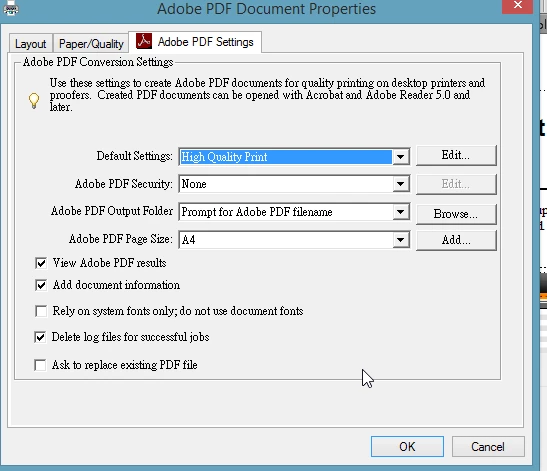
I tried changing the Print settings as well:
Original .tif image
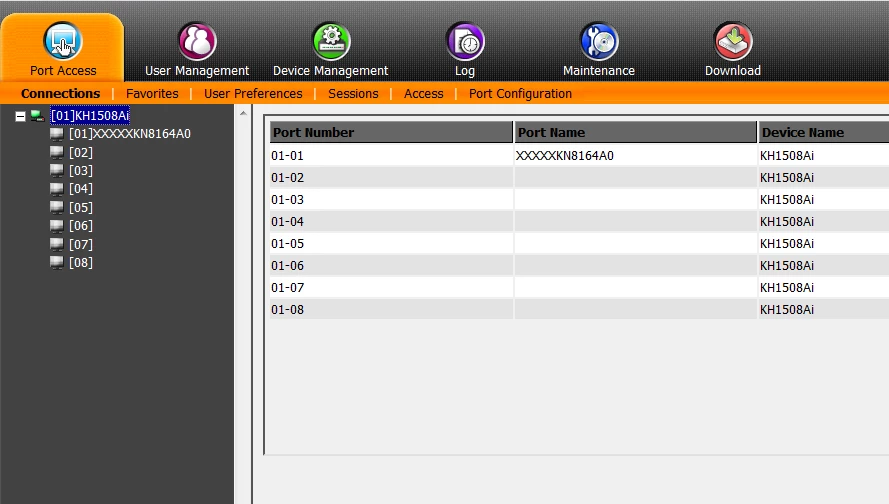
Image in PDF @ 100%
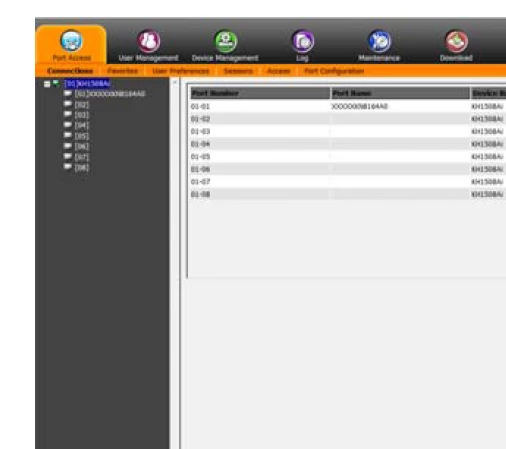
Image in PDF @ 300%
    6 replies

    Known Participant
    March 1, 2018

    Great! Thanks so much. Don't know why I've always stuck to the *.ps.... old habit.

    Dave Creamer of IDEAS
    Community Expert
    Community Expert
    March 4, 2018

    For screen captures, keep this in mind...

    Bicubic downsampling is okay for photos, but not for screen captures.

    Options:

    • Use screen captures at 100%--they are typically at 96 ppi, so the downsampling would not kick in.
    • If you resize them too much (about 30%), you will increase the effective ppi, and downsampling can kick in. To solve this, resize screen captures to required size before bringing them into Frame--in Photoshop, I would use Nearest Neighbor resampling.
    • Turn off downsampling completely if file contains mostly screen captures.

    Compression settings can kick in if the images have too much color. Automaticalc (JPEG) should compress images with fewer colors with a lossless setting; images with lots of color would use JPEG.

    • Use lossless Zip compression.
    • If you keep using Automatic compression, use High or Maximum Image Quality.
    David Creamer: Community Expert (ACI and ACE 1995-2023)
    Known Participant
    March 1, 2018

    Here are my settings, what do you think? I'm using .tif files. I'm unsure about chaning them because i fixed the issue by directly saving as PDF instead of creating the *.ps (Distiller) file first.

    Matt-Tech Comm Tools
    Community Expert
    Community Expert
    March 1, 2018

    With what you're using, the images are being converted to JPG (lossy compression) and (if above 450 ppi) downsampled to 300 ppi.

    Both will cause loss of detail (fuzziness or mottled images)

    If Save as PDF isn't causing the same softness, then you have the settings in your PDF Setup in Fm set differently.

    The bottom line is that you need to use what works for you and what you can manage, so perhaps the Save as PDF is all you need for now.

    If you'd like info on what I use for FrameMaker - Working with Content and for my 2 structured Fm workbooks, see FrameMaker PDF Tips and Tricks - Tech Comm Tools

    -Matt

    -Matt Sullivan, FrameMaker Course Creator, Author, Trainer, Consultant
    Barb Binder
    Community Expert
    Community Expert
    March 1, 2018

    Hi bretta96408991:

    And if you aren't sure what you are looking for, here are the default settings for High Quality Print. That's a color image, so only the Color Images settings are important. As a default, they are set to downsample (reduce the resolution) of any file over 450 ppi down to 300 ppi. JPG has variable compression (can compress a little or a lot), so the Image Quality value is also very important.

    What is the resolution of that image, and what are your Color Images settings?

    ~Barb

    ~Barb at Rocky Mountain Training
    Matt-Tech Comm Tools
    Community Expert
    Community Expert
    March 1, 2018

    To clarify what Bob wrote, disable Sampling, and disable Compression and see if it clears up the problem.

    -Matt Sullivan, FrameMaker Course Creator, Author, Trainer, Consultant
    Bob_Niland
    Community Expert
    Community Expert
    March 1, 2018

    Hit the [Edit] button next the "High Quality Print", and see what it's actually using for subsampling (dpi) and compression (algorithm).

    Arnis Gubins
    Inspiring
    March 1, 2018

    Chek your PDF joboptions settings. It looks like your getting a fair amount of downsampling and jpg compression being applied.