
Inconsistent Conditional Text Settings Message When Making a PDF
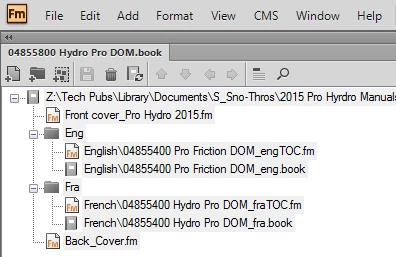
I'm working in FM 11 and get a "Use Condition Indicators setting is inconsistent" error message when printing my book as a PDF. I have two child books in a parent book, so my book structure looks like this:
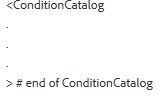
I've been trying to fix this all day and tried mif washing to delete the stuff shown below, but it didn't work:
So I started from scratch: I opened each .fm file separately (not from within the book, but the file itself) and deleted all conditions. Sometimes I had to delete them from the Master Page in order for them to stay deleted. (Not sure why, because those conditions were not on my Master Page, but it was the only way the conditions would stay deleted.) Then I updated each of my child books. The child books print to PDF without errors. I clicked on each child book and selected all files in the book, and no conditions were present. Good.
Then I made a new book and added the front cover, checked the parent book for conditions and there were still none. Good. As I added each child book and finally the back cover, I kept checking the parent book for conditions are there were none.
I then told the parent book to read page numbers from the files, and updated my parent book. That's when I got these conditions:
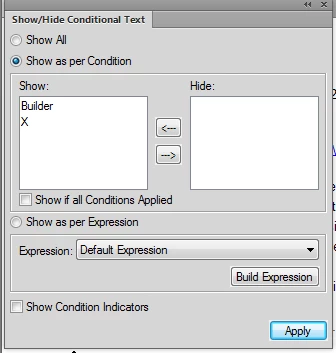
But as soon as I click on the parent book window again, those conditions go away. I think those conditions have something to do with the TOCs???
Anyway, I then printed to a PDF and I got the Use Conditions error message. When I show conditions for the parent book, nothing shows up, so why am I getting this message?
Thanks for your help.


 AdChoices