Participant
June 2, 2014
Answered

Indexes for Kindle and/or ePub from FrameMaker 12?

  • June 2, 2014
  • 1 reply
  • 554 views

I'm preparing to publish a huge (2000+ pages) genealogy of the Grinnell family. I did one in 1997 using Frame 5 or 6 (so long ago, I can't remember) that ran about 700 pages (covering about 15,000 names and 4-5,000 marriages), which I had printed on a Xerox DocuTech from three rather large PDF files (due to glue-edge/tape binding restrictions on the DocuTech, I couldn't go any longer than 125 sheets per volume). It was a successful project and we sold many more copies, on demand, than anticipated.

Now, I'm doing it again and I want to add more value to the project by offering it not only in paper form, but in one or more electronic forms, such as ePub or Kindle (this new version will contain information on about 40,000 individuals and 15,000 marriages).

The only thing keeping me from considering going with Frame for this project is the need to confirm whether or not I can include a FrameMaker-generated index (indexes are absolutely vital for a genealogy) in those electronic formats. I know I can do it with a PDF file (but would rather provide output in one or both of the new, portable apps), and I'm pretty sure I can do it with the "F-word" product (which is my primary tool of choice these days). Problem with the latter product is that because it is entirely CSS-based, there are no tabs, and I need tabs for the primary topic for each individual (person number <tab> child number in lower case roman numerals in birth order <tab> narrative). The hanging indent begins with the narrative. At least I know I can do this in FrameMaker.

If I can indeed do indexes in Kindle and ePub outputs, I will happily get my genealogical association to come up with the bucks to purchase a license of Frame 12.

Can anyone answer this question? Thanks in advance.
This topic has been closed for replies.
Correct answer Arnis Gubins

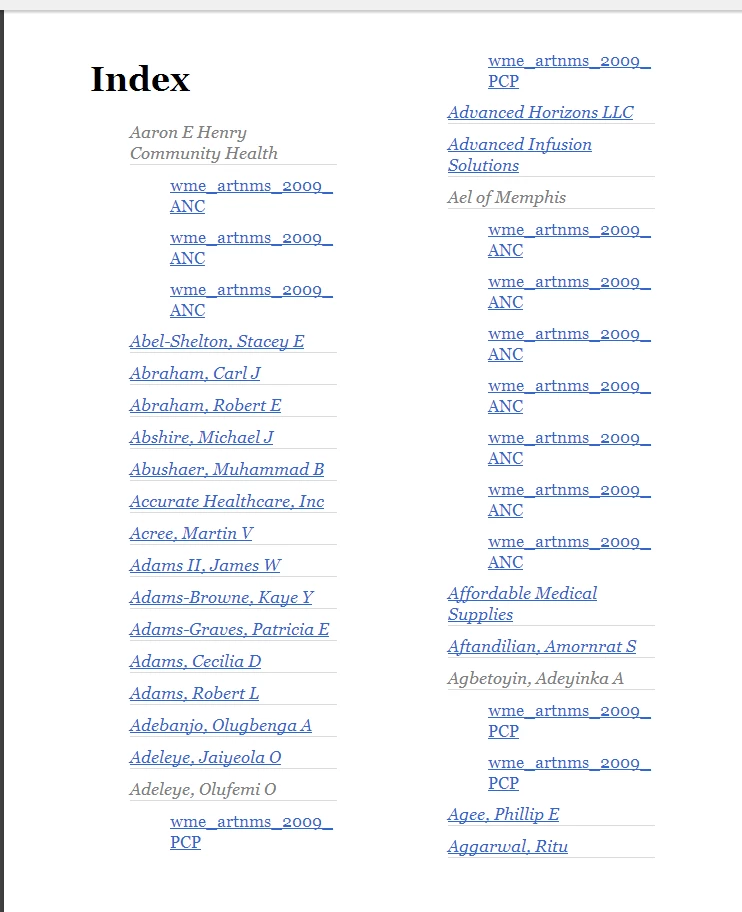
I just tried this with no configuration changes (just out-of-the-box defaults) for a provider directory that has an index and this is what the epub looks like in Calibre:

The hyperlinks work just fine and the second-level entry jumps to the correct location in the component file (you will have to play with tweaking the entries, but the indent levels are preserved).

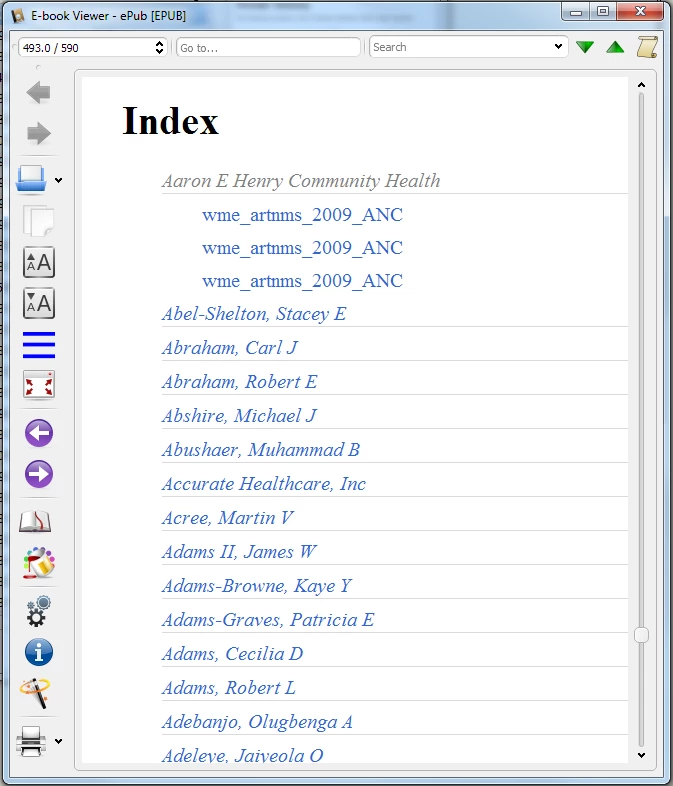
For comparison, here's the Kindle mobi file created from the same FM using all default settings:

Again, all of the hypertext links work and the index is properly indented.

I would suggest that you try the 30-day trial version of FM12 with your actual data to see how well it addresses your needs.

1 reply

Arnis Gubins
Arnis GubinsCorrect answer
Inspiring
June 3, 2014

I just tried this with no configuration changes (just out-of-the-box defaults) for a provider directory that has an index and this is what the epub looks like in Calibre:

The hyperlinks work just fine and the second-level entry jumps to the correct location in the component file (you will have to play with tweaking the entries, but the indent levels are preserved).

For comparison, here's the Kindle mobi file created from the same FM using all default settings:

Again, all of the hypertext links work and the index is properly indented.

I would suggest that you try the 30-day trial version of FM12 with your actual data to see how well it addresses your needs.

Participant
June 3, 2014

Outstanding! This is fantastic, and it is bringing me back, at least in a partial way, into the FM fold. Thank you for taking the time to answer my question with illustrated examples. A picture, like they say, is worth 1000 words.

I presume when there is only a name and no links underneath that there is only that single index entry for that individual.

I guess the final question is if there is a way something other than the filename (or whatever that marker text is) can be used to replace page numbers in the index (as shown above, the substitution is wme_artnms_2009_PCP). The "F-word" product does pretty much the same thing, but I'd like to shorten that to something as simple as "index" or "link." When the index is going to run to 300-400 pages by itself, a simple substitution like this could save significant scrolling/swiping time.

Thanks again for your rapid and concise response.

Participant
June 3, 2014

You may get a better response in the RoboHelp forums on how the indexing is handled (the FM12 Publish routines were lifted from there, but have fewer explicit controls available in the configuration panels).

However, from what I know about having multiple index entries, you need to create a unique second-level descriptor for each occurence in order for it to show something meaningful in the generated Index, e.g. for multiple occurences of an index marker for Grinnell, Larry, you could enter "Grinnell, Larry:a", "Grinnell, Larry:b", etc. and this would create an index entry looking like:

Grinnell, Larry

     a

     b

     c, etc.

Here's an example from an epub to illustrate this change from the original default behaviour:

This puts the onus on the author to create the desired entries to be seen in the index for multi-occurrences. This isn't that onerous as it would seem. Using a tool like Frank Stearns' IXGen (Frank Stearns Associates - IXgen for FrameMaker, Main Page) to create editable marker lists and some scripting (either FrameScript or Extendscript; contact Rick Quatro at About if you need help with this), you could quickly add appropriate counters (or whatever unique strings) for multiple index entries and then use IXGen to re-insert the edited index markers back into the correct locations.


Thanks again for your quick reply.

Fortunately for me, the index markers are automatically embedded by the program GenBox, so I don't have to do this onerous task. It parses the genealogy database, creating a genealogy book in standard narrative form (in .rtf), and even puts in the correct paragraph tags (I have found no other genealogical database that does this--they just want you to use their generated PDF and don't ask any questions ). The last time I did this, I had to individually tag every paragraph within almost 700 pages of narrative text. I vowed never to do that again. It took me almost 4 months, doing it evenings and weekends.

The index will be a single file, i.e., all people and places mixed together. Fortunately, another genealogical publishing convention is to fully capitalize all surnames, meaning if it's not all caps, it's not a surname, and this is how GenBox formats all surnames (when that option is selected). It'll be an easy matter to add a note to the start of the index to tell readers about this convention.

I'll look into IXGen. I've always known it was out there, but never before needed it.Scripting could be an adventure. I haven't done any of that since Hypercard!

Thanks again!