Cagataytech
Known Participant
April 2, 2021
Answered

Is it possible to group rows of a table and then apply the Orphan rows to them?

  • April 2, 2021
  • 1 reply
  • 642 views

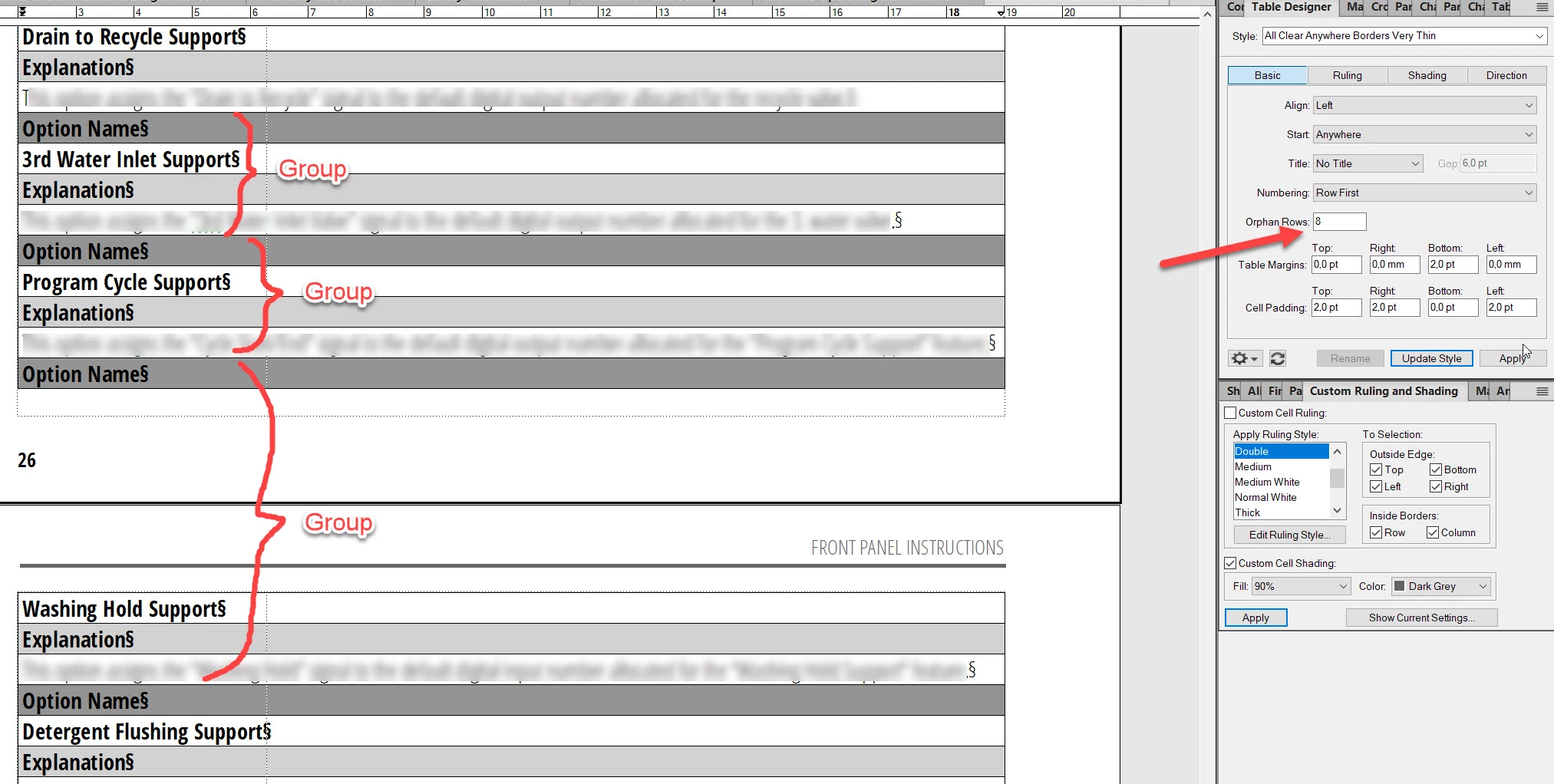
I have a table format where 4 rows do repeat for each entry in the table. I want this table to continue flowing between pages with the "Orphan Row" feature but I also want it to keep the group of the rows as a single entity (or row). Is there a way to achieve this in Framemaker?

 

This topic has been closed for replies.
Correct answer frameexpert

There are two ways to do this manually:

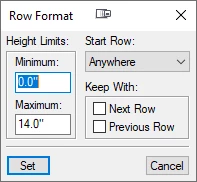
1) Use each row's Keep With Next Row or Keep With Previous Row settings to acheive what you want. Select one or more rows and choose Table > Format > Row Format to get this dialog box.

2) A more interactive way is to have an "invisible" column on the right side of the table that has no top, bottom, or right ruling. Then you could add straddles in this column for each set of rows that you want to keep together.


If you have large tables like this, you could certainly script this with ExtendScript. If you are interested, please contact me offlist. This would be a fun project to look at. Thanks. rick at frameexpert dot com


1 reply

frameexpert
Community Expert
frameexpertCommunity ExpertCorrect answer
Community Expert
April 2, 2021

There are two ways to do this manually:

1) Use each row's Keep With Next Row or Keep With Previous Row settings to acheive what you want. Select one or more rows and choose Table > Format > Row Format to get this dialog box.

2) A more interactive way is to have an "invisible" column on the right side of the table that has no top, bottom, or right ruling. Then you could add straddles in this column for each set of rows that you want to keep together.


If you have large tables like this, you could certainly script this with ExtendScript. If you are interested, please contact me offlist. This would be a fun project to look at. Thanks. rick at frameexpert dot com


Cagataytech
Known Participant
April 15, 2021

Hi Rick,


Sorry for my late response and thanks for the solution. I've used the "Keep with next row" trick to solve my problem.


There are only 2 consecutive tables in my book which need this solution but in the future, I still may require a more global resolution for this problem because right now I know which row groups are going to cause a break-up in the table but when this manual gets translated into languages which may change the number of rows in table cells then it will get hard to guess the break-up points. I still can mark the whole table with the "Keep with next row" trick but this is a lot of work and (I guess) it can't be seen directly so I may forget in the future that I've used it in the tables.

frameexpert
Community Expert
Community Expert
April 15, 2021

Thanks for the feedback. I have been thinking about this and it would fun to provide a scripting solution. Are you able to share a sample FrameMaker document? Instead of charging money for a script like this, I would likely give it to people in exchange for a donation to the Ride for Roswell, a charity ride for cancer treatment and research that I participate in every year. Either way, there would be no obligation for you, but it would be terrific if you can provide a solid sample like in your screenshot. Thanks.