

LinSims
Community Expert
Community Expert
October 3, 2022
Answered

Is there any way to Dual Column a MiniTOC?

  • October 3, 2022
  • 3 replies
  • 543 views

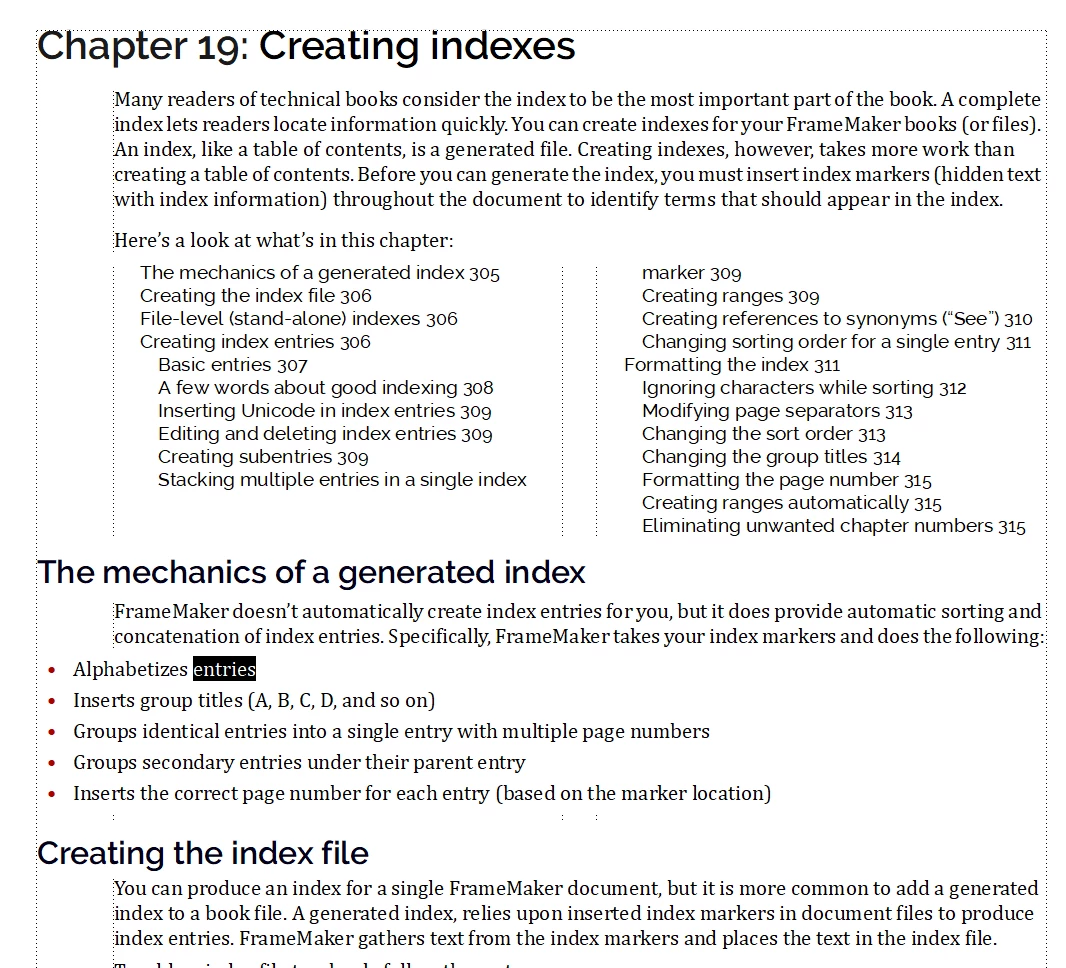
I am now including a MiniToc at the start of each chapter when there's either a long book or at least one chapter longer than 14 pages in a book.


Some of these chapters are have lots of major subsection headings, and the TOC runs into a second page. This is obviously not ideal. If I can figure out a way to dual column the MiniToc so that the frame holding it adjusts its vertical space without having the rest of the file in dual column or having to set up new tags so that the body of the doc is across both columns, that would be really, really nice.


Is there a way to do that, or do I have to deal with a page+ of MiniToc? There doesn't seem to be any way to put the MiniToc in its own frames, although it does appear to act like a text inset.
    This topic has been closed for replies.
    Correct answer Matt-Tech Comm Tools

    I was quite surprised by how fast you can do this, I actually did it in 2 minutes!

    Set your ChapterFirstPage master page as 2 columns.

    Then set any paras not in the MiniTOC to go across all columns (and sideheads) as needed.

    You may need to add a style or two to your para catalog, but should be pretty straight forward.

    Thanks for the idea, and I'll be putting it in the next edition of FrameMaker - Working with Content.

    -Matt

    3 replies

    Matt-Tech Comm Tools
    Community Expert
    Matt-Tech Comm ToolsCommunity ExpertCorrect answer
    Community Expert
    October 3, 2022

    I was quite surprised by how fast you can do this, I actually did it in 2 minutes!

    Set your ChapterFirstPage master page as 2 columns.

    Then set any paras not in the MiniTOC to go across all columns (and sideheads) as needed.

    You may need to add a style or two to your para catalog, but should be pretty straight forward.

    Thanks for the idea, and I'll be putting it in the next edition of FrameMaker - Working with Content.

    -Matt

    -Matt Sullivan, FrameMaker Course Creator, Author, Trainer, Consultant
    LinSims
    Community Expert
    LinSimsCommunity ExpertAuthor
    Community Expert
    October 3, 2022

    I had a feeling that was what would be needed, and I was really, really trying to avoid that. Probably easier to use Update All to change that one setting, then go back and modify the MiniToc styles to not go across all columns.


    But it's still annoying. I am quite put out. 😉

    Matt-Tech Comm Tools
    Community Expert
    Community Expert
    October 3, 2022

    Why trying to avoid? You get what you need, and have perhaps 3 "first page styles" to add to your template. I can't imagine you'll find a more compact solution, other than having a 2-page miniTOC.

    -Matt Sullivan, FrameMaker Course Creator, Author, Trainer, Consultant
    K.Daube
    Community Expert
    Community Expert
    October 3, 2022

    I have not tested this - it is just out of my head:

    At the beginning of the chapter place an Achored Frame and within this a text frame set up with two columns. Place the MiniToc therein.

    LinSims
    Community Expert
    LinSimsCommunity ExpertAuthor
    Community Expert
    October 3, 2022

    It's worth a shot and I'll try it, but I don't think MiniTocs are moveable in that fashion. It acts for all the world like a text inset, but if that's what it is I can't find the file it's being generated in.

    Bob_Niland
    Community Expert
    Community Expert
    October 3, 2022

    For a book with unstable content, I'd be tempted to implement it as a separate TOC##.fm, not included in .book build, with its Flow A back-imported as a Text Inset.


    If the book content is stable, I'd do it as a manually maintained block of Xrefs.


    I suspect these have already occurred to you.

    LinSims
    Community Expert
    LinSimsCommunity ExpertAuthor
    Community Expert
    October 3, 2022

    Yeah. I was just hoping for a more convenient answer!