



Copy link to clipboard
Copied
I have a book created in FrameMaker 11. One of the chapters/files is not allowing me to make changes in it at all nor is it letting me even click the cursor anywhere on the document. I am sure it's just a setting but all the menus are different so I have not been able to figure it out myself.


 1 Correct answer


Ok! It's a locked doc, but the toolbar is missing so press these four keys sequentially (not at one time): Esc F l k
(that's a shift+f for an uppercase F)

 12
Replies
12
12
Replies
12

Copy link to clipboard
Copied
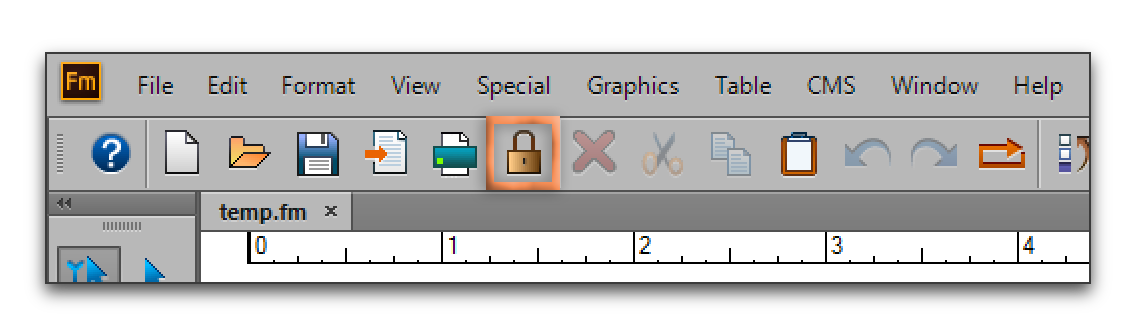
I bet it was locked accidentally. There is a lock icon on the quick access toolbar, right next to the Print button. Does clicking it unlock the file?
Copy link to clipboard
Copied
It does not appear that it was locked. That was my first thought as well. When I click on the lock button, a message pops up that says "FrameMaker will make this book a view-only."
Copy link to clipboard
Copied
Click the document window (on the right), not in the book window, and try again. You are describing a locked document and not a locked book.
Copy link to clipboard
Copied
I just closed the entire book before you sent the reply. I went back in and opened only the document. Now I don't even see the normal menus. Also when I opened it, it doesn't tell me that it is locked nor ask me if I want to unlock as I have seen in the past. I had an issue with my mouse completely locking up on me (don't ask I have weird problems all the time it seems). I was able to manually close out all my programs before restarting my pc. Perhaps this is what caused the issue.
can I try opening the backup file?


Copy link to clipboard
Copied
What about rights to the location where it lives?
Copy link to clipboard
Copied
It's not a read-only nor is the folder on our server.
Copy link to clipboard
Copied
Ok! It's a locked doc, but the toolbar is missing so press these four keys sequentially (not at one time): Esc F l k
(that's a shift+f for an uppercase F)
Copy link to clipboard
Copied
That fixed it. Thank you Barb! Once again you are a life saver. Adding this to my list of tricks.
Copy link to clipboard
Copied
Always happy to help, Christine. 
(And I see it is marked as correct—did I do that (by accident) or did you mark it as correct?)
Copy link to clipboard
Copied
I am going to try restarting my pc. Perhaps it doesn't want to cooperate with me and maybe just needs that refresh.
Copy link to clipboard
Copied
You don't need to restart Christine!
Copy link to clipboard
Copied
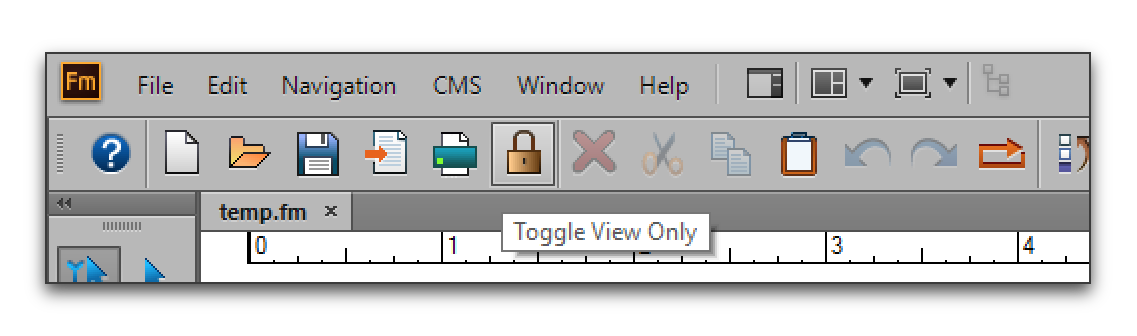
I am so NOT A FAN of the padlock sitting on the quick access toolbar. It's too easy to click and not know it. And it doesn't change what it looks like.
Here's what you showed me that told me it was locked. Compare the menus:
Unlocked document: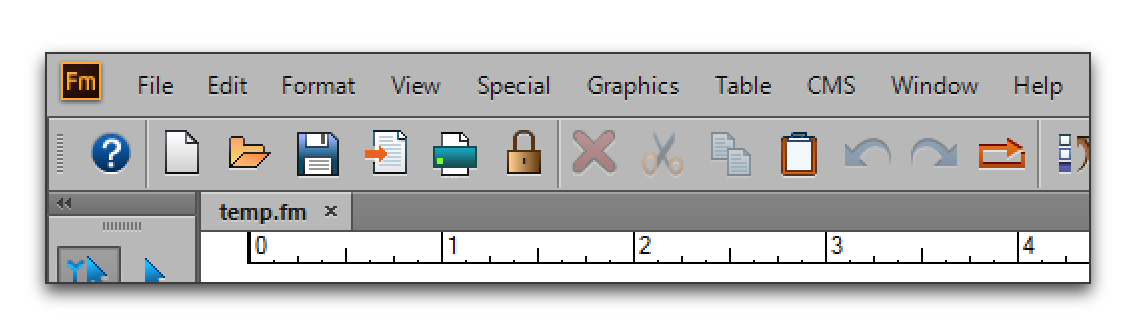
Locked document (shorter menus and now there is a navigation menu):


Get ready! An upgraded Adobe Community experience is coming in January.
Learn more
 AdChoices