
Participant
December 22, 2022
Question

PDF converted from FrameMaker 8 become unsearchable (Noto Sans TC/SC/JP/KR)

  • December 22, 2022
  • 2 replies
  • 569 views

Hello,


I'm currently using Frameamker 8 in Win 10. The PDF converted from FM8 especially the asain fonts become unsearchable. As attached below, the texts copy and paste in search column are blank boxes.  Since PDFs exported from InDesign 2022 is fine, I suppose this is an issue regarding either FrameMaker, distiller or open type font. 


I've changed the preference settings in Ditstiller as below but didn't make anything difference.
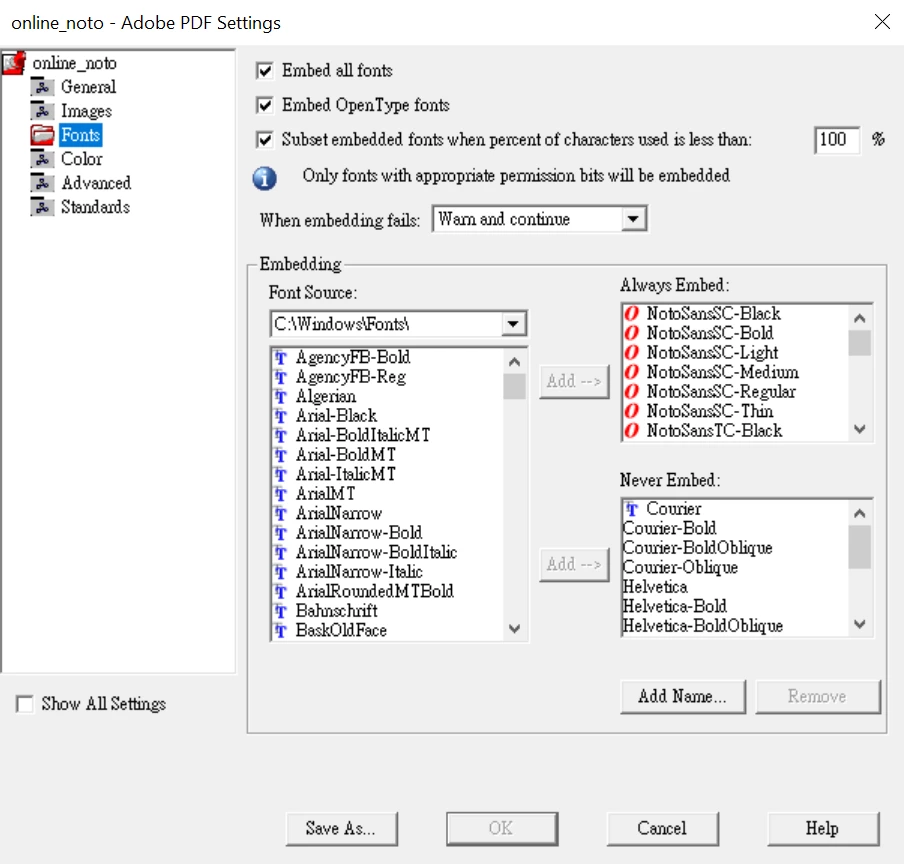
Any help or ideas?

Thanks a lot

    This topic has been closed for replies.

    2 replies

    Bob_Niland
    Community Expert
    Community Expert
    December 22, 2022

    Although it looks like you may have a solution, I'm a bit surprised that FM8 installs and runs in Win10.

    Community Expert
    December 22, 2022

    Hello,

    as FrameMaker 8 was the first version that supported unicode not everything worked flawlessly (afair).

    To use a newer version of Framemaker (10 and newer) seems to me the best way to solve that problem.

    Regards

    Stephan

    Participant
    December 22, 2022

    Hi Stephan,


    Thanks for your reply.

    Me and my colleague have tried FrameMaker 12 as well, but the issue remains.

    And that's the newest version we have in hand so far.


    I've also used Preflight to check my PDF and it says "text cannot be mapped to Unicode."

    Still don't know how to fix this problem though.


    Cheers,

    Joku

    Community Expert
    December 22, 2022

    Hi Joku,

    as the problem is a typical font encoding problem: what font format is the NotoSans? PS Type 1?

    Regards

    Stephan