Exit
  • Global community
    • Language:
      • Deutsch
      • English
      • Español
      • Français
      • Português
  • 日本語コミュニティ
  • 한국 커뮤니티
0

Pre-populating PDF fields

Participant ,
Jul 31, 2019 Jul 31, 2019

Is there a way I can configure my documents in FrameMaker such that, when I save them to PDF, the PDF properties fields will be automatically populated?  I'm referring to the fields on the two dialogs in the attached images.

Thanks,

adobe settings.jpg

431
Translate
Report
Community guidelines
Be kind and respectful, give credit to the original source of content, and search for duplicates before posting. Learn more
community guidelines
Community Expert ,
Jul 31, 2019 Jul 31, 2019

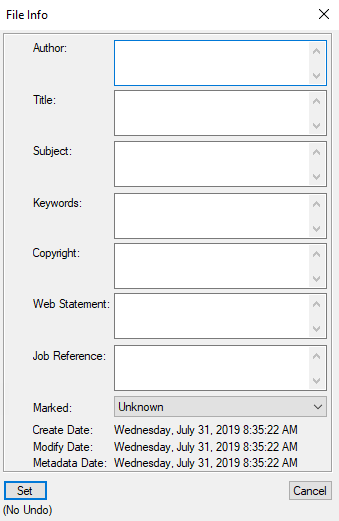
Right click on the book file and select File Info from the pop-up menu.

Don't use punctuation marks in these fields, or you'll find quotation marks around them in the PDF metadata fields.

frame-file-info.png

Translate
Report
Community guidelines
Be kind and respectful, give credit to the original source of content, and search for duplicates before posting. Learn more
community guidelines
Community Expert ,
Jul 31, 2019 Jul 31, 2019
LATEST

One way is with a metadata template with Bridge--you can also batch process lots of PDFs (or other files) at once.

David Creamer: Community Expert (ACI and ACE 1995-2023)
Translate
Report
Community guidelines
Be kind and respectful, give credit to the original source of content, and search for duplicates before posting. Learn more
community guidelines