


Copy link to clipboard
Copied
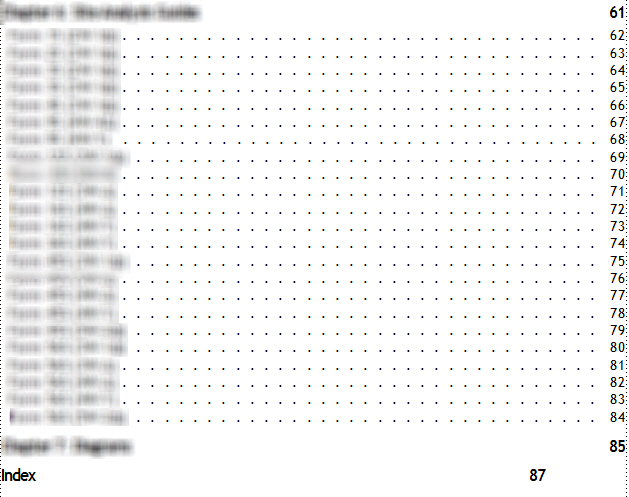
Hello,
Above is a screenshot of a TOC file. I added the Index to the TOC, and now the numbers do not line up on the right. I've tried clicking in the "Index" line, clicking "Right Tab" on the Paragraph Formatting toolbar (3rd arrow below), and then clicking below the ruler across the top directly underneath the rightmost triangle (shown below). The page number lines up and looks great until I update the book. When I update the book, the Index page number moves back to the left. Should I be editing something on the Reference Pages?




 1 Correct answer


Hi Cameo!
When you set tabs on the ruler, it's an override. Be sure to choose Update Style (or Update All in 2015) after making the edit. Then update your book.
~Barb

 4
Replies
4
4
Replies
4


Copy link to clipboard
Copied
Check the reference page for your ToC and make sure the style for the line pulling in "Index" matches the others; it seems it already includes a tab. I'm guessing you've used one style for chapter headings and another for the Index heading.
Copy link to clipboard
Copied
Hi Cameo!
When you set tabs on the ruler, it's an override. Be sure to choose Update Style (or Update All in 2015) after making the edit. Then update your book.
~Barb
Copy link to clipboard
Copied
Thank you so much!
Copy link to clipboard
Copied
You are very welcome, Cameo!
~Barb


 AdChoices