McCready1982
Known Participant
June 1, 2023
Question

Save as PDF Causes Vector Graphics to be Displaced from Frame

  • June 1, 2023
  • 3 replies
  • 1583 views

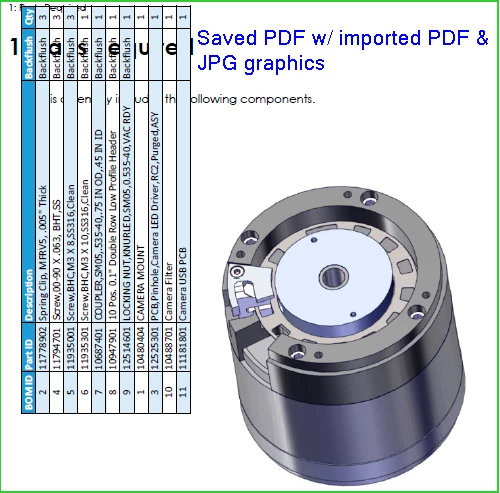
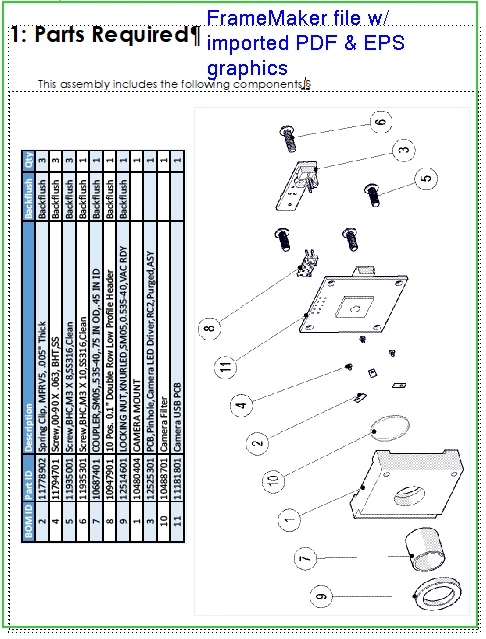
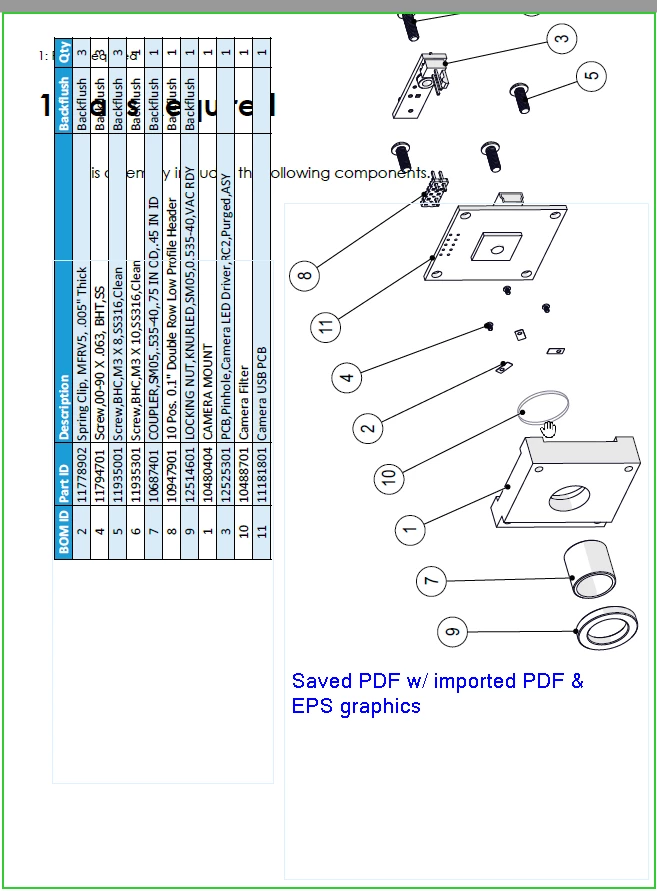
Since upgrading FrameMaker from 15 to 17.0, I have had an intermittent problem when using FrameMaker's File > Save as PDF function. Imported EPS and PDF graphics look fine in FrameMaker, but when the FM file is saved as a PDF, the graphics are shifted upward & out of the frame. This does not happen w/ raster files, or when I use the File > Print to PDF function.

This has never been an issue before, so I'm guessing it has something to do w/ the upgrade. Examples below:
 

This topic has been closed for replies.

3 replies

Matt-Tech Comm Tools
Community Expert
Community Expert
June 2, 2023

Your graphic appears to be from a 3d modeling application, correct?

SVG is probably a better initial export of the image, and U3D would also give you some amazing options, especially if your engineer has enabled labeling and created animations, exploded views, and other things. 

Here's a video I created about the U3D functionality that has been in FrameMaker since (yikes!) 2007.

https://www.youtube.com/watch?v=C_s8SRWu2_M

-Matt

-Matt Sullivan, FrameMaker Course Creator, Author, Trainer, Consultant
Bob_Niland
Community Expert
Community Expert
June 2, 2023

re: Imported EPS and PDF graphics look fine in FrameMaker…

Usually, what you see during FM edit is a raster preview/thumbnail image embedded in the EPS or PDF. Not sure this is a useful lead.


If you have a tool (such as Illustrator) than can do it, you might convert one or two to SVG and see what happens. If there are only a small number of affected imports, this might be work-around until the real problem is fixed.

McCready1982
Known Participant
June 2, 2023

I converted an EPS file to an SVG, and miraculously, it stayed put in the output PDF, so thank you for that suggestion! I still hope to find the root cause of this, but this will help me get by until that happens.

Community Expert
June 7, 2023

Well, I spoke too soon. Some of the SVG files are starting to jump to the top of the page in PDF too, now.

Some additional findings: My coworker has the same version of FrameMaker, and he is not having this problem. In fact, when I open his FM files and save to PDF, everything stays in place.

So the problem is in the files created on my system. I will keep investigating.


Very strange!

Some comments to SVG:

I always have to select all objects in my Corel Designer and then export only the selected objects. Otherwise a DIN A4 page is exported.

When I export to SVG, some objects are shifted in FrameMaker. This is due to some font elements which FrameMaker does not support. However, I see this already in FrameMaker. Obviously not your issue.


Did your colleague use exactly your files to create the final PDF? And this worked?

And vice versa? His working files on your machine?


Which graphics application do you use for your EPS and PDF graphics files?

Jeff_Coatsworth
Community Expert
Community Expert
June 1, 2023

IIRC, v17 = FM2022, right? If so, have you applied Patch 2 already?

McCready1982
Known Participant
June 1, 2023

Yes I have, this is 17.0.2.431.