


- Home
- FrameMaker
- Discussions
- Text randomly turning green and underlined
- Text randomly turning green and underlined

Copy link to clipboard
Copied
2019 Release, Version: 15.0.2.503
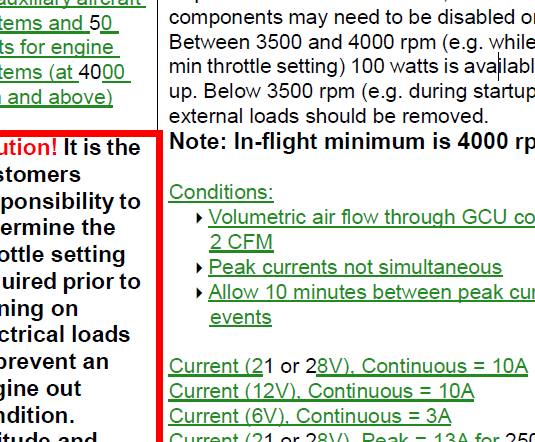
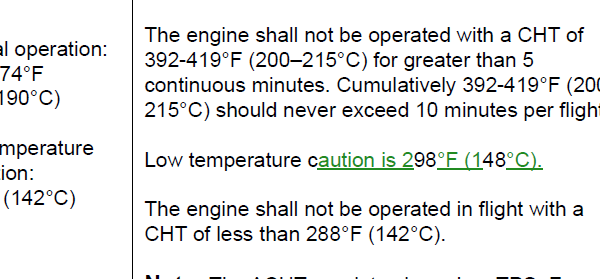
I was editing a 51 page *.fm file, and now I have random green and underlined text. It does not seem to respond to changes from paragraph, or character designer - they don't even seem to recognize it as green and underlined (but it publishes to PDF as green and underlined, and on FM screen as well). When I highlight a section of the green text and select a different style from the character catalog, it will change the weight, angle, and variation, but it stays green, and stays underlined no matter what. The only way I have been able to change it back to to match the surrounding font properties is to highlight it, ctrl+c and immediately ctrl+v. It pastes back as normal.
I don't know that this is what triggered it for sure because I didn't notice it until later, but I did perform a Find/Change operation, and hit change all (the whole book). That is not a normal procedure for me.


 1 Correct answer


Looks like Track Changes at first glance

 9
Replies
9
9
Replies
9

Copy link to clipboard
Copied
Looks like Track Changes at first glance
Copy link to clipboard
Copied
It does seem to be related to that as when I go to Preview Final, it all changes to normal....But I've never used this function, and didn't get into that menu at all. Further, the green underlined sections have not been changed!

Copy link to clipboard
Copied
Condition Codes have been ruled out?
The underlines, at least, likely rule out a rogue redefinition of a color in the library.

Copy link to clipboard
Copied
Hi andspence1:
If the file originated in Word and if track changes was left on, the Word track changes convert to FrameMaker track changes (which use condition tags).
Can you share the Insert > Condition Tags pod with us? I suspect the answer lies there.
~Barb
Copy link to clipboard
Copied
TIL! No wonder I always monkey with the paste command to put TEXT at the beginning instead of UNICODE TEXT in my ClipboardFormatsPriorities= line in the maker.ini.
Copy link to clipboard
Copied
Hi Barb -
Here is the conditional tags pod


Copy link to clipboard
Copied
You could try saving it to MIF and then taking a look at what is going on using a text editor (Notepad++ or Notetab Light are good choices and both free). You know where it's happening, so find a short portion of the text that is green and underlined—"aution is 2" might be a good string–and then see what the codes around it say.

Copy link to clipboard
Copied
As others had said this looks like text which was marked with Track Changes.
Possibly you had clicked the button inadvertently.
Just accept all changes, and then this is normal text which behaves normal.
You had tested this already when you had clicked on Preview Final.
When you press CTRL+C and CTRL+V and the green marking goes away, this is probably because now you do not have Track Changes activated.
Copy link to clipboard
Copied
Hi andspence1:
Your screen shot confirms that it is a track changes issue, and one that originated in Fm and not in Word. You must have turned it on and not realized it.
So in the Track Changes toolbar (View > Toolbars > Track Text Edits): accept or reject your changes. If you know you want to accept all, there is a button for that:
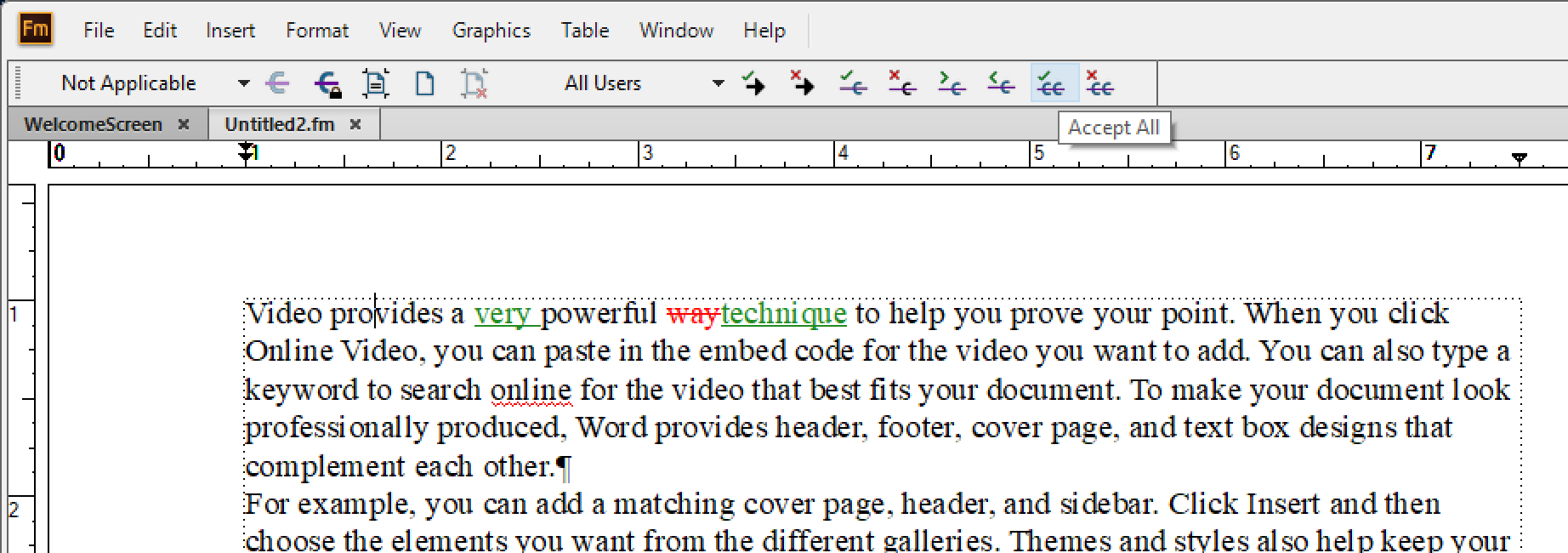
After accepting all changes.
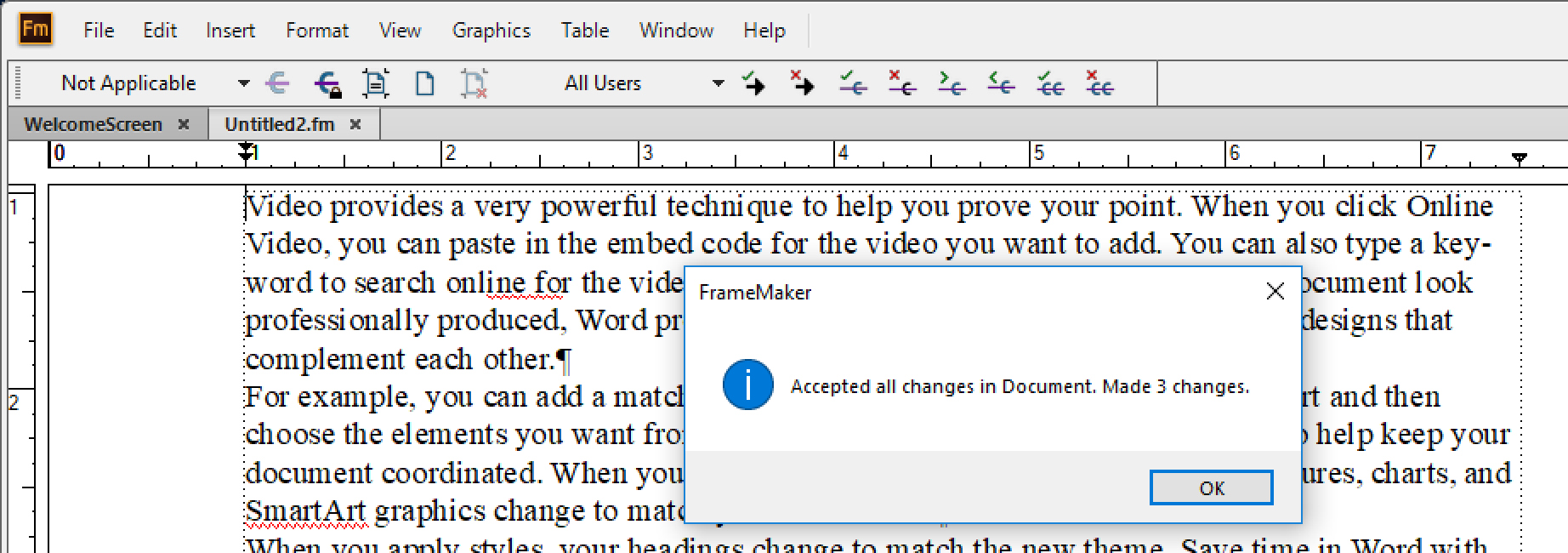
Then disable Track Changes.
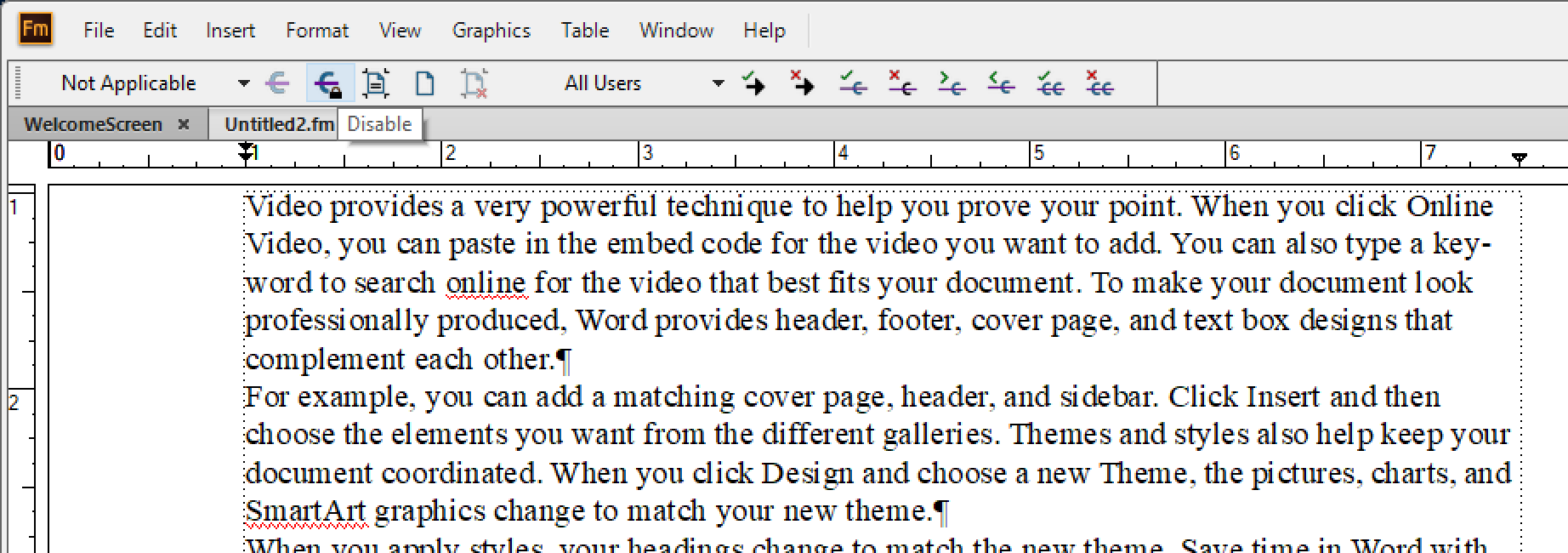
~Barb


Get ready! An upgraded Adobe Community experience is coming in January.
Learn more
 AdChoices