Exit
  • Global community
    • Language:
      • Deutsch
      • English
      • Español
      • Français
      • Português
  • 日本語コミュニティ
  • 한국 커뮤니티
0

We want to control the table format by the attribute.but the table format is not right,why?

New Here ,
Jul 08, 2015 Jul 08, 2015

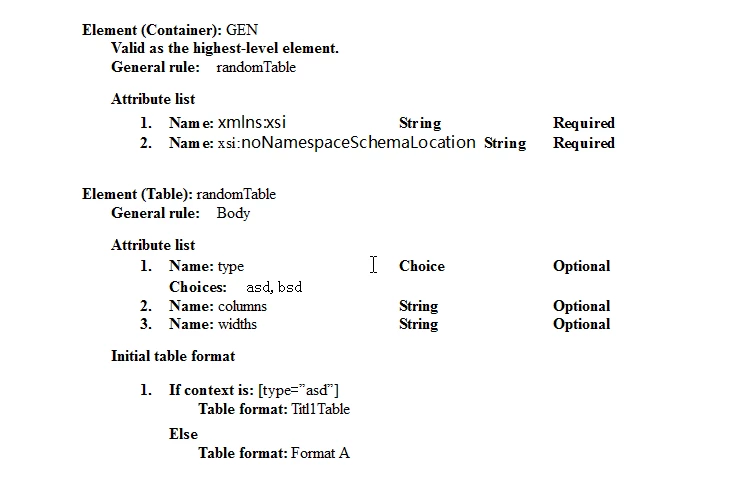
Our EDD:

edd.png

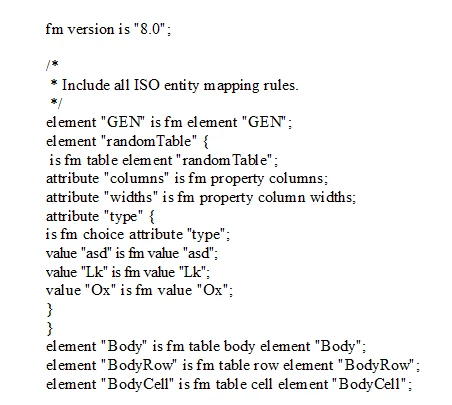
our rw:

rw.png

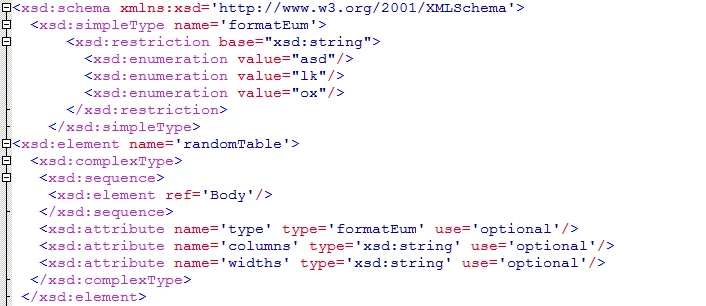
our xsd:

  xsd.png

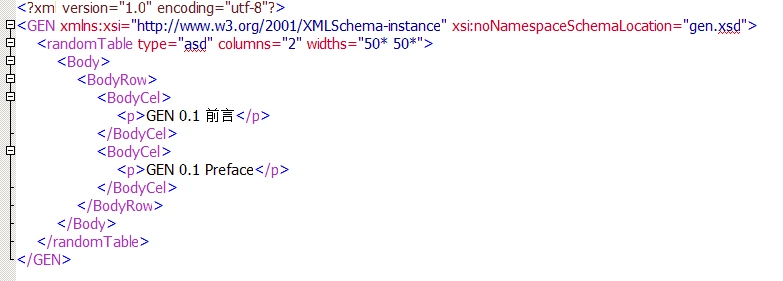
our xml:

xml.png

when we open the xml file in FM8, It can display,but the format is not right.
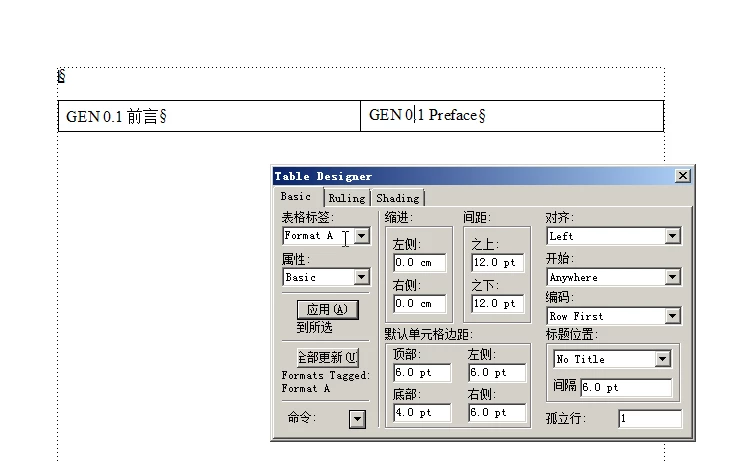
last.png

TOPICS
Structured
360
Translate
Report
Community guidelines
Be kind and respectful, give credit to the original source of content, and search for duplicates before posting. Learn more
community guidelines
Advisor ,
Jul 09, 2015 Jul 09, 2015

I always use the same value for the "type" attribute as is the format name .. I think that's key since one of the rules I'll show maps the type attribute to the table format. Also, your rules seem mostly unnecessary. You don't need to say that an element "ZZZ" is an fm element "ZZZ" .. I think that's assumed. Here's the rules I'd try ..

element "randomTable"
{
  is fm table element;
  attribute "columns" is fm property columns;
  attribute "widths" is fm property column widths;
  attribute "type"
  {
    is fm attribute "type";
    is fm property table format;
  }
}

I don't think you need anything else in your rules file.

In your EDD, change the table format to "asd" and rename it in your template as well. Or change the attribute value to "Titl1Table". Just make sure they are the same values.

That might work .. give it a try!

...scott

Translate
Report
Community guidelines
Be kind and respectful, give credit to the original source of content, and search for duplicates before posting. Learn more
community guidelines
New Here ,
Jul 09, 2015 Jul 09, 2015
LATEST

According to the method you say it solves our problem.Thank you very much.

Translate
Report
Community guidelines
Be kind and respectful, give credit to the original source of content, and search for duplicates before posting. Learn more
community guidelines