Answered
Adobe fresco
Hi Community, how can I draw and get the lines well adjusted ? I mean not according to my hand ? I used to change a preference in Adobe Draw but I do not remember it anymore.
not sure if I have explained myself..... thanks

Hi Community, how can I draw and get the lines well adjusted ? I mean not according to my hand ? I used to change a preference in Adobe Draw but I do not remember it anymore.
not sure if I have explained myself..... thanks
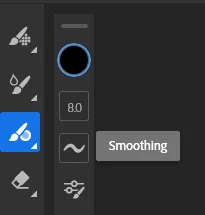
Fresco has a Smoothing tool.
In the below examples the top lines are set to around 50%, the second line 100%.
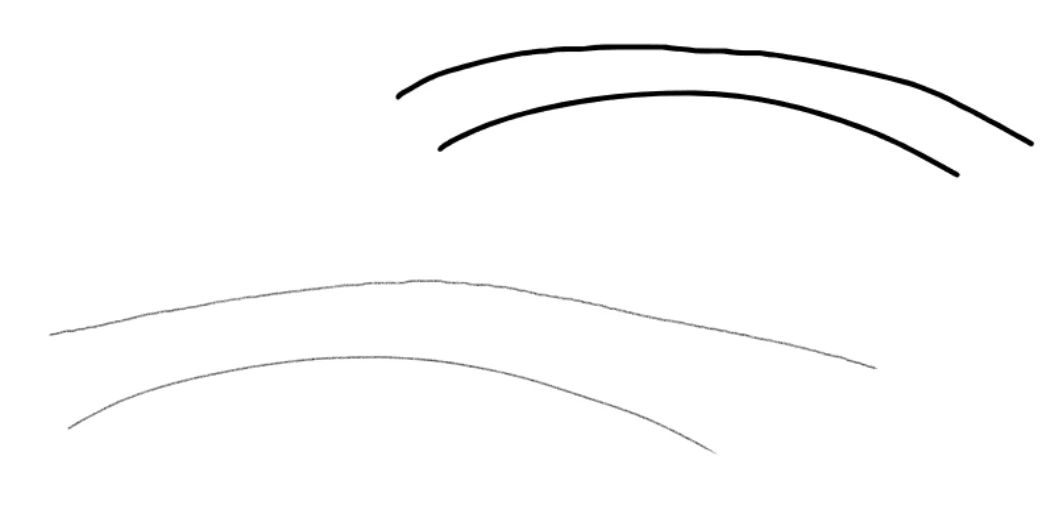
Be aware the higher the smoothing the longer the lag between movement of pen and line showing on screen.
Already have an account? Login
Enter your E-mail address. We'll send you an e-mail with instructions to reset your password.
 AdChoices