
Answered
Choosing a Color
Anyone have a solution to the following? When in Adobe Fresco, I go to select a color, it's always black and the pointer is sitting in the bottom Left of the square. So I have to move it to the upper Right to get a color. Is there any way to set things up so that when choosing color, the pointer is already in the top Right of the square?
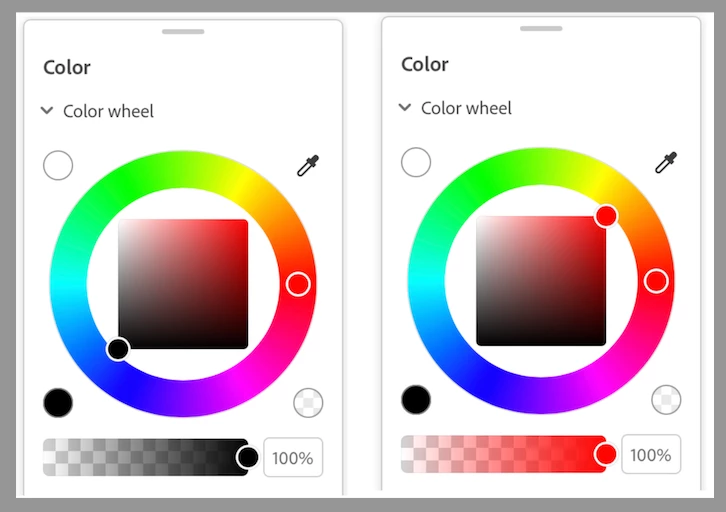
A small issue to be sure but it's a minor annoyance each time I have to do it.
 AdChoices