Answered
Does Fresco have stylus tilt support?
Hello, I wanted to if Fresco has tilt support with stylus. I use a S pen with my samsung galaxy book 2 pro 360.

Hello, I wanted to if Fresco has tilt support with stylus. I use a S pen with my samsung galaxy book 2 pro 360.
Tilt works in both my Ipad and Windows desktop so it should be with your Galaxy tab. I checked your pen is it's tilt enabled, so all good there...
But it's only available when the brush allows it.
You can find the different options here:
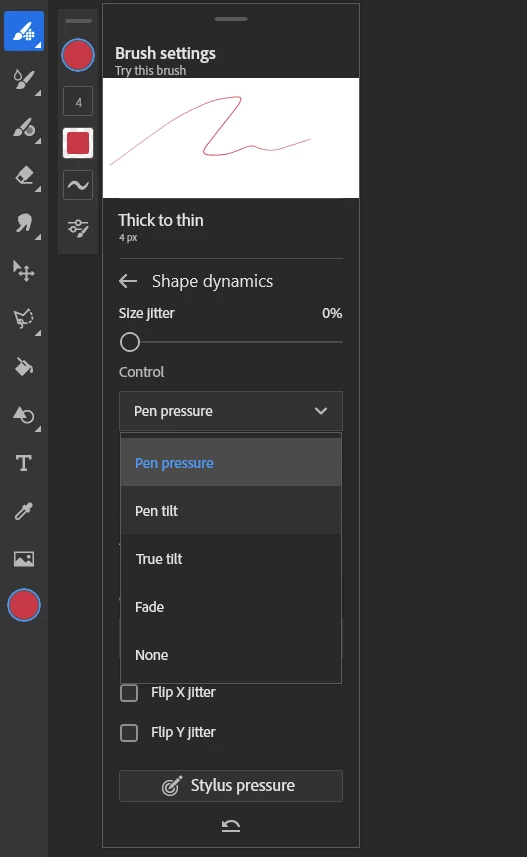
they are in shape dynamics. Unfortunately , you need to check the brushes opening the settings to see the options.
Generally those that have a "thick to thin" (taper) shape, meaning that the tilt will control the end and beginning shape of the line.
You need to activate it in most cases, meaning change it from pressure to pen tilt (Pressure can be set to control the opacity, thickness of the main stroke etc)
You'll need to play with it!
Already have an account? Login
Enter your E-mail address. We'll send you an e-mail with instructions to reset your password.
 AdChoices