
Participant
November 11, 2021
Question

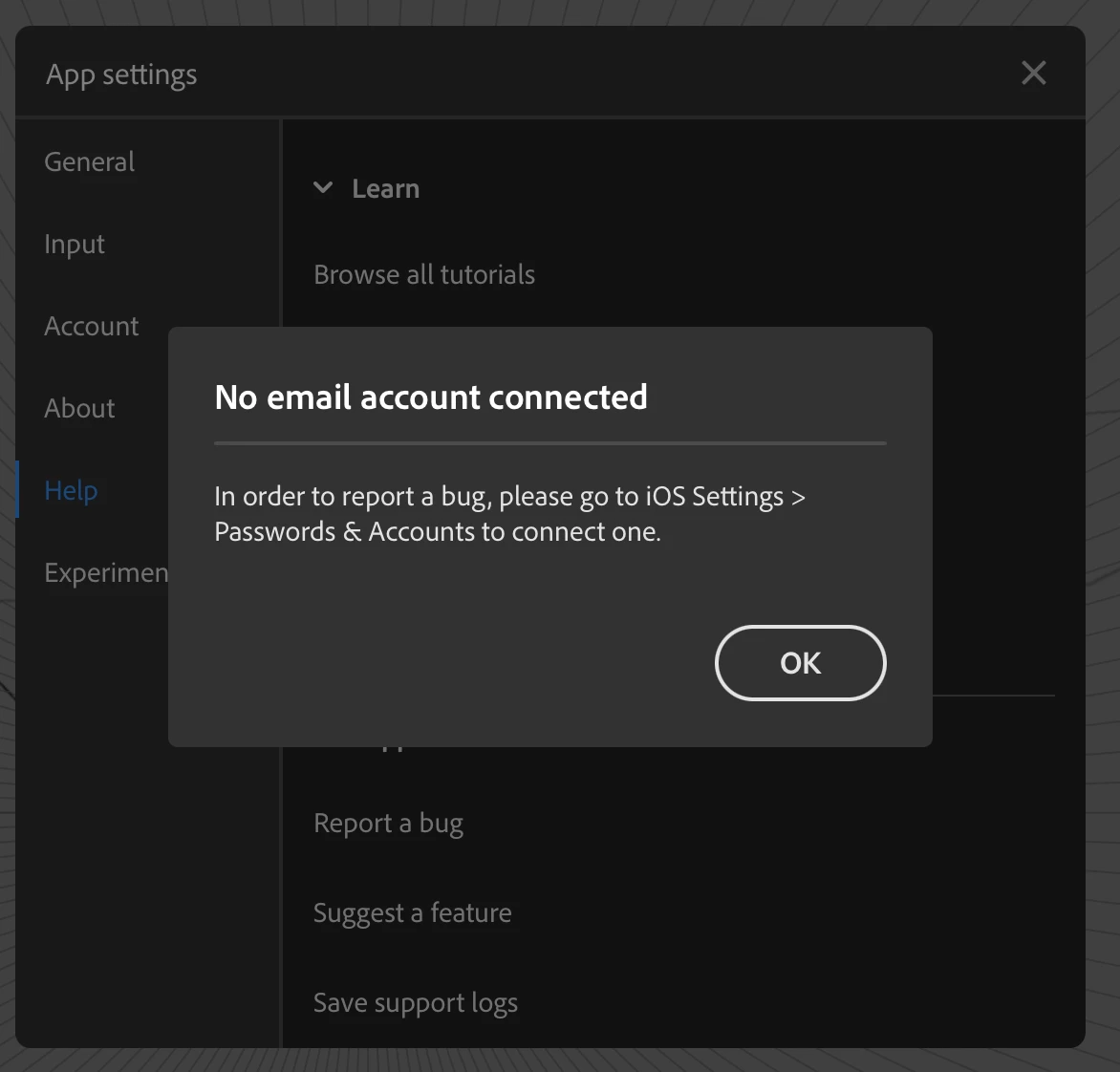
Error: No email account connected

  • November 11, 2021
  • 1 reply
  • 247 views

Hi, I'm currently signed in to my Adobe account on my iPad and I'm trying to report a bug (Fresco crashed and my work was lost). I get the following error message. The steps that I'm instructed to take are not applicable—there is no "Passwords & Accounts" area under my iPad's Settings screen. What do I need to do?


This topic has been closed for replies.

1 reply

Anshul_Saini
Community Manager
Community Manager
November 12, 2021

Hi there,


Sorry about the crashing! I know that's really frustrating. This error message means that you need to log in with your Apple ID in iOS settings. If you are already logged in, then sign out, restart the device & sign in again. Also, could you please share a few more details like:

  • Device, device model no. & version of Fresco & iOS
  • Does it seem to crash after performing a particular action, or was it random?
  • Is your email ID the same on this community & Fresco? If not, please share your Fresco email ID with me via DM.
  • Share the crash report by following these steps:

    1. Got to Settings > Privacy > Analytics & Improvements > Analytics Data
    2. Locate the log for your app. The log name starts with <AppBinaryName>_<DateTime> for crash reports, or JetsamEvent_<DateTime>.
    3. Scroll down and select the JestsamEvent log with respect to the date & time when this crash happened.
    4. Tap the Share icon, and click Save to file.
    5. Select Creative Cloud and Save.
    6. Share the download link of this crash/log file from https://assets.adobe.com/files and paste it here.


We are here to help. We just need more information.


Regards,

Anshul Saini