
erichgw
Participant
December 1, 2022
Answered

[Licensing] Fresco launches as a Trial under the All Apps Plan

  • December 1, 2022
  • 1 reply
  • 1214 views

Our company has licenses to Creative Cloud All Apps. When I click on the details for this subscription, under "Included Applications", it clearly lists "Adobe Fresco (for iPad and Windows 10)", along with "Illustrator on iPad" and "Photoshop on the iPad", as applications. However, whenever I try to launch these programs on my iPad and log in with my user ID and credentials, none of these applications acknowledge that a license has been issued to me and requests purchasing an additional subscription or use as a trial. This seems wrong since it clear states in our Admin Console that these are included with our current subscription. Has anyone else experienced this problem?


[Renamed by Mod]
This topic has been closed for replies.
Correct answer Anubhav M

Update: I did a complete reset of my iPad and am running the current iOS. I redownloaded and installed the Adobe Creative Cloud app and when I log back in there is no option to select between my business profile (where the license resides) and the personal profile. The app automatically signs me into the personal profile with no ability to switch profiles. This seems wrong on many levels. If Adobe forces the creation of business and personal profiles with Creative Cloud for Teams, it should allow easy switching between the two in order to access a license and software that is being paid for. I'm at a loss as to next steps. Most frustrating is that this worked a month ago just fine. Cannot understand what has changed...


Hello @erichgw,


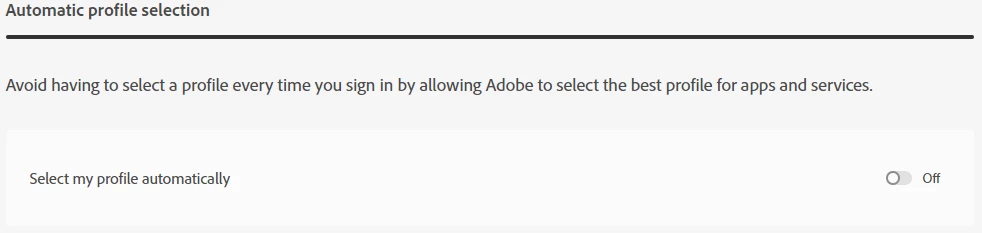
Sorry to hear about this experience. It seems the Automatic Profile selection is turned on in your account settings.

To turn it off, kindly do the following:

  • Go to Account and security > Sign-in and security.
  • Turn off the Select my profile automatically option.


You may learn more about this here: https://helpx.adobe.com/enterprise/using/manage-adobe-profiles.html.


If the issue persists, kindly ask your Adobe Admin to contact Support for Enterprise (https://helpx.adobe.com/enterprise/using/support-for-enterprise.html) for further assistance.


Thanks,

Anubhav


1 reply

Sjaani
Community Expert
Community Expert
December 1, 2022

I would first try signing out of the Creative Cloud and back in, do the same with the apps in question. If this doesn't solve the license issue in regards to Fresco contact the team direct (frescohelp at adobe dot com). At a guess what ever they suggest as the solution to make sure Fresco is active should work with the other apps as well.

erichgw
erichgwAuthor
Participant
December 1, 2022

I've tried that. Also uninstalled all the apps, restarted the iPad, resigned back in with no luck. The iPad used to give me the option to select between my business and personal account but now it does not. Previously the license was linked to the business profile. Now that I only have access to the personal profile there is no license associated with it. I've also verified that auto select profile is turned off in my account settings. I've been on the phone with tech support for 2 hours now and nothing has been working.

Anubhav M
Community Manager
Anubhav MCommunity ManagerCorrect answer
Community Manager
December 7, 2022

Update: I did a complete reset of my iPad and am running the current iOS. I redownloaded and installed the Adobe Creative Cloud app and when I log back in there is no option to select between my business profile (where the license resides) and the personal profile. The app automatically signs me into the personal profile with no ability to switch profiles. This seems wrong on many levels. If Adobe forces the creation of business and personal profiles with Creative Cloud for Teams, it should allow easy switching between the two in order to access a license and software that is being paid for. I'm at a loss as to next steps. Most frustrating is that this worked a month ago just fine. Cannot understand what has changed...


Hello @erichgw,


Sorry to hear about this experience. It seems the Automatic Profile selection is turned on in your account settings.

To turn it off, kindly do the following:

  • Go to Account and security > Sign-in and security.
  • Turn off the Select my profile automatically option.


You may learn more about this here: https://helpx.adobe.com/enterprise/using/manage-adobe-profiles.html.


If the issue persists, kindly ask your Adobe Admin to contact Support for Enterprise (https://helpx.adobe.com/enterprise/using/support-for-enterprise.html) for further assistance.


Thanks,

Anubhav