
Participant
September 12, 2024
Answered

Pixel brush turns into glitched mess

  • September 12, 2024
  • 1 reply
  • 421 views

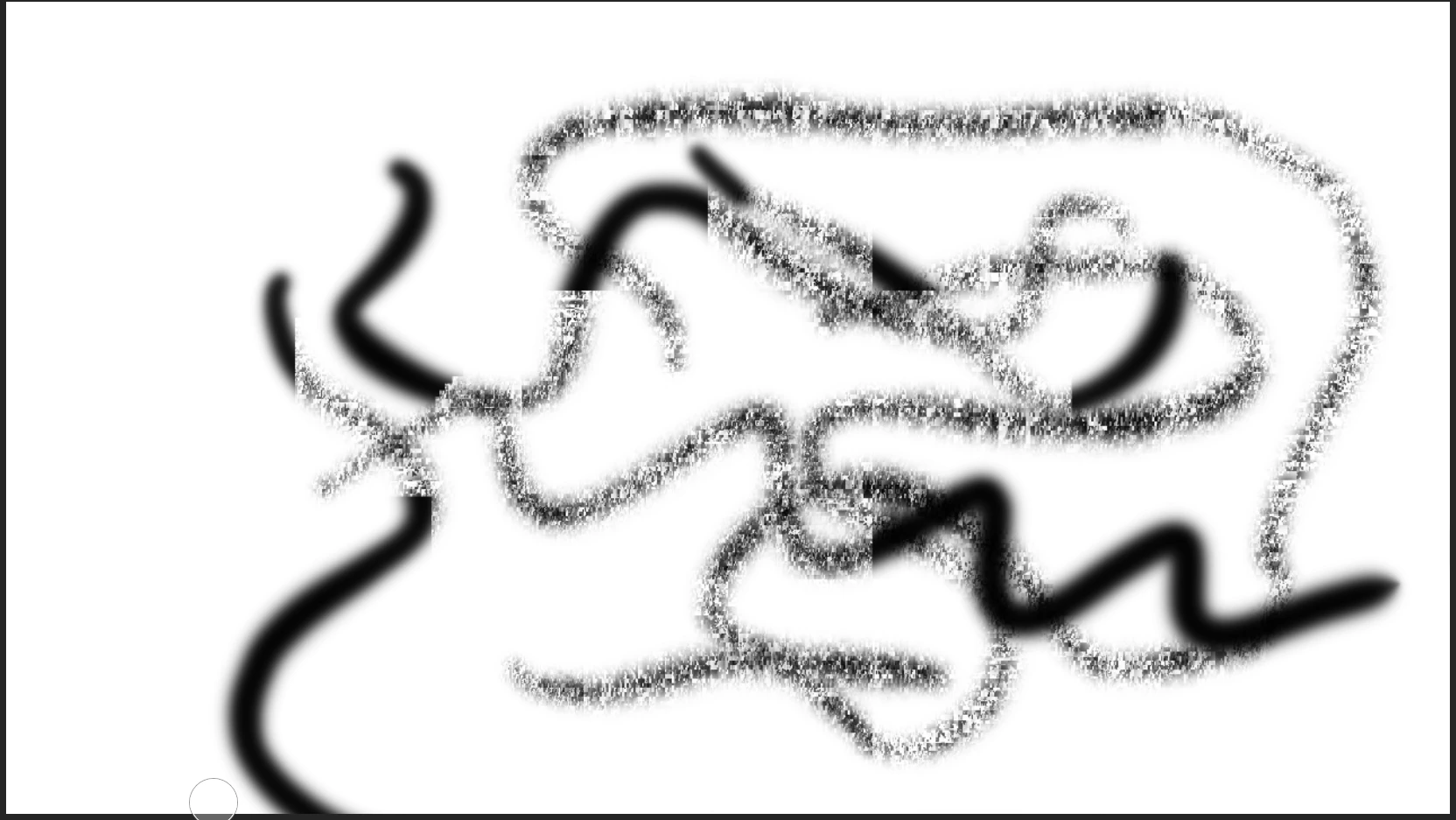
As seen in the image below, whenever I use a pixel brush it turns into a glitched mess. I dont really know how to fix this. I was wondering if anyone else knows how to fix this issue. The brush used here is the soft brush size flow but other brushes also dont work but this only affects pixel brushes.
This topic has been closed for replies.
Correct answer Basinj

I have just started doing drawings on devices and so I have quite the weird setup. I connect my android tablet to my computer (because fresco isnt available on android) and use the pen included with the tablet to draw on there. The video is actually me using my mouse and as shown also creates the glitch. Thank you for the support!


I fixed the issue by justing updating graphics drivers via Geforce Experience.

1 reply

Anubhav M
Community Manager
Community Manager
September 12, 2024

Hello @Basinj,

I am sorry to hear about your experience. Would you mind confirming the OS/Fresco version, device make/model, if this problem started after a recent update/change or if it happens with all files, and a screen recording of your workflow (if possible) so we can better assist you?

Looking forward to hearing from you.


Thanks,

Anubhav

BasinjAuthor
Participant
September 13, 2024

I am using Windows 11 and I am using Version 5.5.0. It does happen with all files and started after two weeks of having the app. I have also discovered that it only happens with the basic pixel brushes. Here a video of the glitch occurring:


Anubhav M
Community Manager
Community Manager
September 13, 2024

Hello @Basinj,

Thanks for sharing the details. Are you using a Wacom Tablet / Pen input device? If yes, kindly try switching to using your mouse to check if it helps.

Looking forward to hearing from you.


Thanks,

Anubhav