
Participant
June 5, 2023
Question

please help I can't color a drawing on the iPad

  • June 5, 2023
  • 1 reply
  • 404 views

Hi, i am desperatly trying to color a drawing i made from a plant. I used the vector brush on a layer on a photgraph. Now that i want to color the skizze and don´t want to draw over my skizze lines, i am trying to find a way to add a layer on top so that the color and shading will stay inside the lines. I tried to add another layer and then use the integration button but it will only then color the black lines not the inside. I couldnt find any help online, please is someone able to assist? Thank you so much!
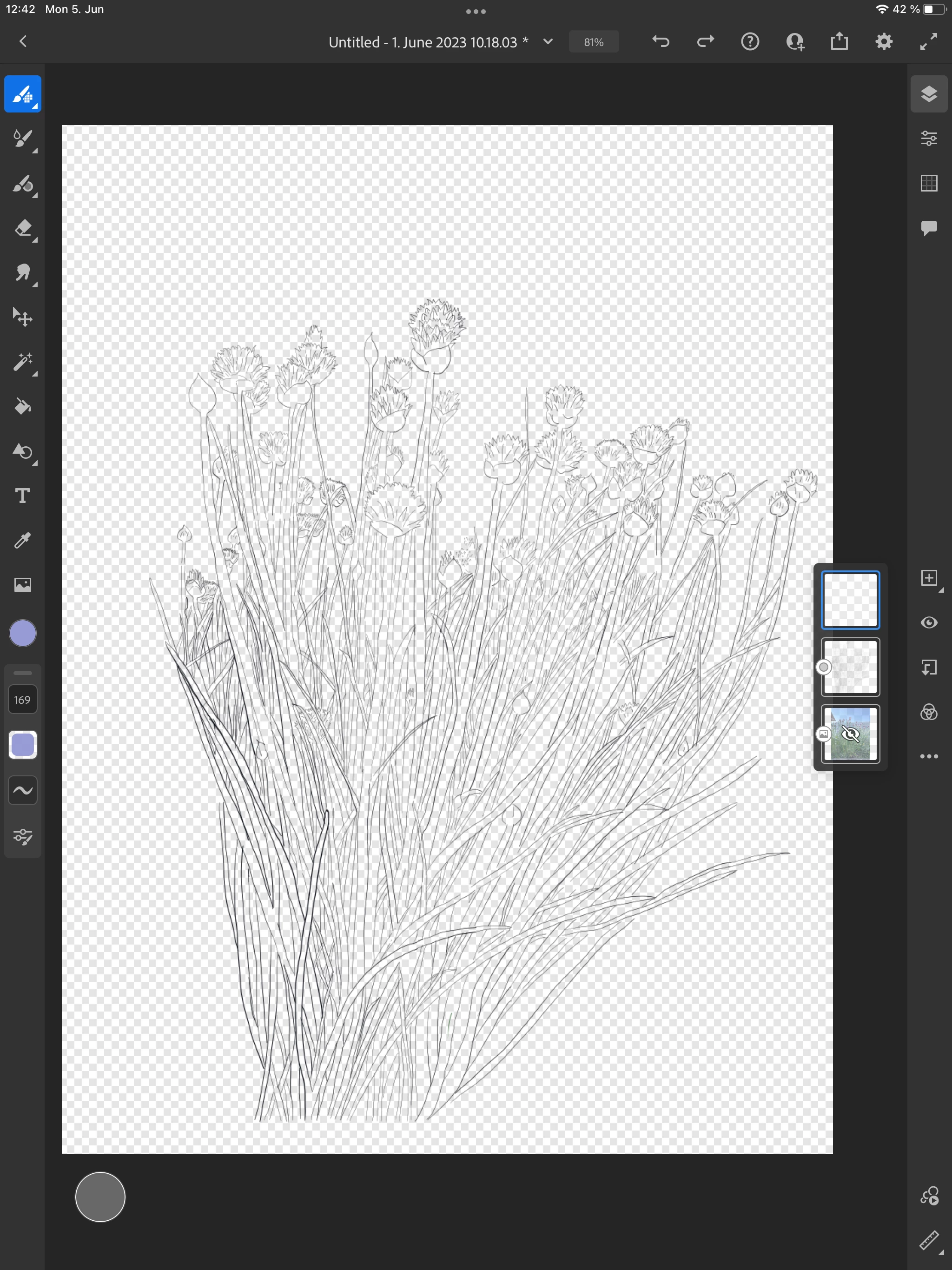
This topic has been closed for replies.

1 reply

Michael J. Hoffman
Community Expert
Community Expert
June 5, 2023

The paint bucket will fill the space between lines, but you have to be very careful that your lines gave no "gaps," or the paint will flow outside through the gaps. Other than that, you can manually paint with a brush (usually it's cleaner to paint on a layer below your line drawing so that you can see the lines clearly above your painting. 

Participant
June 5, 2023

or is there a way to export the drawing as a mask or something to photoshop and color it there?


Imaginerie
Community Expert
Community Expert
June 6, 2023

You could, but the problem will remain the same. as long as there are gaps, the fill tool won't work as you intend it.
The fill tool in Photoshop will work in exactly the same way as it does in Fresco.
Honestly I wouldn't be too annoyed with painting those shapes by hand. One thing you can do is set your colouring layer to "multiply". It will help you see the lines while you paint, as the black lines of the sketch will show through.

You can use masks in Fresco, in the same way as you do in Photoshop as well, but you'll still have to paint the bits you want to fill in white manually, not in an automatic way, again, because of those gaps.
So you might as well paint over!


https://www.youtube.com/watch?v=YYA0-RwSuuQ

https://helpx.adobe.com/uk/fresco/using/layer-masks.html