
Participant
February 25, 2022
Answered

restoring drawing history
  • February 25, 2022
  • 2 replies
  • 2283 views


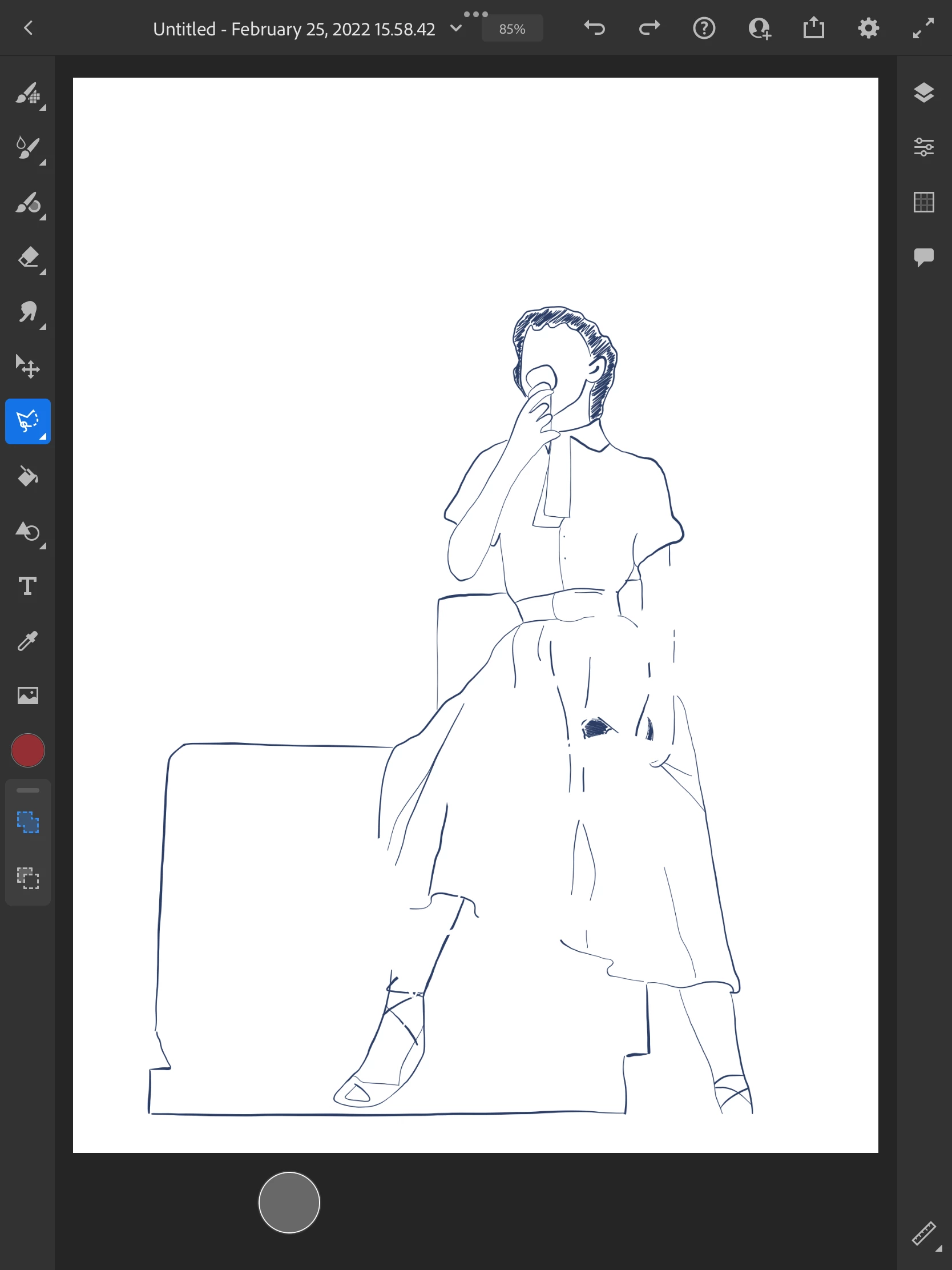
Hey so I drew this picture here, without the sporadic eraser marks everywhere.  I, very briefly, tapped around with the highlighted tool on the left, trying to figure out what it was, then suddenly my picture looked like this.  Despite the fact that I was working on it for over an hour, my file history shows that the picture wasn't saved, conveniently, until after whatever happened here.  Is there any possible way for me to get back my drawing?

This topic has been closed for replies.
Correct answer Discohoe

Go on https://assets.adobe.com and log on. Click the drawing and at the bottom right you'll see a clock icon, click that and you'll be presented with different save times on your drawing. Click a time of your choice and the theee dots, there you'll see that you have the option to the revert your drawing back to that point. Here's an image of what I mean. Hope this helps.

2 replies

Discohoe
DiscohoeCorrect answer
Inspiring
March 9, 2022

Go on https://assets.adobe.com and log on. Click the drawing and at the bottom right you'll see a clock icon, click that and you'll be presented with different save times on your drawing. Click a time of your choice and the theee dots, there you'll see that you have the option to the revert your drawing back to that point. Here's an image of what I mean. Hope this helps.

Participant
July 11, 2022

The same happened to be but I'm only given the option to rename the file not convert. 

Discohoe
Inspiring
July 11, 2022

Ok I believe I've figured it out. Photoshop Beta on mobile devices only works in viewing mode. To be able to revert to previous points in the drawing, you'll have to use photoshop beta (do not need to install photoshop it's via browser) on a desktop computer, with either Microsoft edge or chrome as your browser. https://helpx.adobe.com/ca/photoshop/using/workspace-web.html

Sjaani
Community Expert
Community Expert
March 7, 2022

Did you try pressing the Undo button at the top of the app?

The highlighted tool is the selection tool.