
Participant
June 1, 2023
Answered

Shapes from capture on fresco iphone

  • June 1, 2023
  • 1 reply
  • 194 views

I used to be able to capture a photo using the Capture app. then sync to my library of shapes. then import that shape into the "Draw" app that became fresco. now i cant find the shape's library in the toolbar. i am afraid this feature is now exclusive to ipad and laptop users. is this the case? i only have an iphone.
This topic has been closed for replies.
Correct answer Imaginerie

I can't tell you about phones but apparently, reading the quick tutorial, it doesn't seem there is a shape tool.

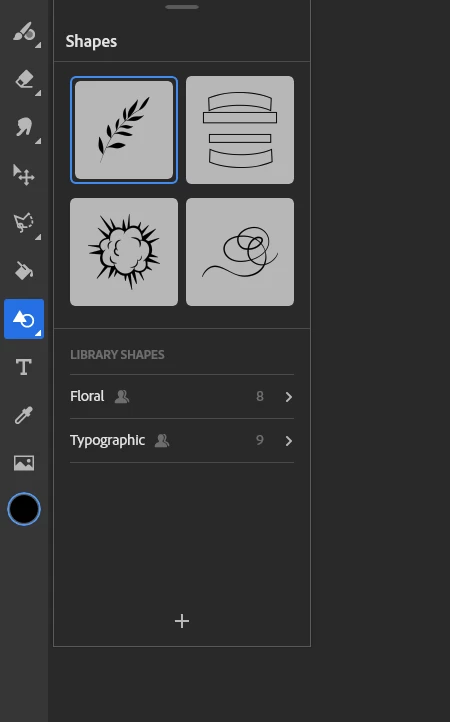
Just for the comparision, it's here, on a desktop (same on Ipad/other tablets)

https://helpx.adobe.com/uk/fresco/using/fresco-on-iphone.html

You can check on the Fresco user voice and see if someone already made the request (and importantly, vote for it!)
https://adobefresco.uservoice.com/
Or create your own if not already available.

1 reply

Imaginerie
Community Expert
ImaginerieCommunity ExpertCorrect answer
Community Expert
June 3, 2023

I can't tell you about phones but apparently, reading the quick tutorial, it doesn't seem there is a shape tool.

Just for the comparision, it's here, on a desktop (same on Ipad/other tablets)

https://helpx.adobe.com/uk/fresco/using/fresco-on-iphone.html

You can check on the Fresco user voice and see if someone already made the request (and importantly, vote for it!)
https://adobefresco.uservoice.com/
Or create your own if not already available.