
Participant
May 28, 2023
Answered

Windows cursor showing when using pen tool

  • May 28, 2023
  • 2 replies
  • 817 views

Hi, just started using frensco. I'm using an xp pen tablet and when I'm using the pen tool the windows cursor follows my pen around while I'm drawing. The eraser tool seems to work just fine thought... is there some setting somewhere I need to change? I'm on windows 11 and I saw some setting options for windows 10 that might have worked, but none of those seem to have carried over to windows 11🙄... Any help would be greatly appreciated!
This topic has been closed for replies.
Correct answer Imaginerie

Unfortunately, it's a bug on the Windows app, and it's been already signaled (It used to be working properly, it's a recent thing)
If you want to pile up on the bug report, you can go here:

https://adobefresco.uservoice.com/forums/919786-adobe-fresco/suggestions/41284417-hide-cursor-or-replace-it-with-a-brush-preview-w


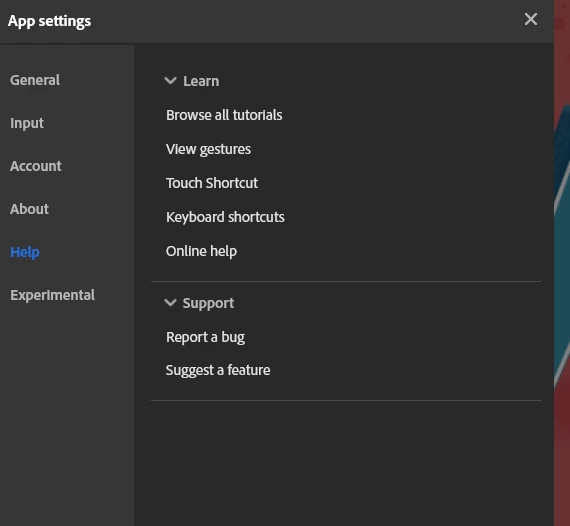
or go into the app settings and help>report a bug


to file a report...

2 replies

Community Expert
May 31, 2023

Yeah... it was an annoyance I had in the brief time I used it via Windows 

Imaginerie
Community Expert
ImaginerieCommunity ExpertCorrect answer
Community Expert
May 29, 2023

Unfortunately, it's a bug on the Windows app, and it's been already signaled (It used to be working properly, it's a recent thing)
If you want to pile up on the bug report, you can go here:

https://adobefresco.uservoice.com/forums/919786-adobe-fresco/suggestions/41284417-hide-cursor-or-replace-it-with-a-brush-preview-w


or go into the app settings and help>report a bug


to file a report...