

Participant
October 27, 2019
Answered
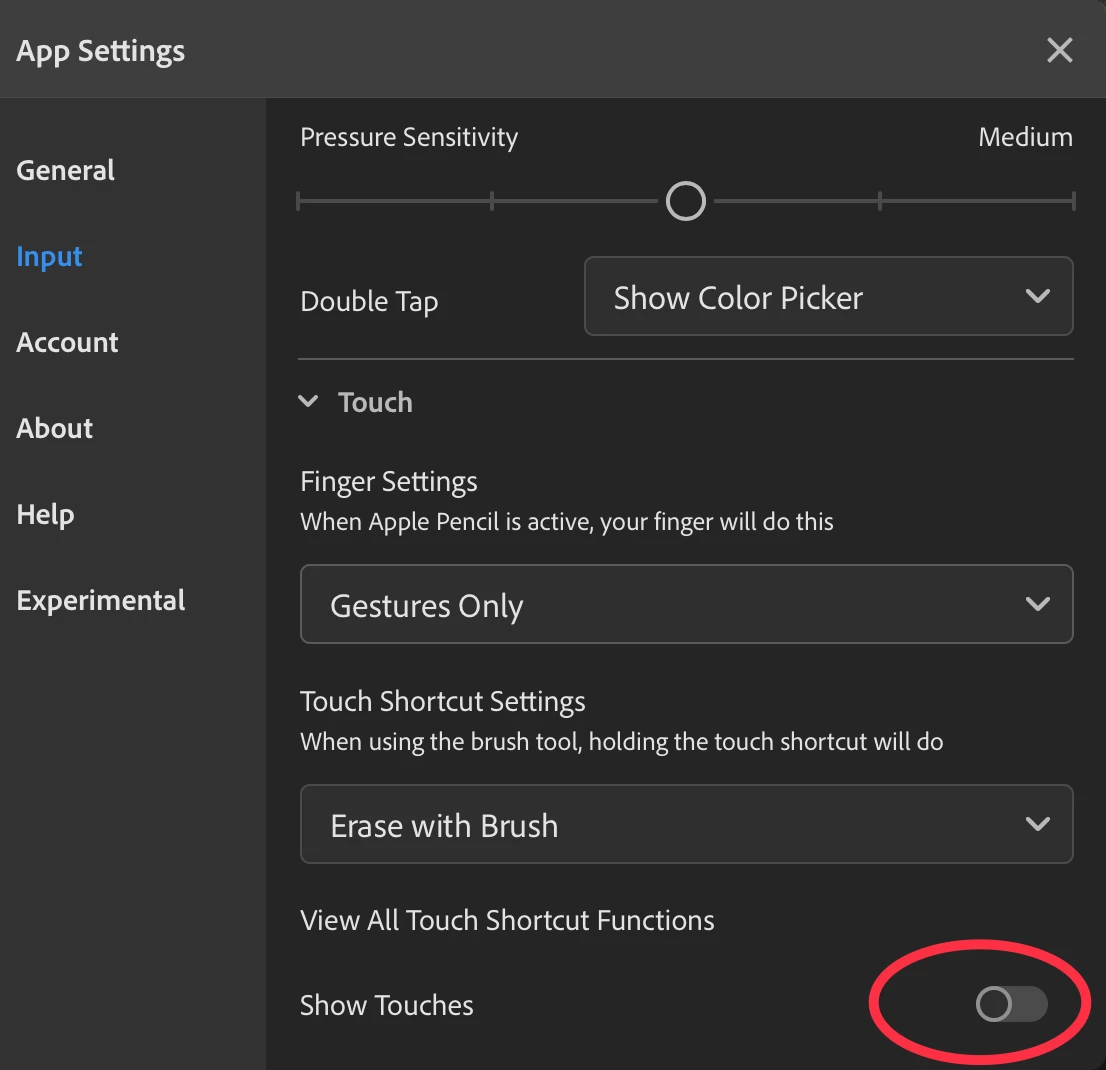
Disable blue circle at tip of Apple Pencil?
- October 27, 2019
- 1 reply
- 4239 views
Hi,
When I use Fresco, a blue filled circle appears where I touch the screen with my finger or Apple Pencil. This blue dot is opaque with a transparent blue outline. It's constant size - doesn't change with the tool width.
When using a thin tool (like pen or pencil) , the blue dot blocks my view of the ink that is under my pencil tip. This makes it difficult, for example, to draw a square. When I get close to closing the square, the blue dot prevents me from seeing where the first corner is.
Is there a way to disable this? The blue dot doesn't appear in the online tutorials, so it must either be a new feature or there's a way to disable it.
Thanks
 AdChoices