

Unleash the magic of Fresco by sharing your files across devices
Unable to capture your work as a video? Looking to post your work directly on Behance? Or sending it to another iOS device? Well, all of that is now possible in Adobe Fresco.
Quick Export
Choose from the various options available to export or share your artwork.
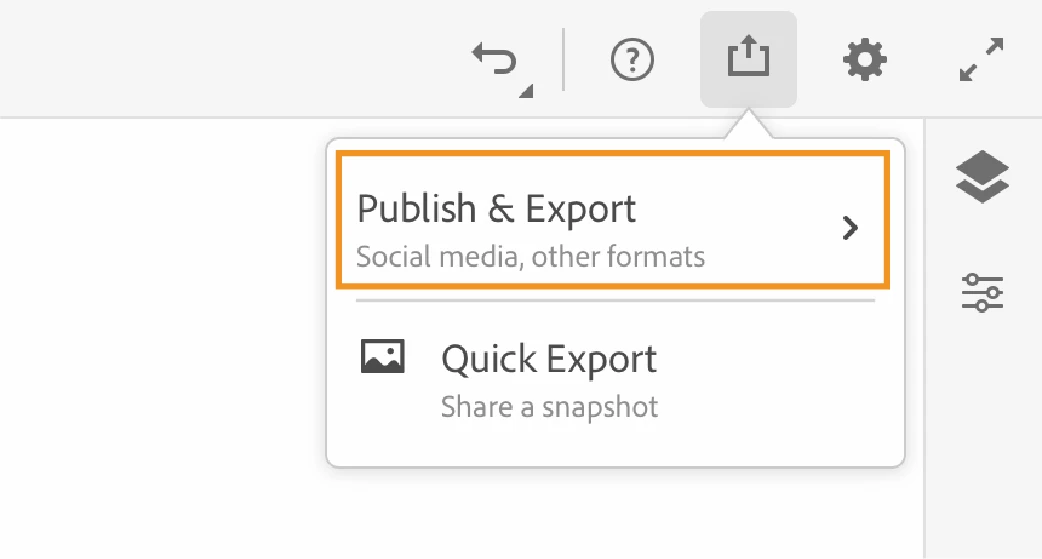
Export and share as other file formats
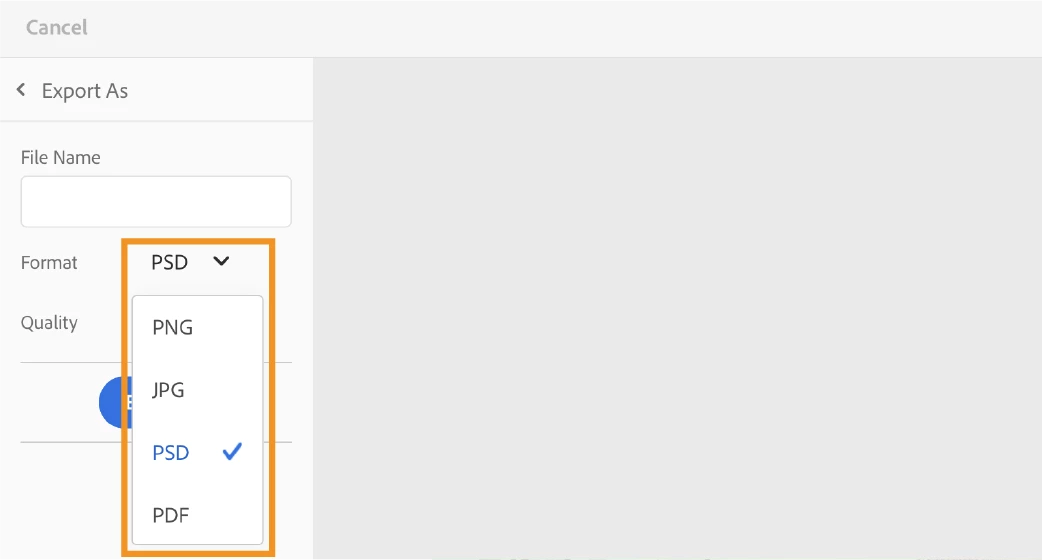
By using the Publish and Export option, you can choose among the different output formats such as PNG, JPG (high, medium, or low quality), PSD or PDF.
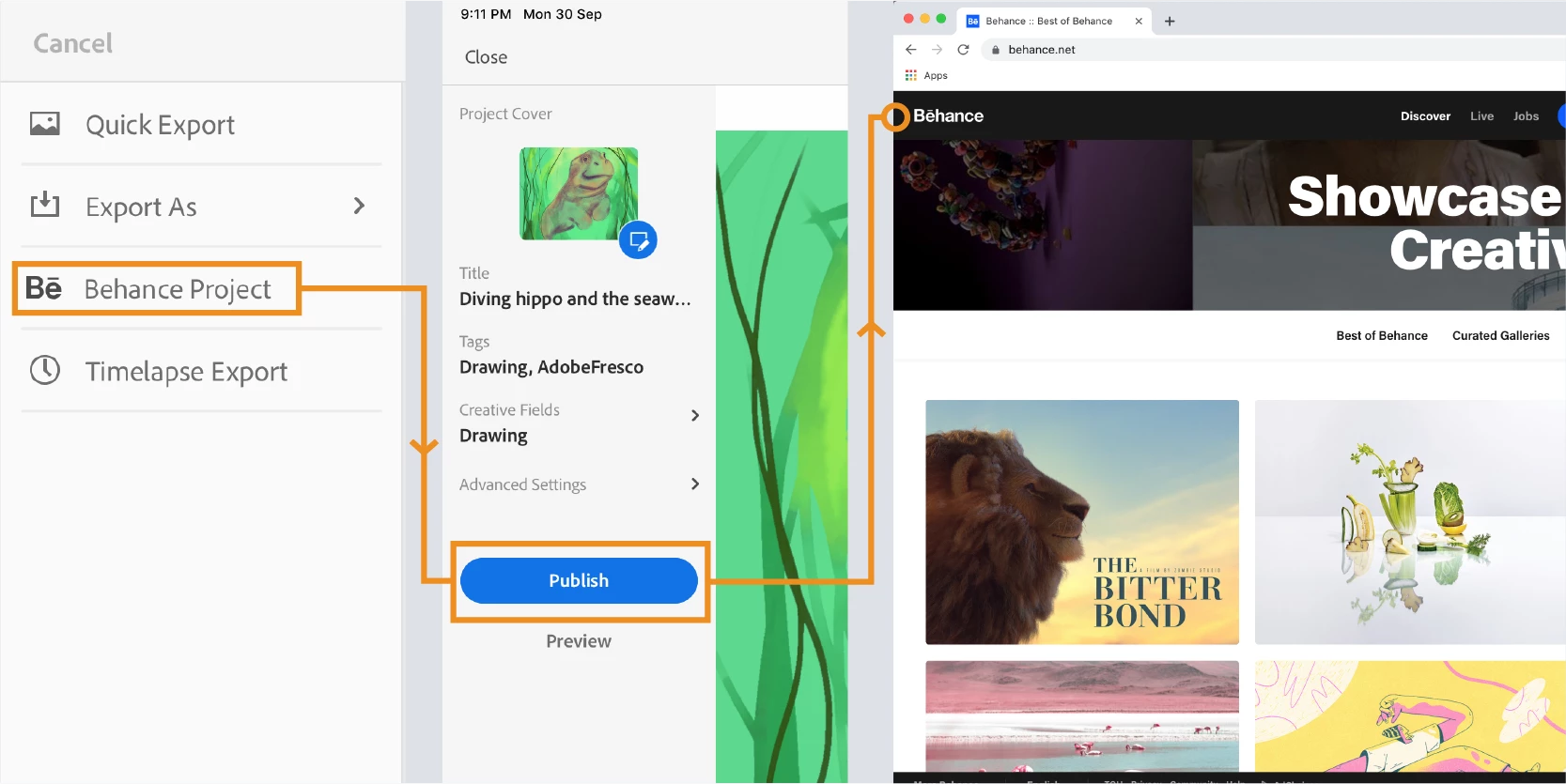
Publish on Behance
An artist’s destination in this creative journey is the audience who can see, appreciate and get inspired by his artwork. You can now take your artwork directly to Behance from Fresco.
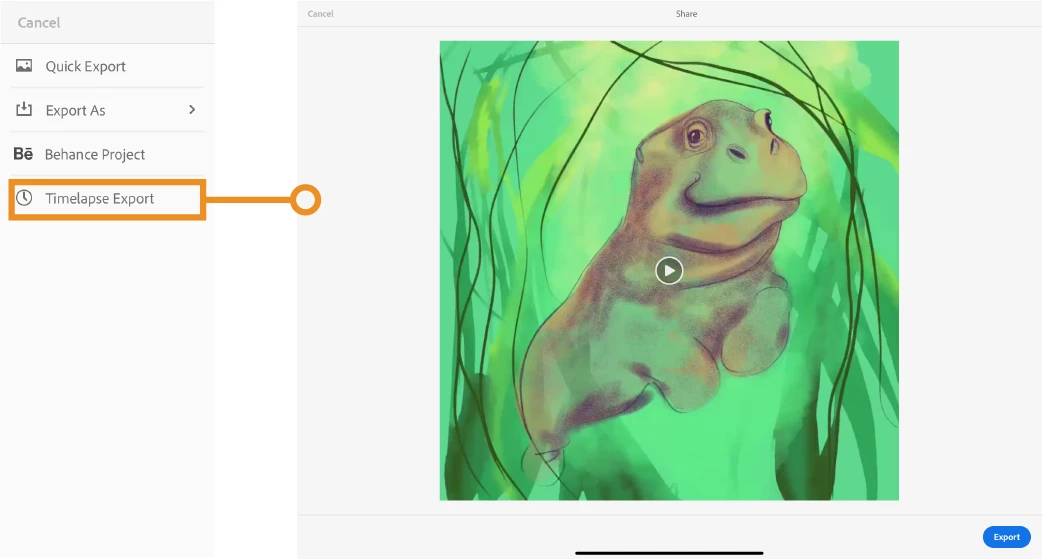
Save a timelapse video
Show the creative brush strokes to the world that shaped the outcome of the drawing. Record the entire process and save it as MP4.

Please refer to the help document: https://helpx.adobe.com/fresco/using/publish-export-share.html for detailed steps to each of the export options.
Still have questions? Please post here and we’ll be happy to help you.


 AdChoices