Exit
  • Global community
    • Language:
      • Deutsch
      • English
      • Español
      • Français
      • Português
  • 日本語コミュニティ
  • 한국 커뮤니티
0

Activation window pop up issue in Photoshop CS2

New Here ,
Mar 13, 2013 Mar 13, 2013

After successfully activating Adobe Photoshop CS2 with new download and serial key, we are facing a new problem. Every time we launch Photoshop CS2, an Adobe updater window pops up which asks for admin ID and password. Many times we have filled admin ID and password to get rid of this message window, but no success.

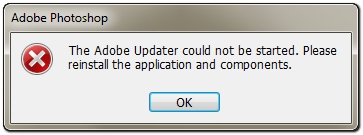
Now when I launch Photoshop I choose NO on updater window, the second message window pops up saying The Adobe Updater Could Not Be Started. Then I have to hit OK on this window.

Kindly provide some solution so that we can launch Photoshop CS2 in single click.2013-03-14_085825.jpg
1.2K
Translate
Report
Community guidelines
Be kind and respectful, give credit to the original source of content, and search for duplicates before posting. Learn more
community guidelines

correct answers 1 Correct answer

Community Expert , Mar 13, 2013 Mar 13, 2013

try right click>run as administrator.

if all goes well you'll be given an option to stop the popups.

Translate
Community Expert ,
Mar 13, 2013 Mar 13, 2013
LATEST

try right click>run as administrator.

if all goes well you'll be given an option to stop the popups.

Translate
Report
Community guidelines
Be kind and respectful, give credit to the original source of content, and search for duplicates before posting. Learn more
community guidelines

