


- Home
- Download & Install
- Discussions
- CS6 Master Collection main data file download is ....
- CS6 Master Collection main data file download is ....

Copy link to clipboard
Copied
After recent computer changes I went to re-load Master Collection CS6. The download offering at Adobe contains two files:
MasterCollection_CS6_LS6.exe (1031 KB)
MasterCollection_CS6_LS16.txt (6,504,448 KB)
The text format designation of that second seems a bit odd to me. Not surprisingly the first file will not extract it and it doesn't seem to matter if I change the suffix to .7z, .exe or other usual suffix.
Win 10 64bit.
Thanks for any input


 1 Correct answer

Have you tried using a different Internet Browser to download the 7z file? The MIME type recognition issue might be browser-specific.

 11
Replies
11
11
Replies
11


Copy link to clipboard
Copied
That txt file should be the 7z
try kglad links in reply #1 here https://forums.adobe.com/thread/2478335 to download program installers
Copy link to clipboard
Copied
Thanks John,
Will try that and get back here to advise the result.
Cheers!
ian
Copy link to clipboard
Copied
Just followed that link and it seems to be the same location as I attempted download from.
CS6 English
When I point on the file to download it still labels it with a .TXT suffix.
I have downloaded that a number of times in the last hours with no luck.
Seems to me that there are two likely answers to this.
1. That my machine is now somehow incapable of reading the 7z suffix and places .txt in its stead.
2. That Adobe has miss labelled that particular file.
I did try previously to change the suffix to .7z but that yielded the same result. Essentially the loader file didn't see it as materially helpful and noted that the data file should be in the same folder as itself (which the .txt suffixed file was)
Thanks again for your reply, any other thoughts?
Copy link to clipboard
Copied
I scrolled down and found another link: Download Adobe Master Collection CS6 Offline Setup - ALL PC World Sounds like a magazine of some description. They had a link to the file which contains each of the files above but where the larger data file does have a .7z suffix.
If it happens to be a cracked version hope it takes my licence key. The individual files are dated April 2012 which sounds a year too old but it may have been that long ago the upgrade from CS5.5 came along.
Copy link to clipboard
Copied
PC World is a magazine I've heard of, but I can't comment on that specific link
Copy link to clipboard
Copied
No, that didn't do the job. A required file appeared to be missing.
Copy link to clipboard
Copied
Have you tried using a different Internet Browser to download the 7z file? The MIME type recognition issue might be browser-specific.
Copy link to clipboard
Copied
Worth a try Servitor. Will report back.
MS Edge is currently being used.
Regards
Ian
Copy link to clipboard
Copied
This is what I see in MS Edge: Note the .txt file name in the opening requester. You may have to scroll down.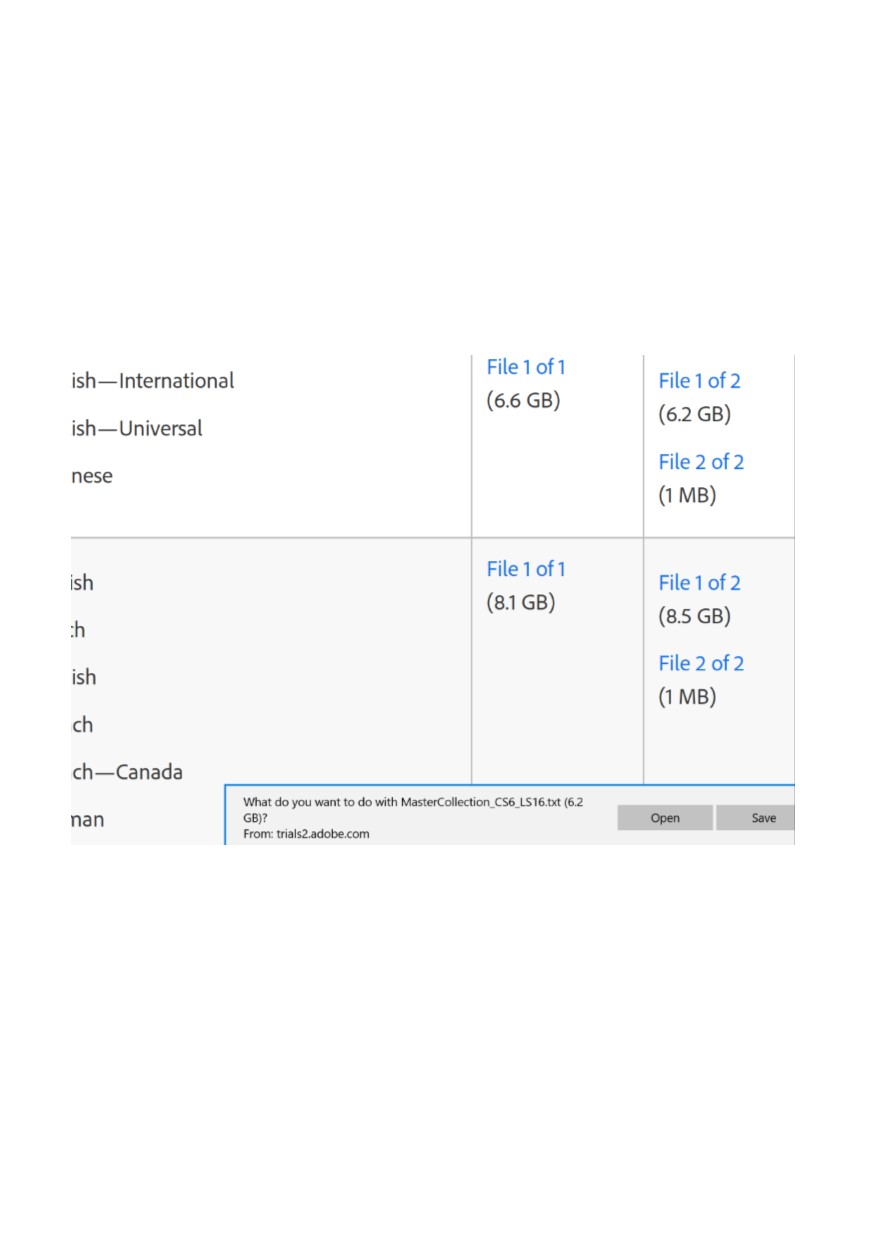
Copy link to clipboard
Copied
🙂 Servitor, I am currently downloading using Chrome. The file shows as ending in .7z Good work thanks...(that is, I am pretty sure it will work but good work anyway.)
Cheers! ian
Copy link to clipboard
Copied
Thanks again both of you. In this case, Servitor it was an Explorer/MIME issue and simply using Chrome showed the 7z suffixed file and led to full and proper loading. Regards ian


Get ready! An upgraded Adobe Community experience is coming in January.
Learn more
 AdChoices