Exit
  • Global community
    • Language:
      • Deutsch
      • English
      • Español
      • Français
      • Português
  • 日本語コミュニティ
  • 한국 커뮤니티
0

CS6 Partial Uninstall

New Here ,
Jan 30, 2013 Jan 30, 2013

Hi,

I just installed and the CS6 Master collection and decided to uninstall few components such as Fireworks, illustrator, flush etc. I kept Dreamweaver, photoshop and premiere.

Now I realized the I have Unnstalled the REVERS of what I wanted.

How can I reinstall  them?

when I click go to Uninstall Progrma ->Adobe Creative Suite Master collection I see the following screen which doesn't have the "Dreamweaver, photoshop and premiere" .
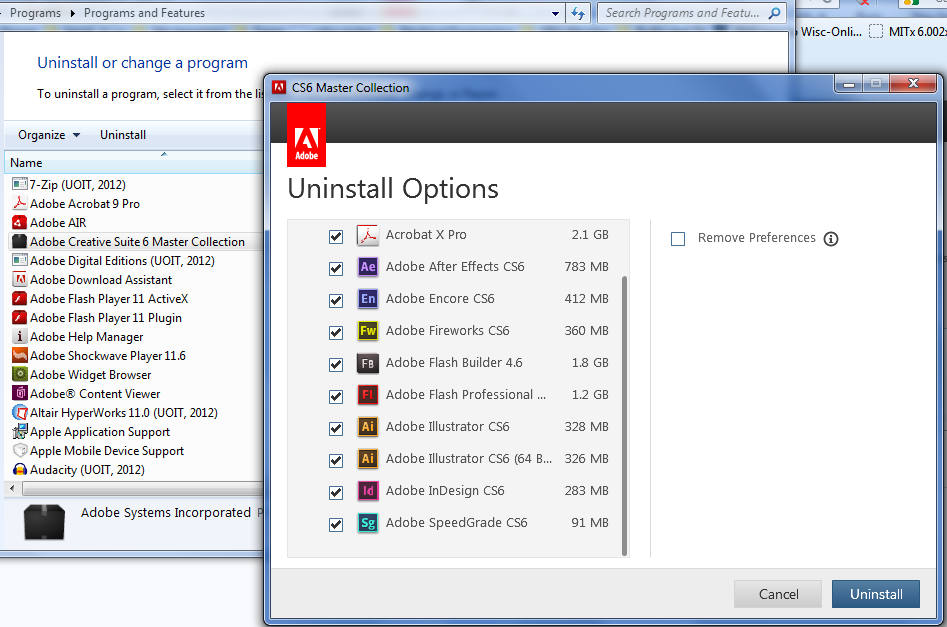
adobe_uninstall.PNG

so where is the install or "Change" setup?

I found the application manager and there is no options to install . It show everyting is up todate. But I can't find premiere:
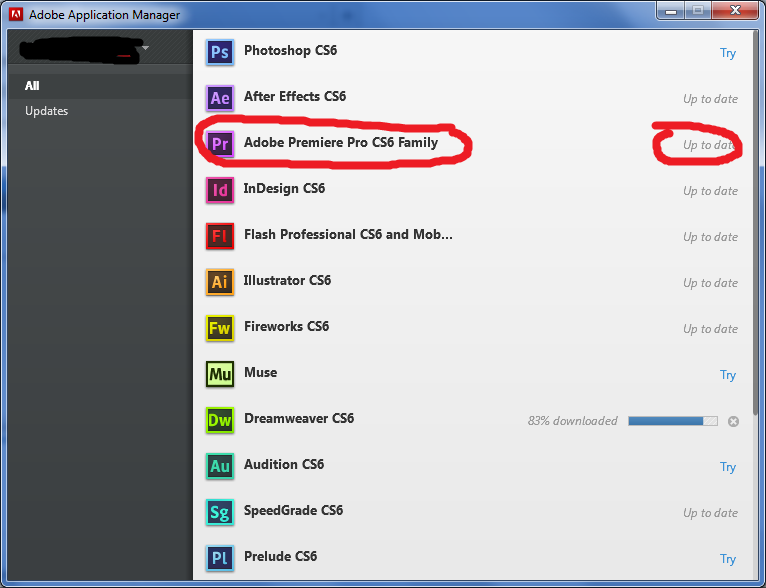
premiere.png

Thank you

3.2K
Translate
Report
Community guidelines
Be kind and respectful, give credit to the original source of content, and search for duplicates before posting. Learn more
community guidelines
Adobe Employee ,
Jan 30, 2013 Jan 30, 2013
LATEST

What process did you use to uninstall the applications?  You can try reinstalling the Adobe Application Manager from http://www.adobe.com/support/downloads/detail.jsp?ftpID=4773 to see if this resolves your current difficulties.

Translate
Report
Community guidelines
Be kind and respectful, give credit to the original source of content, and search for duplicates before posting. Learn more
community guidelines

