Copy link to clipboard
Copied
I'm trying to install Flash Pro CS6 but I keep getting the following error (the message is in portuguese) after running the .exe file (downloaded directly from Adobe's oficial website).
I've tried it in 3 different computers with Windows 8 and in one computer with Windows 7 and all of them give me the same error. I'm using an Admin account so that's not the problem!

Do you have any zip extractor tool, if yes try to open the second file ( .7z ) file using zip extractor too ( ex winrar), They try to Run Setup file.
Copy link to clipboard
Copied
PS: The messages says "Problem while extracting some files. Check the available space on the computer and the write privileges on the destination folder." All the computers have space in their hard disk.
Copy link to clipboard
Copied
Try to give permission for Adobe folders under following locations
C:\Program Files
C\Program Files (x86)\Common Files
C:\Program Files (x86)
Right Click on Adobe and open properties
uncheck read only and apply
click on security tab and click on edit
Give full permission for Users and Apply.

Copy link to clipboard
Copied
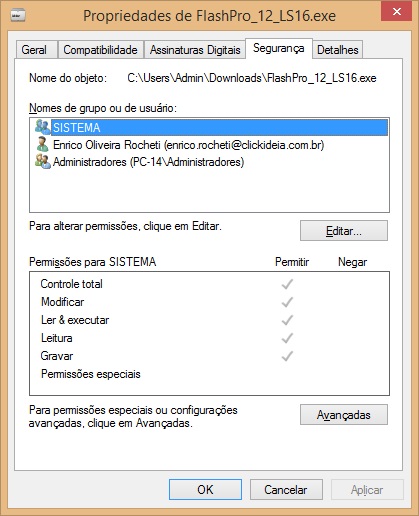
The problem is happening when I try to extract the downloaded files from the .exe to another folder. The application has all the permissions available

Here is another picture of the initial screen when I double click the .exe file.

I've tried to extract it to other folders, like "Documents", "Downloads", but It gives me the same error as before.
Copy link to clipboard
Copied
Do you have any zip extractor tool, if yes try to open the second file ( .7z ) file using zip extractor too ( ex winrar), They try to Run Setup file.
Copy link to clipboard
Copied
Thanks Sam, it worked perfectly! ![]()
Copy link to clipboard
Copied
You are welcome ![]()
Get ready! An upgraded Adobe Community experience is coming in January.
Learn more