Copy link to clipboard
Copied
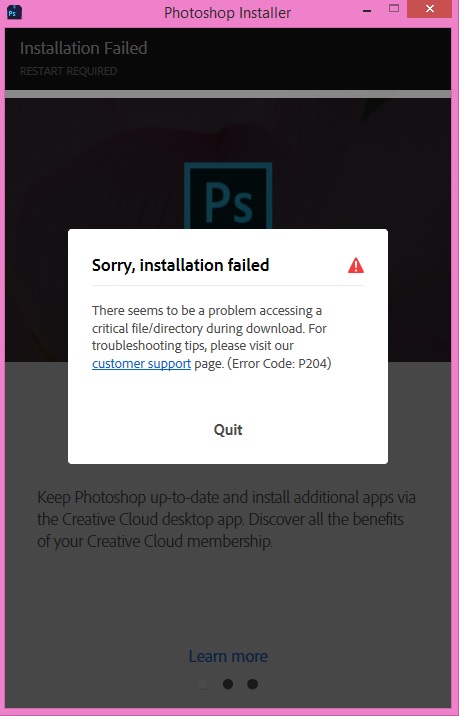
I've browsed through here looking for help, and haven't had any luck. I've just purchased Photoshop, and have been trying to install it onto my Windows 8 Pc. First issue was the Creative Cloud wouldn't install, so I restarted my computer to see if it would help. It didn't, then I tried to run the installer as admin. That, too didn't work. This is the error I keep getting no matter what I try. I'm a student and I have a lot of projects coming up this weekend, so I need to figure this out quickly |:

Copy link to clipboard
Copied
uninstall everything cc including lastly the cc desktop app, https://helpx.adobe.com/creative-cloud/help/uninstall-creative-cloud-desktop-app.html
clean your computer of cc files per http://www.adobe.com/support/contact/cscleanertool.html
restart your computer (don't skip this)
reinstall the cc desktop app, https://creative.adobe.com/products/creative-cloud using compatibility mode (https://technet.microsoft.com/en-us/library/bb456979.aspx?f=255&MSPPError=-2147217396)
use the desktop app to install your cc programs/trials
Copy link to clipboard
Copied
I'm once again getting stuck with downloading the CC desktop app. It tells me there is an internet connection issue when I clearly do not have one. I keep getting error code 201 and 204 over and over each time I retry the download.
Copy link to clipboard
Copied
did you follow the suggested steps in message 1?
if so, which steps did you complete successfully and at which step do your see those errors?
Copy link to clipboard
Copied
Hi @BaconQueen
It seems like an account permission issue, there is a solution for it.
1) Please remove all Adobe Apps from the machine by using Adobe Creative Cloud cleaner tool.
2) Then do a reboot of the machine.
3) Now create a hidden admin account
4) Open CMD (command prompt) run it as admin.
5) Then type net user administrator /active:yes
6) Now log off from your user account & log in to new ADMIN account which is now created. Try to install the Creative cloud app & your required Adobe app here, it will work.
7) Now, following the same steps mentioned in step 4 & 5 & replace yes with no. It will disable the admin account.
8) Go back to your own user account, you will find your Adobe apps installed.
Hope it will fix the issue, as I fixed the same on one of our user's machine.

Get ready! An upgraded Adobe Community experience is coming in January.
Learn more