Copy link to clipboard
Copied
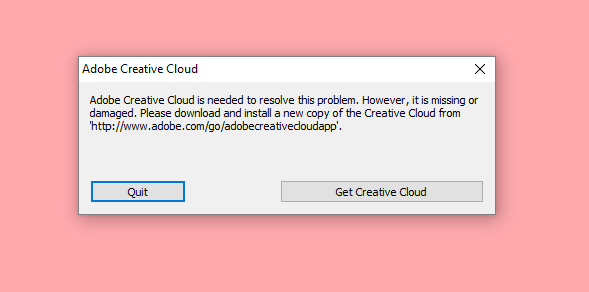
I'm using Creative Cloud for Animate CC, but I get this message and it keeps me from opening the app. I've tried installing a new copy like it tells me to and that lets me be able to open the app, but shortly after when i try to re-open it it gives me the same message. I've tried re-installing a couple of times and the outcome is always the same. I'm running Creative Cloud on Windows 10, please help.
contact adobe support during pst business hours by clicking here and, when available, click 'still need help', http://helpx.adobe.com/x-productkb/global/service-ccm.html
Copy link to clipboard
Copied
uninstall everything cc including preferences, https://helpx.adobe.com/creative-cloud/help/uninstall-remove-app.html
then uninstall the cc desktop app, https://helpx.adobe.com/creative-cloud/help/uninstall-creative-cloud-desktop-app.html
clean your computer of cc files per http://www.adobe.com/support/contact/cscleanertool.html
restart your computer (don't skip this)
reinstall the cc desktop app, https://creative.adobe.com/products/creative-cloud. (if you have a win os, right click the exe > click 'run as administrator'.
use the desktop app to install your cc programs/trials
Copy link to clipboard
Copied
I've tried doing this exactly as you explained, but today I got the same message. What should I do?
Copy link to clipboard
Copied
contact adobe support during pst business hours by clicking here and, when available, click 'still need help', http://helpx.adobe.com/x-productkb/global/service-ccm.html
Copy link to clipboard
Copied
Moving to Creative Cloud Download & Install​
Get ready! An upgraded Adobe Community experience is coming in January.
Learn more

