Copy link to clipboard
Copied
Hello,
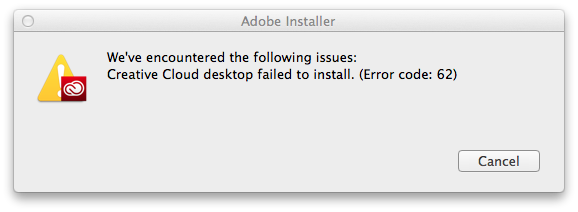
I'm tying to update CC2014 in MAC OS 10.9.5 and get this:

I never had this problem before, today the update didn't work.
I tried uninstall and install again, but in the middle of process the window disappear.
Sometimes show me the message above.
Thank your for any help.
Ed
Copy link to clipboard
Copied
Ed please try the steps listed in Error "Failed to Install" Creative Cloud Desktop application - http://helpx.adobe.com/creative-cloud/kb/failed-install-creative-cloud-desktop.html to resolve the current error.
Copy link to clipboard
Copied
I'd like to test a theory for a potentially simple solution on this issue.
1. Quit out of the Creative Cloud desktop app (choose Quit from the gear menu).
2. Navigate to /Applications/Utilities/Adobe Application Manager
3. Rename pim.db to pim.old.
4. Reopen desktop app and attempt download again.

Get ready! An upgraded Adobe Community experience is coming in January.
Learn more