
Participating Frequently
March 8, 2020
Answered

1 file runs really slow but other files work fine. Why is my file lagging?

  • March 8, 2020
  • 4 replies
  • 850 views

I have 1 file that just lags really bad but when I open any other file they work great. 


Ive tried deleting all the clutter and only having a few objects but it still runs slow.

Particularly when drilling down into groups it stops and i get a loading wheel for a few seconds.


The file size is small 12.1mb


I got rid of all images and its just objects.


Why is my file so slow?


This topic has been closed for replies.
Correct answer Ton Frederiks

To find out what is causing the slowdown, you can delete parts of the artwork and turn Preview on and off to see if there is a change.

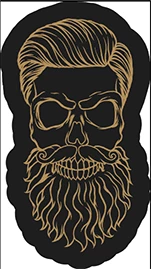
The background of this part is causing the slowness.

Try to simplify it to a single black object.


4 replies

Kurt Gold
Community Expert
Community Expert
March 8, 2020

It is not only the background of the bearded creature that is causing slowness in this case.


The whole composition/construction has way too many unnecessary anchor points and should be cleaned up.

Ton Frederiks
Community Expert
Ton FrederiksCommunity ExpertCorrect answer
Community Expert
March 8, 2020

To find out what is causing the slowdown, you can delete parts of the artwork and turn Preview on and off to see if there is a change.

The background of this part is causing the slowness.

Try to simplify it to a single black object.


danham22Author
Participating Frequently
March 8, 2020

Thats a good idea to isolate each part and delete it and test it. I had tried that on some of the parts but didnt try it all.


Thanks!

ceyhun_akgun
Legend
March 8, 2020

The reasons may be too many. There may be no fixed cause.

1- Can cause PostScript features.

2- Is there an embedded file? (Tiff, PSD, JPEG)

3- There may be hundreds of paths created with MESH features or BLEND and then resolved.

4- There may be an effect in the Appearance panel. It may be performing RENDER operation each time.

5- Problem fonts.

Graphic Designer Educator / PrePress Consultant
danham22Author
Participating Frequently
March 8, 2020

1- What is Postscript features?

2. No embedded or linked images

3. I have 1 mesh but i deleted it and didnt fix it

4. I have no effects applied

5. no fonts at all

michelew83603738
Community Expert
Community Expert
March 8, 2020

I can't say why that has happened, are you using a font? What you can try and has worked for me in the past is that I copy everything into a new file and go from there and that sometimes works.

danham22Author
Participating Frequently
March 8, 2020

No fonts, I did try to copy it into a new file, and it still persists.