Participant
April 14, 2022
Answered

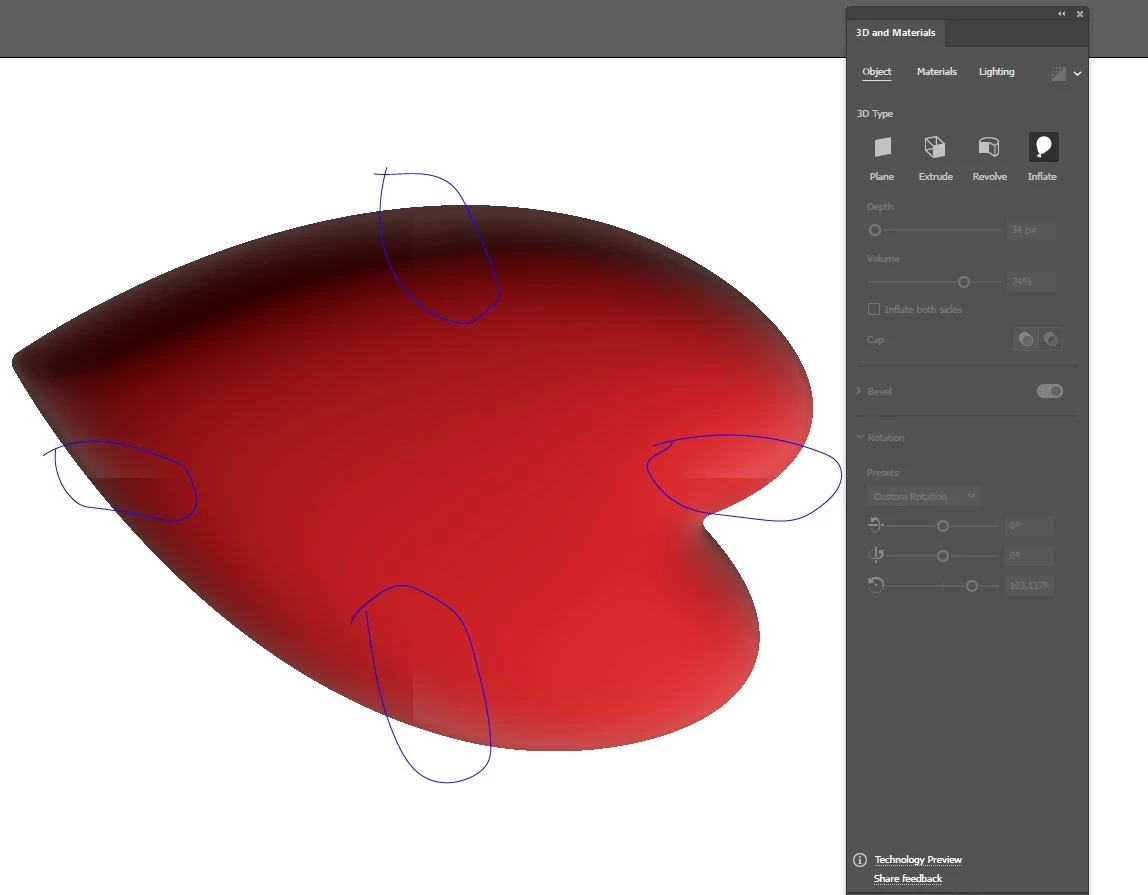
3D and materials - bad rendering with sharp edges

  • April 14, 2022
  • 1 reply
  • 667 views

I use "3D and materials" in Illustrator 26.2.1,  then I see in middle parts of object interrupted "gradient" with sharpen edges. It is exactly in the axes of object - see attached image. What is wrong?
This topic has been closed for replies.
Correct answer Monika Gause

Is raytracing turned on?

1 reply

Monika Gause
Community Expert
Monika GauseCommunity ExpertCorrect answer
Community Expert
April 14, 2022

Is raytracing turned on?

vladovxxAuthor
Participant
April 15, 2022

No.

After RayTracing and rendering all is OK. Thank you.