


lordfeanor
Participant
July 5, 2022
Answered

3d and Materials, Render with Reduce Noise Problem

  • July 5, 2022
  • 2 replies
  • 3547 views

Hi, i'm struggling with a bug when i try to render a 3d object with "Reduce Noise" on. (It was working like 2-3 months ago with no problem) I tried tons of alternatives like Anti-alias, Screen Resolution etc. but couldn't figure it out. The pixelize is changing everytime when i off and on Ray Tracing. Am i missing something? I reinstalled Windows 10 today because of this and it didn't even work. 
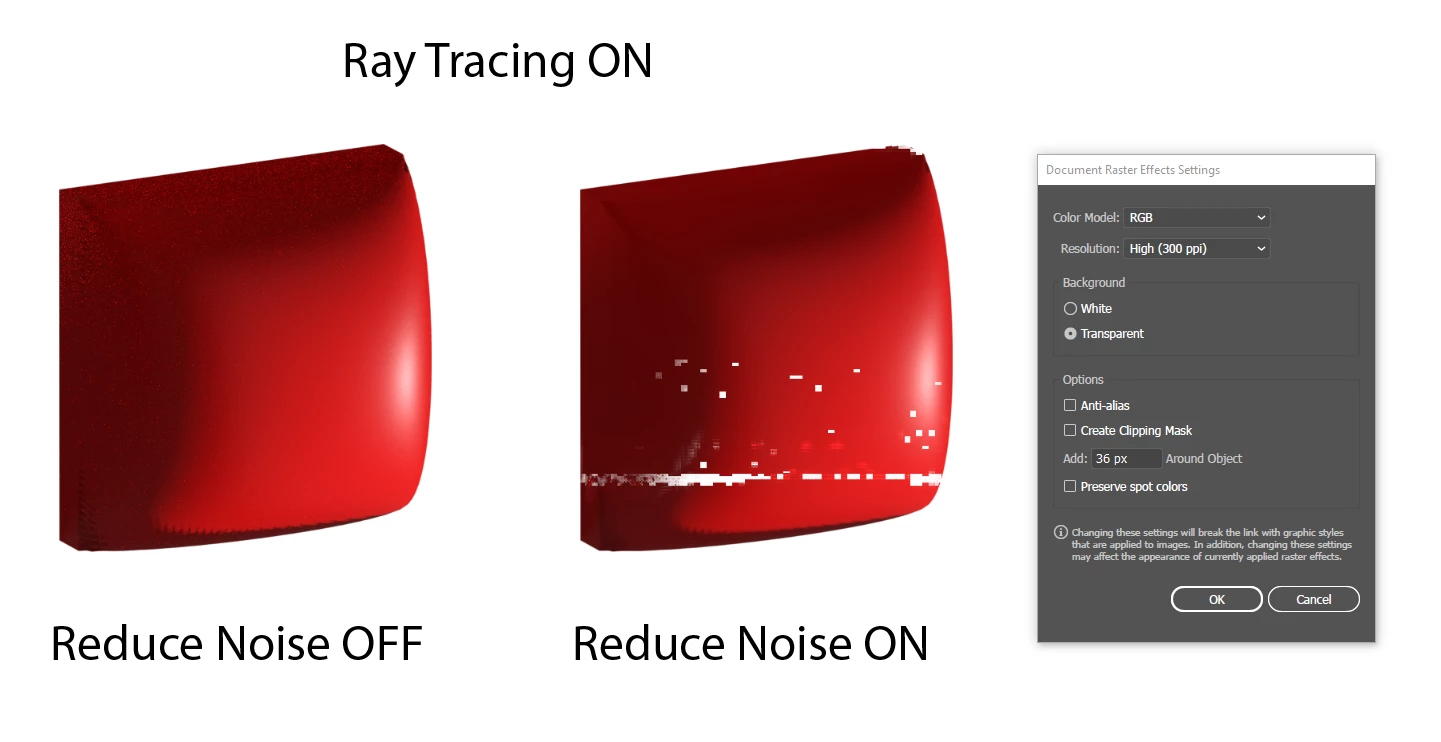


My Specs: 
Ryzen 5 3600x
16 GB DDR4 Ram
RTX 2060
Windows 10


Correct answer ZBalling

Yep, fixed in 517.48. 

  • [Adobe Illustrator] Using Reduce Noise with Ray Tracing appears pixelated [3709309]

2 replies

nineek89543942
Participant
August 21, 2022

I am having the exact same issue with Nvidia rtx2070 and processor i9 I tried everything with preferences settings with system advance settings nothing helps. could you advise how to solve this problem?

Slava Zamberg
Participant
September 22, 2022

Today I updated my graphics card driver, there are no more artifacts! (Driver Nvidia Studio ver 517.40)

ZBallingCorrect answer
Inspiring
September 27, 2022

Yep, fixed in 517.48. 

  • [Adobe Illustrator] Using Reduce Noise with Ray Tracing appears pixelated [3709309]
lordfeanor
Participant
July 6, 2022

Seems like it's the driver issue. I rolled back to Nvidia 512.95 driver and problem solved for now. So who is gonna fix this for good? Adobe or Nvidia?