
Participant
January 22, 2022
Answered

3D effect shadows cutting off

  • January 22, 2022
  • 2 replies
  • 6182 views

I've been messing around with the new 3D tools and even though i'm loving it, somehow the shadows keep getting cut just like in the picture below. I already tried changing the "add xx around object" value in Document Raster Effect Settings but id does nothing...
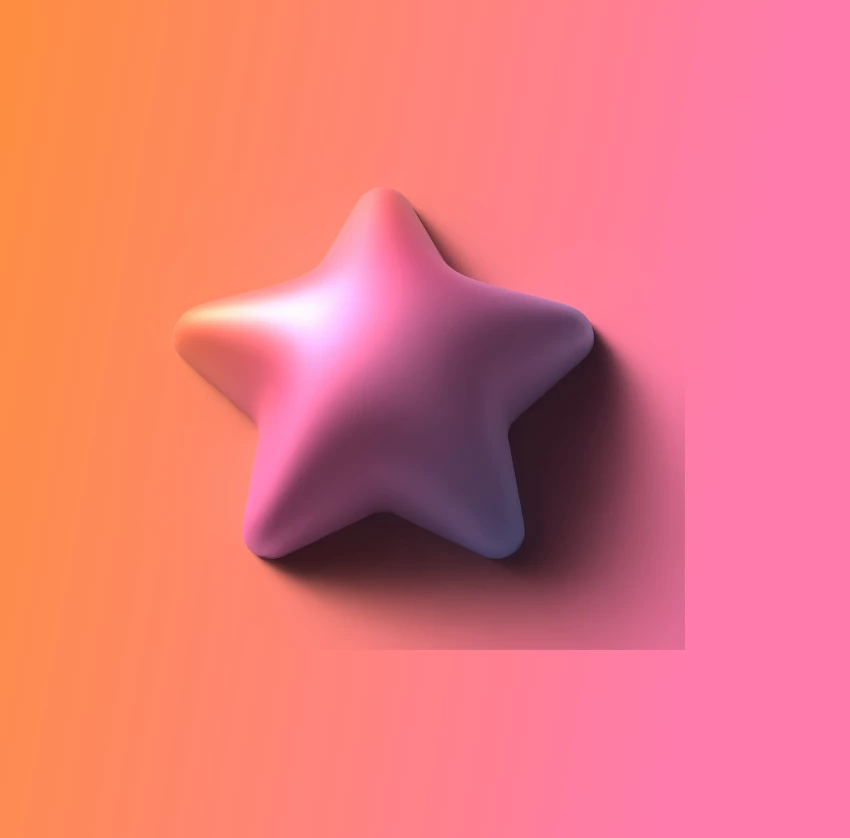
Correct answer emmag28044284

Hi there - probably a very late reply to this, but I was having the same trouble recently and found if I played around with 'Depth' (under Object –> Inflate) that worked for me!

2 replies

Kylee L
Participant
May 15, 2023

the same is happening to me and I even made the Shaow Bounds at the lowest setting and I also do not have shadow border so idk what to do????

Monika Gause
Community Expert
Community Expert
May 16, 2023

Please show and please show your settings.

emmag28044284
emmag28044284Correct answer
Participant
July 25, 2025

Hi there - probably a very late reply to this, but I was having the same trouble recently and found if I played around with 'Depth' (under Object –> Inflate) that worked for me!

Monika Gause
Community Expert
Community Expert
January 23, 2022

There is a setting in the shadow options called "shadow border" or the like (I have a German version). Can you try it?

Participant
February 25, 2023

This issue has been driving me crazy and this is the only thread I've found about it, but I can't find the option "shadow border" in shadow options... Has it been removed from Illustrator 2023, or am I mossing something? Please find screenshot attached. Many tanks in advance!


Monika Gause
Community Expert
Community Expert
February 25, 2023