
Participant
October 14, 2020
Answered

3D Extrude & Bevel (Mapped)

  • October 14, 2020
  • 1 reply
  • 489 views

Hi,


I'm trying to create some 3D mockups of packages in Illustrator. I've had some decent success with using Effect > 3D > Extrude & Bevel and applying the individual panels as Symbols. 
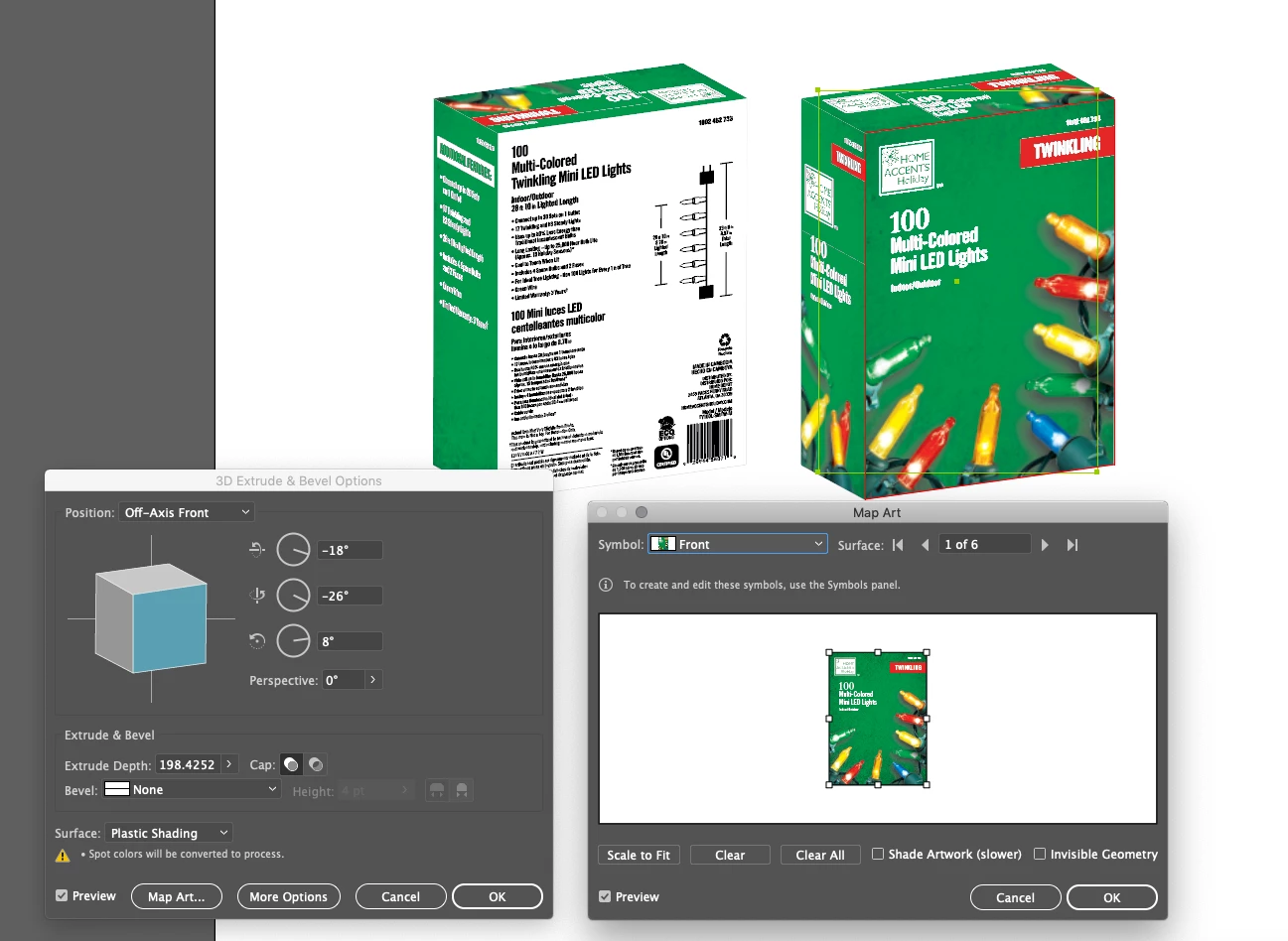
 

My issue is that sometimes some panels just won't come through. I've created the Symbols in the exact same way, all images are rasterized, and everything is grouped. I don't think it's the actual extrusion as the top panel comes through fine, just the side and back. I can't seem to figure out a solution.
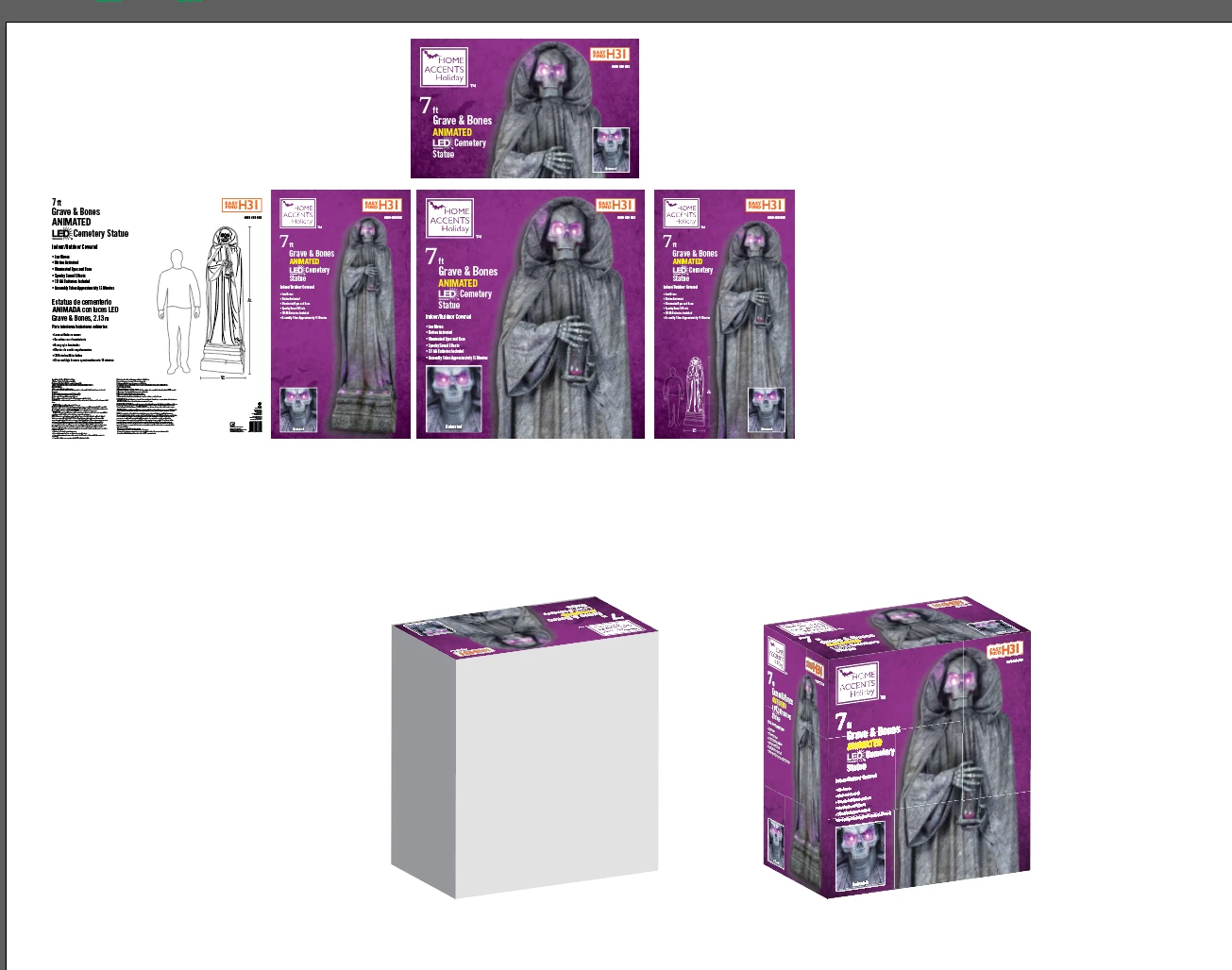
 

I've got this issue in Ai 23.1.1 and 24.1. Any thoughts? 


Additionally, is there an easier way to create this mockup considering it has images and is not entirely text based?

This topic has been closed for replies.
Correct answer Mylenium

Well, long and short: If you want an "easier" way, then you may need to move on to genuine 3D programs. Even Adobe Dimension has at least a parametric cube to stand in for all sorts of packages of different sizes and ratios. And of course the possibilities would be even greater in commercial tools like Cinema 4D that even has various box types that can be manipulated parametrically. Of course those programs cost extra and take time to learn then, but if you do this a lot, it may be worth the cash. That aside you may simply be hitting AI's limitations - after all, the effects you use create hundreds of objects and AI is not good at dealing with pixel data to begin with plus having so many such objects could easily exhaust all your system's memory to the point of stuff not rendering as you see. of course the other bit of sagely advise would then be to assemble the boxes the hard way using classic ISO and perspective drawing, which is always an option.


Mylenium

1 reply

Mylenium
MyleniumCorrect answer
Legend
October 14, 2020

Well, long and short: If you want an "easier" way, then you may need to move on to genuine 3D programs. Even Adobe Dimension has at least a parametric cube to stand in for all sorts of packages of different sizes and ratios. And of course the possibilities would be even greater in commercial tools like Cinema 4D that even has various box types that can be manipulated parametrically. Of course those programs cost extra and take time to learn then, but if you do this a lot, it may be worth the cash. That aside you may simply be hitting AI's limitations - after all, the effects you use create hundreds of objects and AI is not good at dealing with pixel data to begin with plus having so many such objects could easily exhaust all your system's memory to the point of stuff not rendering as you see. of course the other bit of sagely advise would then be to assemble the boxes the hard way using classic ISO and perspective drawing, which is always an option.


Mylenium

Participant
October 14, 2020

Thanks for the reply.


I've used Esko Studio in the past which I loved but at $200 a month and no more free trials I'm afriad something like that just isn't an option haha. Thatnks for the tip on Adobe Dimension, I'll check out a few tutorials and see what it can do for me there. 


As for Illustrator hitting it's limitations, I was afraid that was the answer. It does seem to happen more with the larger boxes I'm making so I may have to try scaling down even farther or just accepting it's too much information.


Thanks again.