
Known Participant
February 7, 2025
Answered

3D/Extruded Rounded Square

  • February 7, 2025
  • 1 reply
  • 907 views

Hi there,


I am trying to create a 3D rounded cornered square that looks like a keyboard button.


I have tried creating a rounded square, duplicating it, layering it under the first square and then drawing the corners to connect the two like this:
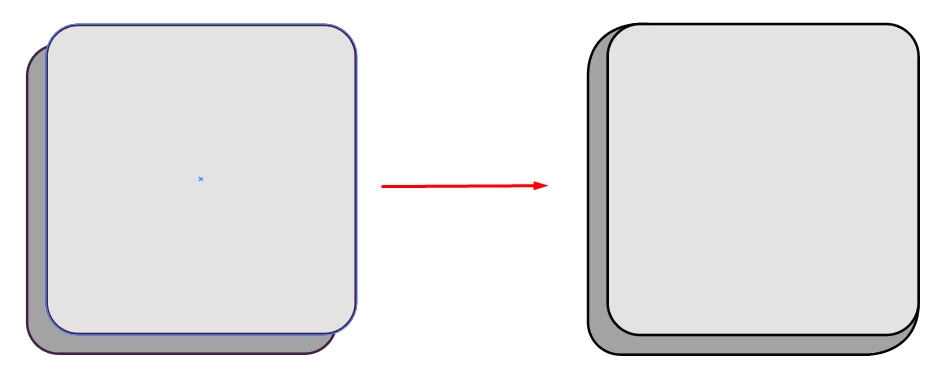


However, I'm not sure if it looks right.


Should the corners have a straight join from the top of the square and then going into a rounded part. Not sure how to explain that, but something like this:
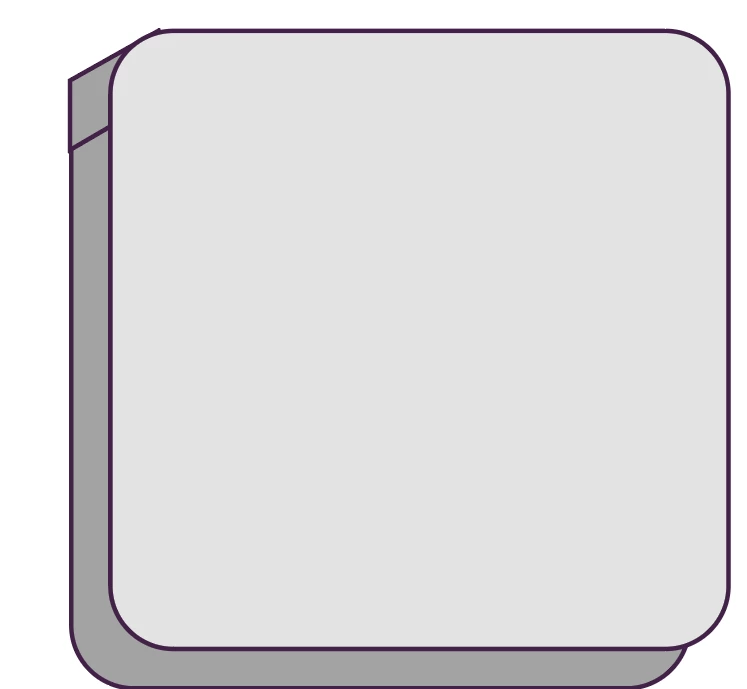
(Obviously this is just rough and not merged with the underneath layer etc)


Can anyone recommend a way of creating such a button? I have also tried the 3D extrude option in Illustrator, but need the button to be solid colour/shapes.


Also, just out of interest, should the button have a straight edge or is the first image with the rounded corners correct?


Thanks!

Correct answer Monika Gause

It does, it was just for reference. It looks like the bottom one starts more inwards rather than having a staight line.


So here's the process with Live Paint.

Smart Guides can be turned on in the View menu

You might needt to go into the Preferences > Smart guides and turn on all the options.


https://youtube.com/shorts/ZDcgBCN-XeM?feature=share 

1 reply

Monika Gause
Community Expert
Community Expert
February 7, 2025

Should this have a perspective or isometric?


Keyboard caps can look quite differently. Some have straight edges, some don't, some are like a flat pyramid, some are just extended. So maybe you decide that first?


You can still use the classic 3D effect. Use no lighting and then expand the appearance. Afterwards you can apply coloring or unite the shapes-.

Known Participant
February 7, 2025

I've just created a box with CSS with a border-radius and box shadow and it comes out like this:


Known Participant
February 7, 2025

toolman,


The CSS way shown actually gives the same as your very first top left image: just two rounded rectangles.


It does, it was just for reference. It looks like the bottom one starts more inwards rather than having a staight line.