

3D : Is everything that was possible using "Classic tool" POSSIBLE with new 3D panel?
I am getting started with 3D. Don't have particular ambitions.
Learned how to use the "3D Classic" tools a long time ago so I have a "general" idea of what the new panel is all about.
But I am having difficulty "replicating" using the new 3D panel what I was able to accomplish in the Classic mode.
Here, for example, is a screen capture showing my results so far:
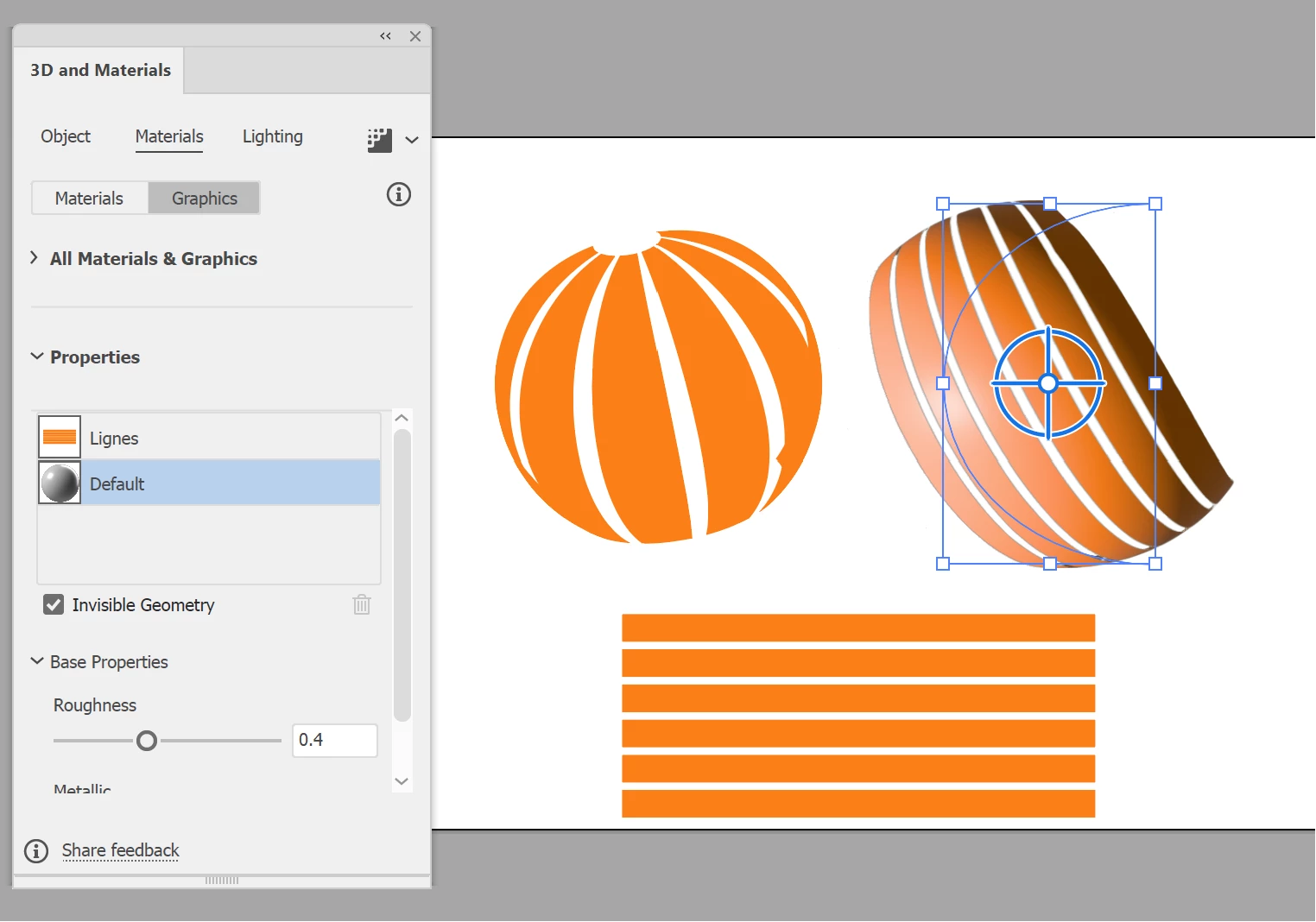
As you can see, the results (right) out of the new 3D panel are somewhat not quite what I am geting out of using the Classic mode (left)? I found how to select "Graphics" from my Symbols panel (6 orange rectangles at the bottom of the capture) in the new 3D panel but that's about it.. Nothing on how to go about the old "surfaces"?
I browsed the "Help" provided by Adobe, here, but it's quite shallow. I was hoping for some kind of "Migration" help?.. I've watched a number of YouTube videos but none specifically showing how to achieve the same kind of results in the "Old" vs "New" mode.
 AdChoices