
Answered

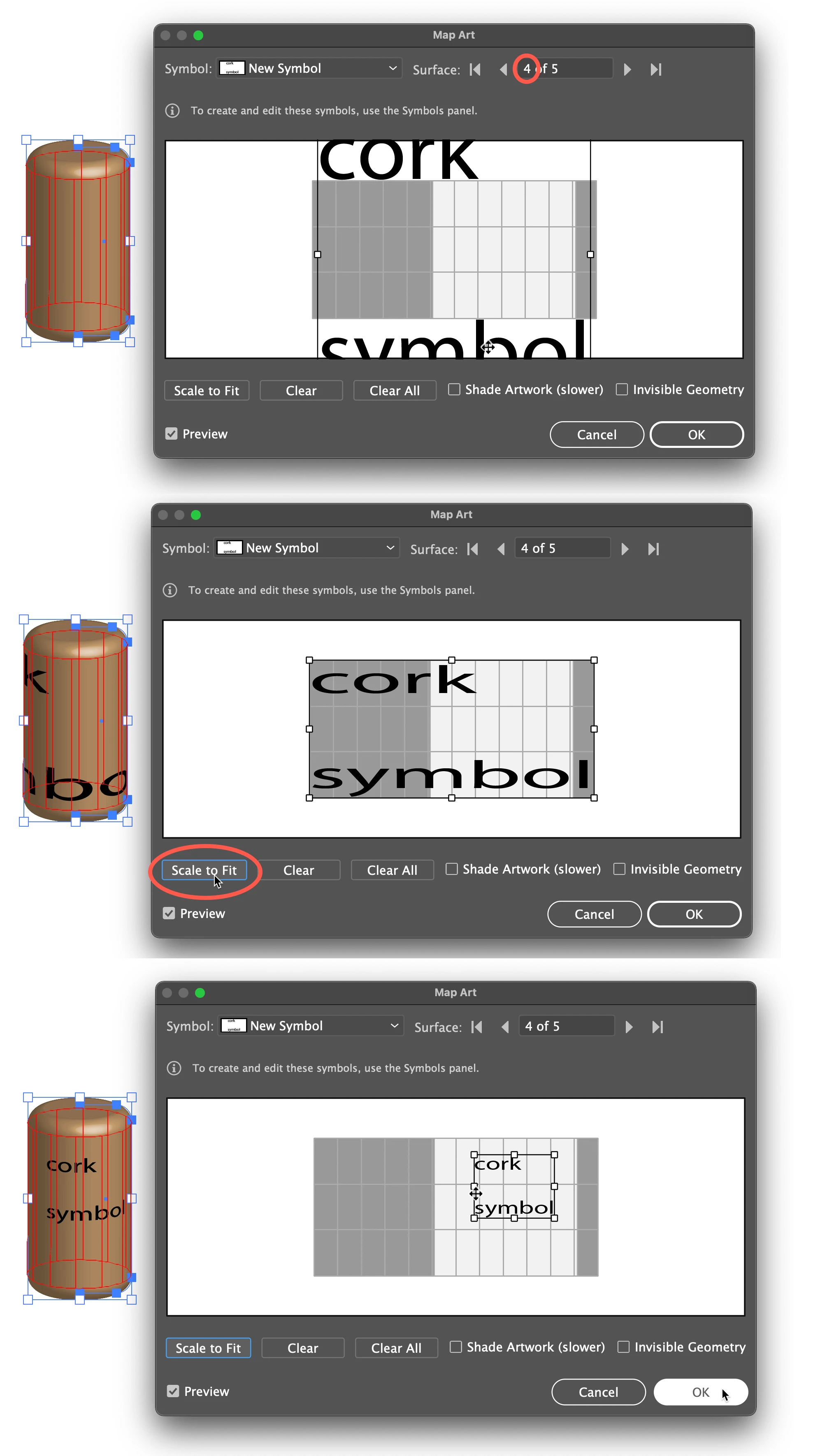
1) Be sure the symbol is applied to the correct surface. Yours will probably be different from mine, since it has a different number of surfaces
2) Click Scale to Fit, then adjust scale manually if it is still too large.
Peter
Already have an account? Login
Enter your E-mail address. We'll send you an e-mail with instructions to reset your password.
 AdChoices