
landscape_snarkitect
Known Participant
December 18, 2024
Answered

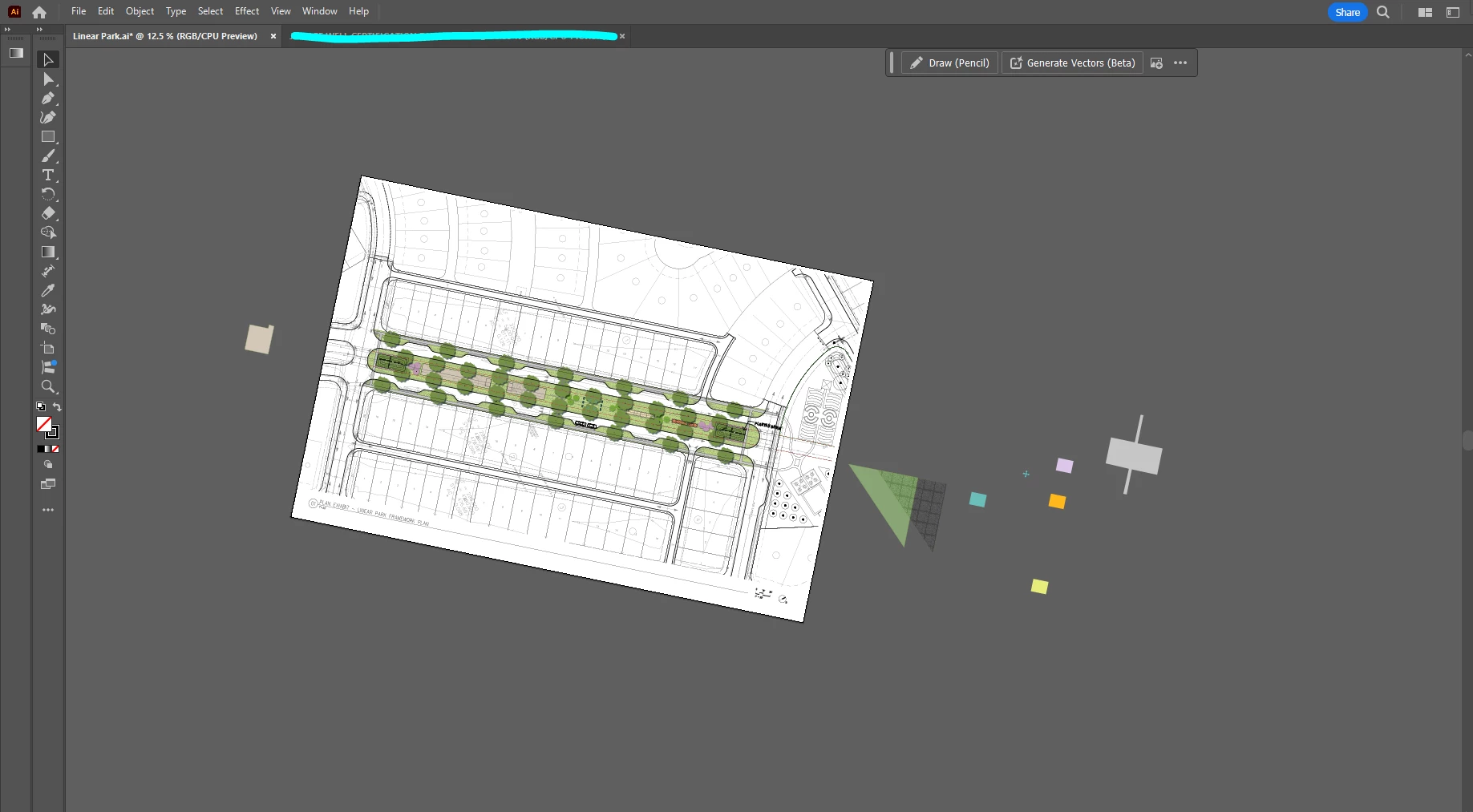
Accidentally rotated artboard and drawing space in illustrator

  • December 18, 2024
  • 2 replies
  • 1392 views

Hi,


I accidentally hit a short key combo I didn't mean to, and shifted the rotation of everything on the artboard as well as the pasteboard.  I'm not sure what I hit instead. 

How do I rotate it back to its normal position without messing up my drawing? It seems that the entire workspace rotated rather than just the artboard.


Thank you!
This topic has been closed for replies.
Correct answer IZM72

Shift + H. 

2 replies

Monika Gause
Community Expert
Community Expert
December 18, 2024

Look in the View menu. There is a shortcut to set it back.

Are you using a trackpad? In the Preferences > General you can turn off the trackpad gesture for rotating.

IZM72Correct answer
Participant
December 18, 2024

Shift + H. 

landscape_snarkitect
Known Participant
December 18, 2024

Thank you!! I didn't even know you can do that. 

Participant
December 18, 2024

Had this happen to me last week. 🙂


Just figured out that if you hit shift+ H then hold shift, it'll snap to 15° intervals.