
caroshka
Inspiring
October 31, 2017
Answered

accuracy smart guides and isometric grid cc 2018

  • October 31, 2017
  • 1 reply
  • 2895 views

Hi everybody,

I started setting up an isometric grid with guides and thought if I'd use the smart guides I'd have not much trouble in making my lines end up where they are supposed to, or the corners match where they are supposed to.

This ended up being quite a hassle as even in full zoom mode AI won't let me place the edges where I need them to be.

Overview: (the grid's spacing was 1 cm before I rotated it...)
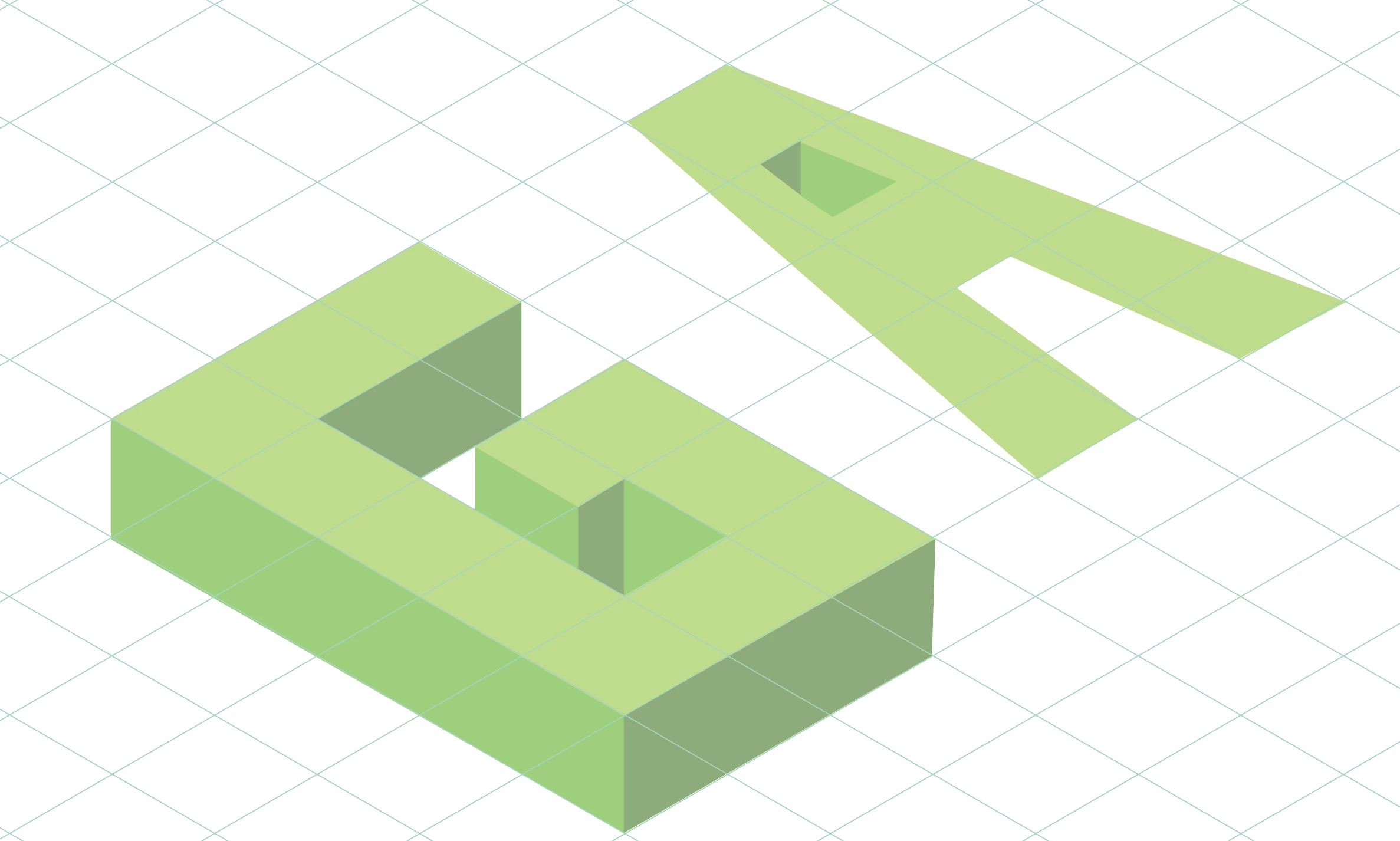
100% zoomed in:

I have tried different settings in the preferences, have set the minimum keyboard increment, have tried the "Pixel Perfect" thing as well as shutting down the smart guides and using the direct selection tool.

Hope someone gets what I talk about, I do not recall having these problems on previous versions and wonder if I have overlooked some new setting or... ???

Best,

C

This topic has been closed for replies.
Correct answer Ton Frederiks

Hi, thanks for your reply!

Do you mean "Snap to pixel" ? I have that option checked since beginning.

This is a print project and I currently am just desperate to find a way to have the direct selection tool drop my line where I point it and not somewhere next to there. In previous versions I found a way and now I feel a bit lost as this seems quite like a stupid issue to have.


I think you should turn View > Snap to Pixel off (you are not working on a design made for pixels).

Turn View > Snap to Point on and use Smart Guides.

1 reply

Monika Gause
Community Expert
Community Expert
October 31, 2017

Is Align to pixel on or off?

What about align to grid?

caroshka
caroshkaAuthor
Inspiring
November 2, 2017

Hi Monika! Thanks for posting those questions.

On previous versions of AI there was the "align to pixel" option in the "transform" menu, but now I cannot find it there anymore.
Do you know where it got moved to or whether it was replaced by some other similar function?

I haven't used "align to grid" as my grid is actually made with guides. I do not know if the grid allows an isometric setup, but I will have a look into it.

caroshka
caroshkaAuthor
Inspiring
November 4, 2017

Hi,

You can find Align to Pixel option in control panel or View > Align to Pixel.

Also, this option by default on for Web profile.

Thanks & Regards

Nitish Agarwal

Illustrator Team


Hi, thanks for your reply!

Do you mean "Snap to pixel" ? I have that option checked since beginning.

This is a print project and I currently am just desperate to find a way to have the direct selection tool drop my line where I point it and not somewhere next to there. In previous versions I found a way and now I feel a bit lost as this seems quite like a stupid issue to have.