Participant
November 19, 2018
Answered

Adjusting the center of a radial gradient

  • November 19, 2018
  • 2 replies
  • 18715 views

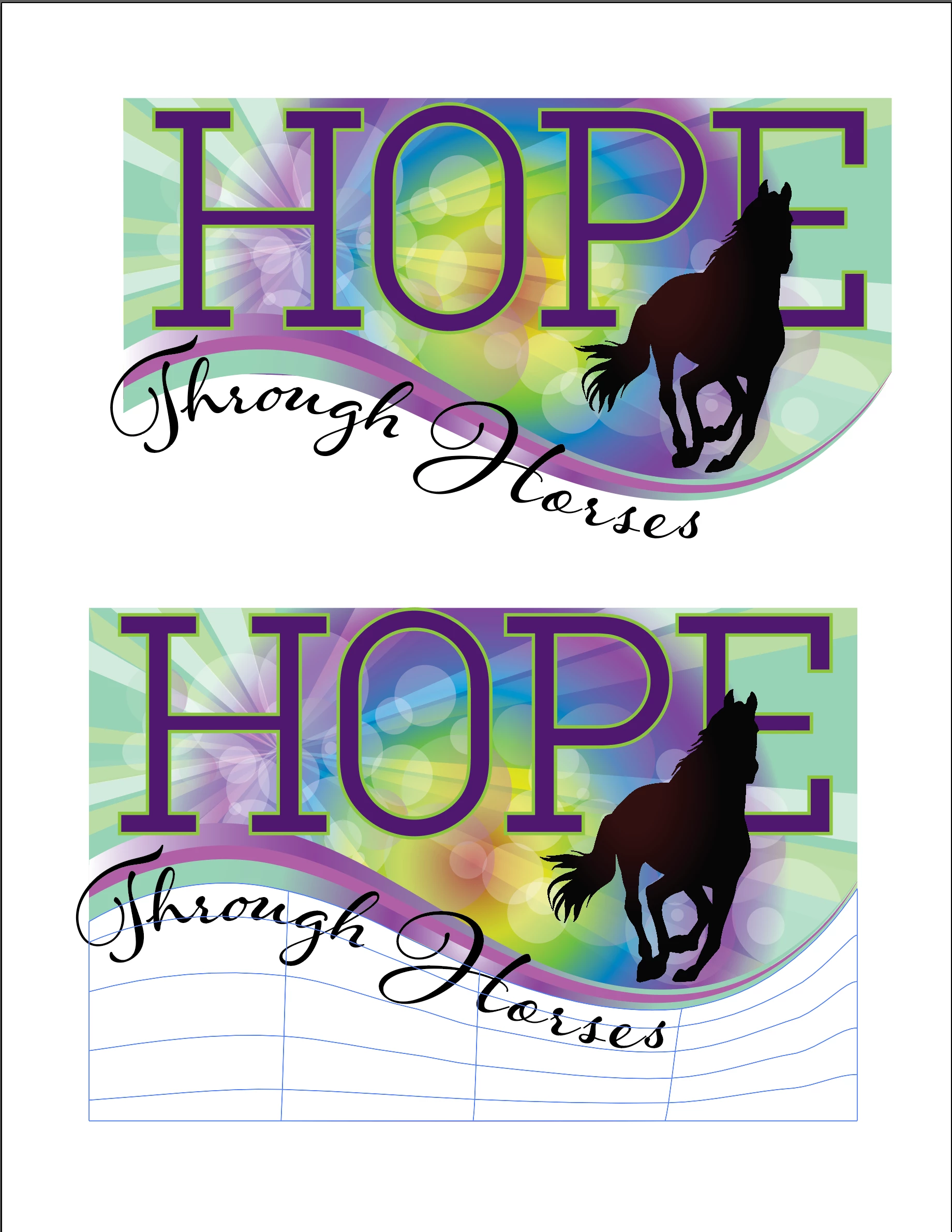
Hi Illustrator experts! I am at a total loss for this one. I have a logo design for a client that uses a complex background. I started with a file they chose from a stock agency and heavily modified it. The original file had a mesh under the image, but I don't want that in the final logo (I need it to be transparent), so I moved the bottom line of the box up by adding anchor points until it was hidden under the swish and the words "Through Horses" — in doing so, I moved the center point of the gradient. Apparently, the position of the orange in relation to the letters and the horse is extremely critical to this client and they want it moved back.

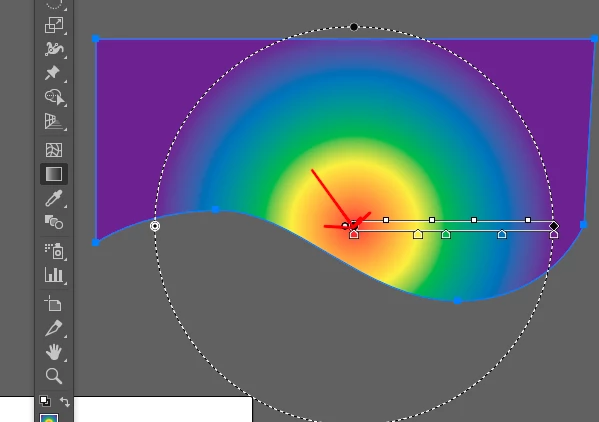
I need to be able to shift the center of the gradient so it falls in the same place as before OR I need to know how to make the knockout transparent.

In screen shot, top logo shows where the gradient is now, bottom logo is where they want it.

Can anybody help me?

Thanks

Kim
    This topic has been closed for replies.
    Correct answer Mike_Gondek10189183

    Hi Kim,

    The gradient annotator can often be difficult  to find as requires sun moon and stars to align.

    1. Select the gradient fill so that is in focus
    2. Swtich tools to gradient Tool
    3. View Show gradient annotator
    4. Grab & move the annotator.

    2 replies

    Mike_Gondek10189183
    Community Expert
    Mike_Gondek10189183Community ExpertCorrect answer
    Community Expert
    November 19, 2018

    Hi Kim,

    The gradient annotator can often be difficult  to find as requires sun moon and stars to align.

    1. Select the gradient fill so that is in focus
    2. Swtich tools to gradient Tool
    3. View Show gradient annotator
    4. Grab & move the annotator.

    Participant
    November 19, 2018

    THANK YOU! That did it. Client is happy and I learned a new trick! xoxo

    Mike_Gondek10189183
    Community Expert
    Community Expert
    November 21, 2018

    For my part you are welcome.

    Monika Gause
    Community Expert
    Community Expert
    November 19, 2018

    Please show a screenshot that has only the problem object.

    Please show it with gradient annotator.

    Please point out what you want it to look like. I don't see it.