Participant
June 14, 2021
Answered

Adobe Illustrator 2021 v25.1 not typing a double-quotation mark

  • June 14, 2021
  • 1 reply
  • 3778 views

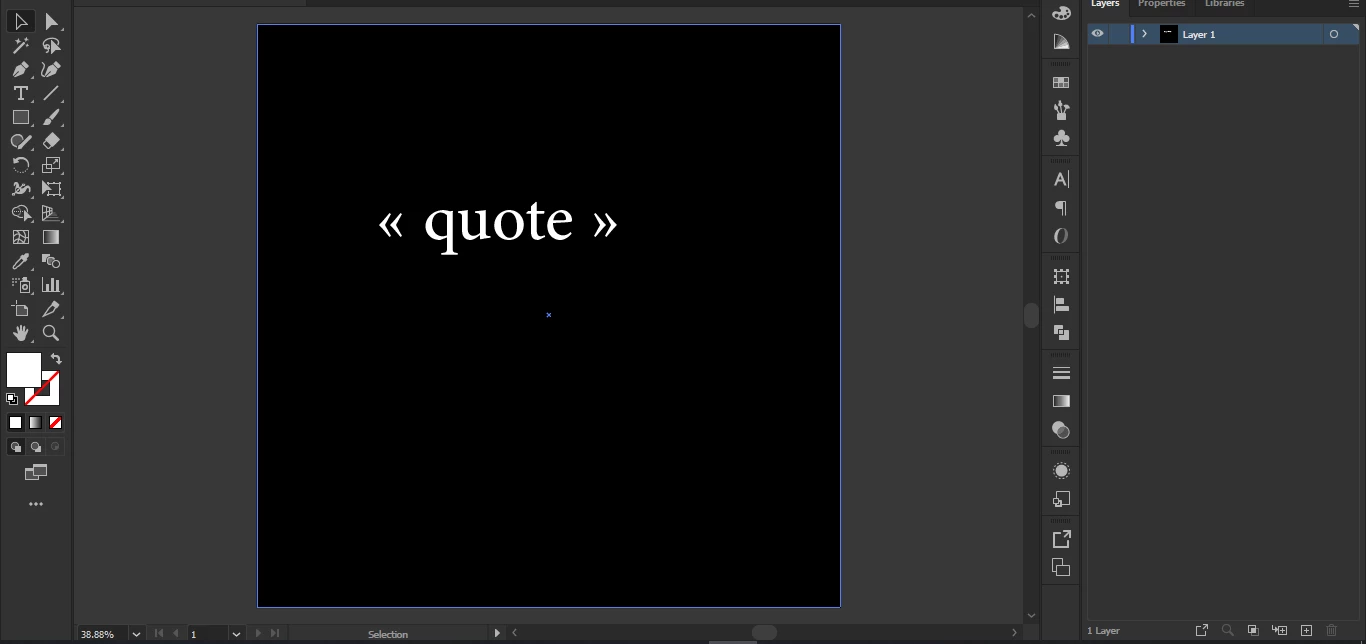
In Adobe illustrator 2021 v25.1 when i wan to type a double-quotation mark the app doesn't type a double-quotation mark it gives 2 arrows instead as shown in the pictures below, i tried different fonts but nothing worked, any fixes? 
 

This topic has been closed for replies.
Correct answer Imran26605813kzt9


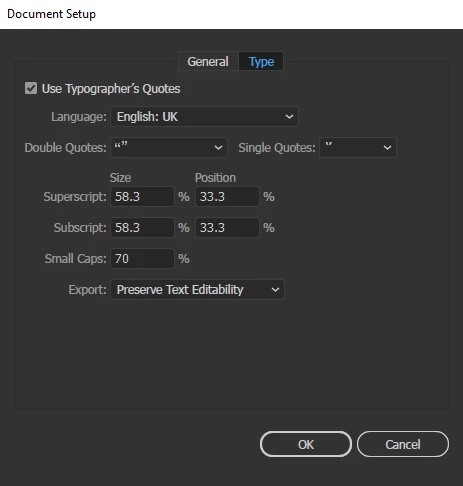
Every thing is okay just change your language to your second language (like: Arabic) then sett double and single quotes same like your sceen short . 


1 reply

Monika Gause
Community Expert
Community Expert
June 14, 2021

Those *are* quotation marks. Just not in your language.


In the document setup you can set up which quotation marks Illustrator uses when you type inches.

Abed5C77Author
Participant
June 14, 2021

Thank you Monika, but unfortunately that didn't work.

Monika Gause
Community Expert
Community Expert
June 14, 2021


And how do you enter text?