Participant
April 3, 2020
Answered

Adobe Illustrator & Tableau

  • April 3, 2020
  • 1 reply
  • 1548 views

Hello evryone, I am trying to recreate something like this: https://public.tableau.com/profile/mariona.banyeres#!/vizhome/Book1_15626110848530/Dashboard2


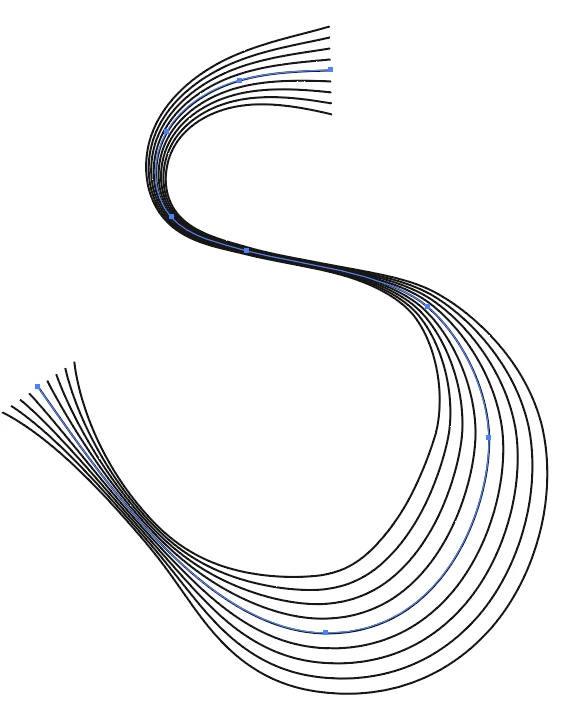
In concrete terms , I am tring to reproduce the music lines with notes. I have created something similar in Adobe Illustrator and would like to open it in tableau. Well I do not know how to do it.
Does anyone have any experience with it?


I appreciate your answer!


Thankyou in advance!

This topic has been closed for replies.
Correct answer Monika Gause

Drawsome parallel lines and apply strokes. Don't outline the strokes

Grab them all and drag them in the brushes panel. Make an art brush.

Draw a curved lines and apply the brush to it.

Use the width tool to make that wider and thinner.

1 reply

Monika Gause
Community Expert
Monika GauseCommunity ExpertCorrect answer
Community Expert
April 3, 2020

Drawsome parallel lines and apply strokes. Don't outline the strokes

Grab them all and drag them in the brushes panel. Make an art brush.

Draw a curved lines and apply the brush to it.

Use the width tool to make that wider and thinner.

DilyanaB.Author
Participant
April 3, 2020

Oh, that great tip! Thank you so much! 

How can I export this for using this picture in Tableau? Do you have any experience with that? I tried to export the picture by saving it for the web. I generate a data from the html file


However, there are not enough points. This is my result, if I open the file in Tableau


As you can see, that is not the line. I need more points.